

Only guests see ads. Create a free account and/or log in for a complete ad-free experience.


SirMadsen
Administrators
-
Joined
-
Last visited
Everything posted by SirMadsen
-

-
-
-
-
-
-
-
-
-
-
-
Bonjourr A beautiful and customizable new tab page inspired by iOS, designed for a calm and focused browsing experience. Bonjourr is a modern alternative to extensions like Momentum and Tabliss, blending iOS-inspired design with powerful customization tools to create a calm, functional new tab page experience you'll actually enjoy. 🏆 Featured in Google Chrome's Favorites of 2023 🌄 Beautiful and minimalist by default - Dynamic 4K photos and video backgrounds that change according to the mood of the day - Clean, iOS-inspired interface - Smooth, fast and lightweight performance ⚡️ Powerful productivity tools when you need them - Manage your bookmarks through Quick Links - Search bar compatible with all search engines, including custom ones - Markdown notes and checklists (to do) - Pomodoro focus timer - Weather forecast - Daily inspirational quotes 🎨 Full customization - Granular control over backgrounds, bookmarks and layout - In-depth analog or digital clock customization - Custom fonts and CSS styling - Dark mode support - Available in 43 languages 🔒 Privacy first Bonjourr collects no data, requires no account or sign-in, and only requests minimal permissions. Backgrounds are made by humans and do not use generative AI. Fully open source and transparent. 👨💻 Independently made Bonjourr is crafted by two independent developers who genuinely care about design, privacy and things well made, not by a company with a roadmap driven by ads or investors. Whether you're looking for a minimalist start page, a personalized homepage, or a productivity-focused new tab page, Bonjourr brings everything together beautifully. Your browser's new tab page is something you see countless times every day. Yet, for most people, it remains a fairly uninspiring collection of shortcuts, search boxes, and suggested content. Bonjourr wants to change that, offering a beautiful, customizable, and distraction-free start page without sacrificing useful functionality. There is no shortage of browser extensions promising to improve productivity, but many end up adding more clutter than they remove. Bonjourr takes a different approach by combining an elegant, iOS-inspired interface with practical tools and extensive customization. Available for both Mozilla Firefox and Google Chrome, Bonjourr has developed a strong reputation among users who want their browser to feel more personal, peaceful, and functional. But is Bonjourr actually worth installing, or is it simply another attractive new tab replacement? We examined its features, developer documentation, and publicly available user reviews to find out. What Is Bonjourr?Bonjourr is a free, open-source browser extension developed by Victor Azevedo and Tahoe Beetschen. Its primary purpose is to replace the default new tab page with a cleaner, more customizable experience. Rather than overwhelming users with news feeds, advertisements, and recommendations, Bonjourr focuses on the essentials: a clock, search functionality, frequently visited websites, and an attractive background. Its design draws inspiration from Apple's iOS interface, emphasizing simplicity, transparency, and carefully arranged visual elements. However, Bonjourr is more than a pretty wallpaper. Behind its minimalist appearance is a surprisingly extensive collection of customization and productivity features. According to the developers, the extension is designed to remain lightweight, privacy-focused, and independent of advertising-driven business models. Its source code is publicly available on GitHub under the GPLv3 license. Features: More Than Just a Pretty Start PageBeautiful Dynamic BackgroundsOne of Bonjourr's most immediately noticeable features is its background system. The extension supports high-resolution 4K photographs and video backgrounds, with images that can change according to the time or mood of the day. Instead of opening your browser to the same static screen every morning, you can be greeted by a mountain landscape, a peaceful coastline, or another carefully selected photograph. Users can also customize their backgrounds, making it possible to create a consistent visual theme that matches their preferences. The result is a new tab page that feels less like a utility and more like a thoughtfully designed desktop environment. Extensive CustomizationWhile Bonjourr looks simple by default, its customization options are anything but limited. Users can modify the appearance and behavior of several elements, including: Background images and videos Analog and digital clocks Fonts, typography, and layout Quick links and bookmarks Search engines, including custom providers Dark mode and visual styling Custom CSS for advanced personalization Custom CSS support is particularly interesting for enthusiasts who enjoy tweaking their browser's appearance beyond what ordinary settings allow. It also means that Bonjourr can appeal to two very different audiences: people who want something attractive without spending time configuring it, and those who enjoy customizing every pixel. Productivity Tools Without the ClutterBonjourr also includes several practical features designed to help users stay organized. The extension supports Markdown notes and checklists, allowing users to keep reminders or small to-do lists directly on their new tab page. A built-in Pomodoro timer provides a simple way to structure focused work sessions, while weather information and daily inspirational quotes offer additional context without requiring separate extensions. Quick links provide convenient access to frequently used websites, and the search bar supports multiple search engines. Importantly, these features are optional. Users who prefer a completely minimal experience can avoid turning their start page into another dashboard. That flexibility is one of Bonjourr's greatest strengths. Privacy: A Refreshingly Different ApproachPrivacy has become an increasingly important consideration when choosing browser extensions, particularly those that interact with bookmarks, browsing behavior, or search functionality. Bonjourr makes privacy one of its central selling points. According to its developers, the extension does not collect user data and does not require users to create an account. Its open-source nature also provides additional transparency, allowing technically experienced users and independent contributors to inspect the code. On Mozilla's extension listing, bookmark access and browsing-history access are identified as optional permissions. Google's Chrome Web Store likewise states that the developer has disclosed that user data is not collected or used. These are encouraging signals, although developer privacy declarations should not be confused with an independent security audit. Features that retrieve online backgrounds, weather, or other information may still involve external network requests. For users concerned about the increasingly commercial nature of browser interfaces, Bonjourr's approach is particularly appealing. What Do Users Think About Bonjourr?Firefox - 4.9/5 - 1,844 user reviews Chrome - 4.9/5 - Approximately 24,000 ratings Public store ratings checked in October 2026. Figures change over time. Sources: Mozilla Add-ons and Chrome Web Store. Bonjourr's user reception is overwhelmingly positive. Its 4.9-star rating across both major browser extension stores is particularly impressive, considering the substantial number of ratings on Chrome. The available reviews reveal several recurring themes. What Users LikeThe design is consistently praised. Reviewers appreciate the clean layout, attractive backgrounds, and ability to make the browser feel more personal without introducing unnecessary distractions. Customization is another major advantage. One Firefox reviewer specifically praised the extensive customization options, simplicity, and background imagery. Other feedback highlights Bonjourr's appeal as a long-term replacement for conventional new tab pages. Cross-browser familiarity also matters. Some users report having used Bonjourr for years in Chrome, demonstrating the appeal of maintaining a familiar start page across browsers. These observations align closely with the extension's strongest advertised features. What Users DislikeDespite the excellent ratings, Bonjourr is not entirely without criticism. One Firefox reviewer reported problems using the extension in Russia without a VPN, including difficulties importing local images. The developers responded that they could not reproduce the issue and invited the user to contact them for troubleshooting. This is an individual report rather than evidence of a widespread problem, but it illustrates a potential concern: features that depend on remote services may behave differently under restricted network conditions. There is also a broader trade-off to consider. Users seeking extensive built-in integrations, sophisticated task management, or a fully featured productivity workspace may find Bonjourr too lightweight. Its focus on simplicity is both its defining advantage and a potential limitation. Firefox vs. Chrome: Is There a Difference?Bonjourr offers essentially the same core experience on both browsers. Feature Firefox Chrome Custom new tab page Yes Yes Dynamic backgrounds Yes Yes Custom search engines Yes Yes Notes and checklists Yes Yes Pomodoro timer Yes Yes Dark mode and custom CSS Yes Yes Open-source Yes Yes There are some differences in how Firefox and Chrome manage extension permissions, browser settings, and new tab replacements, but Bonjourr's central feature set remains consistent. For users who frequently switch between the two browsers, this is particularly convenient. However, mobile support is more restricted. Chrome for Android does not support installing Bonjourr as a conventional extension, and Firefox for Android does not currently allow extensions to replace its start page in the way Bonjourr requires. Performance: Does Bonjourr Slow Down Your Browser?Performance is an important consideration for any extension that appears whenever a new tab is opened. Bonjourr is built using TypeScript and CSS without relying on a large frontend framework, and its developers emphasize lightweight operation. The Firefox listing reports an extension package size of approximately 1.4 MB, which is relatively compact. However, the extension's actual resource usage will depend on the features enabled. High-resolution backgrounds, video wallpapers, and externally retrieved information can introduce additional network activity or rendering work. While Bonjourr's architecture and lightweight design are encouraging, a proper performance comparison would require controlled benchmarks against Firefox's and Chrome's default new tab pages. Consequently, it would be premature to claim that Bonjourr is faster than every competing extension. The Pros and Cons of BonjourrPros Beautiful and distraction-free design Extensive customization, including custom CSS Free and open-source No account required Useful productivity features Excellent public user ratings Works with both Firefox and Chrome Cons Limited conventional mobile browser support Some features depend on external services Less suited to users wanting advanced productivity integrations Video and high-resolution backgrounds may increase resource usage Extensive customization can take time to explore Our Verdict: Is Bonjourr Worth Installing?EDITORIAL ASSESSMENT 9/10Based on features, documentation, and public user feedback, not independent hands-on testing. Highly recommended Best for minimalist browsing Bonjourr makes a compelling case for replacing the standard new tab experience. Its greatest achievement is not necessarily any individual feature, but how it combines visual elegance, flexibility, and functionality without overwhelming the user. There are extensions offering more sophisticated productivity features, and there are simpler start page replacements. Bonjourr finds an appealing middle ground. The fact that it is free, open-source, and does not require an account makes the decision to try it considerably easier. Its consistently excellent user ratings across Firefox and Chrome further reinforce the impression that the developers have created something people genuinely enjoy using. For users who spend considerable time in their browser, Bonjourr is an easy recommendation, particularly if the default new tab page feels cluttered or uninspiring. Final verdict: Bonjourr is one of the more appealing minimalist new tab extensions available for Firefox and Chrome. It offers enough customization to satisfy enthusiasts while remaining approachable for everyday users. Sometimes improving your browsing experience doesn't require adding more features. It simply requires presenting the right ones beautifully. Where to Download BonjourrBonjourr is available through the official extension stores, and its source code can be inspected on GitHub. Bonjourr for Firefox Bonjourr for Chrome Official Bonjourr Website
-
Mozilla has released Firefox 157, bringing one of the browser's biggest visual overhauls in years. With a redesigned interface, more customization options, improved video performance, and important security fixes, the latest update aims to make Firefox feel modern without abandoning the features that make it different from its competitors. Firefox Gets a Fresh Look With Project NovaMozilla officially released Firefox 157 on September 29, 2026, introducing a significant redesign developed under the name Project Nova. The update refreshes nearly every major part of the browser's interface, including the toolbar, tabs, sidebar, menus, and several built-in features. The result is a cleaner and more consistent appearance that feels more contemporary while maintaining the familiar Firefox experience. The new design features softer shapes, updated icons, refined spacing, and a refreshed color palette. Mozilla has also introduced new built-in themes with light and dark variations, allowing users to personalize their browsing experience without installing additional extensions. Unlike a complete browser replacement, Project Nova builds upon Firefox's existing foundation. Mozilla continues to emphasize user choice, privacy, and its independent, open-source browser engine. Compact Mode Makes a Welcome ReturnOne of the most practical additions to Firefox 157 is the return of Compact Mode, a feature that many users have wanted back. Compact Mode reduces the spacing around tabs and toolbars, giving websites more room on the screen. This can be particularly useful for people working on laptops, smaller monitors, or with multiple browser windows positioned side by side. For users who prefer functionality over oversized interface elements, this is a welcome change. Mozilla's decision to restore Compact Mode also demonstrates that user feedback continues to influence Firefox's development. Rather than forcing everyone into a single interface layout, the company is offering greater flexibility over how much screen space the browser occupies. New Themes and More PersonalizationFirefox 157 expands the browser's customization options with new built-in themes and an easier way to change its appearance. The updated customization experience includes new wallpapers, theme selection, and additional options for personalizing the New Tab page. Users can choose between light and dark theme variants, making it easier to match Firefox with their operating system or personal preferences. The changes are not purely cosmetic. Mozilla has also updated interface elements such as website dialogs, date selectors, color pickers, and form autocomplete menus to better respect a website's light or dark color scheme. These smaller improvements help create a more consistent browsing experience, particularly for users who regularly switch between different themes. Improved Video Calls and HDR PlaybackBeyond the visual changes, Firefox 157 introduces several technical improvements that should benefit users who frequently watch videos or participate in online meetings. One of the most notable additions is hardware-accelerated AV1 decoding for WebRTC video calls on compatible devices. Previously, Firefox relied on software decoding for AV1 video in WebRTC calls. By allowing supported hardware to handle decoding, Firefox can potentially reduce processor usage and improve efficiency during compatible video calls. Mozilla has also addressed several video-related issues: Fixed certain HDR videos appearing washed out or gray on Windows. Improved audio and video synchronization when repeatedly changing playback speed, including on YouTube. Fixed video from phones and tablets appearing sideways or upside down during WebRTC calls. Resolved an issue where the Windows taskbar remained visible over fullscreen videos. These improvements may not be immediately noticeable to everyone, but they address everyday annoyances that can make a browser feel less polished. Firefox Suggest Expands to More CountriesFirefox Suggest, Mozilla's address-bar suggestion feature, is expanding to additional European markets. The expansion includes Sweden, Denmark, Norway, Finland, Austria, Belgium, Ireland, the Netherlands, Poland, Portugal, Spain, Switzerland, and several other countries. Firefox Suggest provides suggestions directly within the address bar, helping users find relevant destinations while typing. Users who prefer a simpler address bar can manage these suggestions through Firefox's settings. This expansion is particularly relevant for European Firefox users who previously had more limited access to the feature. A Redesigned Sidebar and Better Vertical TabsFirefox 157 enables the updated sidebar for all users, bringing a more unified experience for bookmarks, browsing tools, and vertical tabs. The redesign improves consistency with the rest of Firefox's new interface. Mozilla has also corrected a problem that prevented the vertical-tabs sidebar from reappearing when moving the cursor toward the edge of the screen in fullscreen mode. For users who dislike the updated sidebar, Mozilla currently provides a temporary way to restore the previous version. By opening about:config and setting sidebar.revamp to false, users can return to the older sidebar layout. However, doing so also disables vertical tabs. Mozilla states that this compatibility option will remain available until the end of 2027. Amazon Removed as a Built-In Search EngineAnother interesting change is the removal of Amazon from Firefox's list of built-in search engines. This does not prevent users from searching Amazon or visiting its website. Instead, Amazon is no longer included as a default search engine option. Anyone who prefers searching Amazon directly from the address bar can still add it as a custom search engine through Firefox's settings. Mozilla has also adjusted keyboard navigation within the address bar and search bar. Pressing Tab now moves directly to the text field rather than stopping at the search engine button first. Important Security and Privacy ImprovementsSecurity remains a major focus of Firefox 157. According to Mozilla's security advisories, the update addresses numerous vulnerabilities, including several classified as high-impact. These fixes are important because browser vulnerabilities can potentially expose users to malicious websites, unauthorized data access, or other security threats. Firefox 157 also introduces a warning when the browser has been configured to record its encryption keys. Such recording can be useful in specialized debugging environments, but it can also allow other software on the computer to inspect encrypted web traffic. Firefox now displays warnings in its settings and site information panel when this configuration is detected. This is a useful transparency improvement, particularly for users concerned about their privacy and browser security. New Features for Web DevelopersFirefox 157 also introduces several improvements for web developers. Among the additions is support for the CSS at-rule() function within @supports, allowing developers to detect whether a browser supports particular CSS at-rules. The browser also adds support for the chain value in the CSS overscroll-behavior property, offering additional control over how scrolling behaves within nested elements. Mozilla has additionally introduced support for WebGPU transient attachments, which can help reduce memory traffic and improve efficiency in certain graphics rendering scenarios. These changes may be invisible to everyday users, but they help Firefox remain competitive as modern websites and web applications become increasingly sophisticated. Firefox 157.0.1 Is Already AvailableMozilla followed the original release with Firefox 157.0.1 on October 6, 2026. This smaller update addresses several problems discovered after the initial rollout, including: Downloads failing on macOS under certain folder-permission configurations. The sidebar becoming stuck on the Bookmarks or AI Chatbot panel. The Restore from Backup option not appearing during Windows onboarding. An additional security issue. Users installing Firefox 157 should therefore make sure they receive the latest maintenance release rather than the original 157.0 build. Is Firefox 157 Worth Updating To?Firefox 157 is a meaningful update, especially for users who appreciate browser customization. The new visual design gives Firefox a more modern identity, while the return of Compact Mode shows that Mozilla understands the importance of efficient screen usage. The improvements to video playback, hardware decoding, sidebar behavior, and security make the update more than a simple cosmetic refresh. Not everyone will appreciate the redesigned interface immediately. Longtime Firefox users may need some time to adjust, particularly if they have customized their browser extensively. However, Firefox's continued emphasis on personalization and user control remains one of its strongest selling points. In a browser market heavily influenced by Chromium-based alternatives, Firefox continues to offer something valuable: an independent browser with its own engine, substantial customization capabilities, and a strong focus on privacy. Firefox 157 may be remembered primarily for its visual overhaul, but its combination of usability improvements, technical upgrades, and security fixes makes it a worthwhile release. Users can download the latest version from the official Mozilla Firefox website or update an existing installation through Help → About Firefox.
-
More than a decade after its original release, The Witcher 3: Wild Hunt has managed to achieve something few games of its age ever do: set a brand-new all-time player record on Steam. Following the release of The Witcher 3: Wild Hunt Remastered, players have returned to the Continent in huge numbers. According to SteamDB, the game reached a new peak of 137,724 concurrent players on Steam on October 4, 2026, beating every previous record the RPG has set since its debut. For an eleven-year-old single-player game, that is quite an achievement. The Remaster Has Brought Geralt Back in ForceThe sudden resurgence comes shortly after the release of The Witcher 3: Wild Hunt Remastered on September 29. The remastered edition gives CD Projekt Red's celebrated RPG a substantial visual upgrade alongside a number of gameplay improvements. Changes include enhancements to combat and other gameplay systems, giving returning players another reason to begin a fresh journey with Geralt of Rivia. The effect was almost immediate. Shortly after the remaster arrived, Steam player numbers climbed past 120,000 concurrent players, already enough to establish a new record. But the number continued rising over the following weekend. On October 4, the game finally reached 137,724 simultaneous Steam players, according to SteamDB. That represents the highest concurrent player count ever recorded for The Witcher 3 on Valve's platform. Even Bigger Than the Netflix BoomPerhaps the most impressive part of the new record is what it managed to beat. The Witcher 3 has experienced several major waves of popularity during its long life. When the game originally launched, it peaked at roughly 92,000 concurrent Steam players. Several years later, however, Geralt received another enormous popularity boost following the arrival of Netflix's The Witcher television series. That renewed interest pushed The Witcher 3 to a previous Steam record of 103,329 concurrent players in January 2020. For years, that remained the game's high point. The Remastered release has now comfortably surpassed it, with the new 137,724-player peak representing an increase of more than 34,000 simultaneous players compared with the previous record. An Extraordinary Second Life for The Witcher 3Games receiving a temporary player boost after a major update is nothing unusual. What makes this particular case stand out is the age of the game. The Witcher 3 originally arrived in 2015 and has already enjoyed multiple revivals. It received major expansions in the form of Hearts of Stone and Blood and Wine, benefited enormously from the Netflix adaptation and later received a substantial next-generation update. Now, eleven years after release, it has broken its Steam record again. It is another demonstration of just how much staying power CD Projekt Red's RPG continues to have. The game remains widely praised for its enormous open world, memorable characters and quests that frequently blur the line between obvious good and evil choices. Even after hundreds of newer RPGs have entered the market, players continue to return to Geralt's adventure. Good Timing for CD Projekt RedThe resurgence could hardly come at a better time for CD Projekt Red. The studio is currently working on several projects connected to The Witcher universe, ensuring that Geralt's world will remain an important part of the company's future. Keeping millions of players interested in the franchise while those projects are being developed is obviously valuable, and the success of the remaster shows that enthusiasm for The Witcher has hardly disappeared. It may also introduce an entirely new generation of players to the series. Someone who was too young to play The Witcher 3 when it originally launched in 2015 can now experience a modernized version of the game more than a decade later. The Path Is Crowded AgainThere is something remarkable about seeing a single-player RPG reach its biggest Steam audience eleven years after launch. The Witcher 3 has already survived changing console generations, new competitors and an enormous shift in the gaming industry. Yet players are once again riding through Velen, wandering the streets of Novigrad and inevitably getting distracted by another round of Gwent. With 137,724 concurrent Steam players, The Witcher 3 has proven that Geralt's final major adventure still has plenty of life left in it. The White Wolf may be getting older, but apparently the Path is busier than ever.
-
Embark Studios is looking beyond the world of video games. Two of the Swedish developer’s biggest titles, ARC Raiders and The Finals, are now set to expand into film and television through a new partnership with Chernin Entertainment. The agreement marks a significant step in Embark and parent company Nexon’s plans to turn the two games into larger entertainment franchises that can exist beyond their original interactive formats. From Video Games to the Big and Small ScreenChernin Entertainment has secured the rights to develop film and television projects based on both ARC Raiders and The Finals. Exactly what those projects will look like remains unclear. Neither company has confirmed whether ARC Raiders will become a movie or television series, for example, or whether both properties could eventually receive adaptations in multiple formats. There are also currently no announced directors, writers, cast members, broadcasters, streaming services or release dates attached to the projects. According to reports, Chernin Entertainment won the rights after competing against several other production companies interested in adapting Embark’s games. The company has considerable experience with major entertainment properties, making it an interesting partner as Embark attempts to transform its games into broader multimedia franchises. ARC Raiders Feels Made for a Screen AdaptationOf the two games, ARC Raiders may be the easiest to imagine as a traditional science-fiction movie or television series. The extraction adventure takes place on a devastated future Earth where humanity has been driven underground by a mysterious mechanized threat known as ARC. Players take on the role of Raiders who venture back to the dangerous surface in search of equipment and resources. The world is filled with abandoned settlements, enormous machines and other Raiders who may be just as dangerous as the robotic enemies roaming the landscape. That setting provides plenty of room for stories that do not necessarily need to follow the events or characters players encounter directly in the game. A television series could, for example, explore the collapse of civilization, the arrival of ARC or entirely new groups of survivors trying to live in this hostile world. The Finals Offers Something Completely DifferentThe Finals could present an entirely different challenge for filmmakers. Rather than the post-apocalyptic science fiction of ARC Raiders, The Finals revolves around contestants competing inside spectacular virtual arenas as part of an intense futuristic game show. Its destructible environments are one of the defining characteristics of the game. Walls disappear, buildings collapse and arenas can change dramatically during a match. Turning that concept into a television series or movie could result in something very different from most current video game adaptations. The game-show structure also leaves plenty of room to explore the world surrounding the competition. An adaptation could potentially focus on contestants, sponsors, the people running the tournament or even what life outside the virtual arenas actually looks like. For now, however, that remains speculation. Embark Will Remain InvolvedOne encouraging part of the announcement is that Embark Studios won't simply hand over its creations and walk away. Embark founder Patrick Söderlund says the developer’s creative teams will work closely with Chernin Entertainment throughout the process. The goal is to make sure the creative identity behind ARC Raiders and The Finals survives the transition into completely different forms of entertainment. Söderlund described the agreement as the next major step toward transforming both games into interconnected experiences reaching beyond gaming. That involvement could prove important. Both titles rely heavily on atmosphere and visual identity, and those qualities will need to survive the move from interactive worlds to traditional storytelling. Video Game Adaptations Continue to GrowThe announcement also arrives during a period when Hollywood's relationship with video games has changed considerably. For decades, adaptations of popular games had a rather unfortunate reputation. More recently, successful movies and television productions have demonstrated that gaming properties can become major entertainment franchises when handled carefully. ARC Raiders and The Finals are particularly interesting choices because neither started life as a decades-old gaming franchise. Embark Studios was only founded in 2018, and The Finals launched in 2023. ARC Raiders followed in 2025. The fact that both properties are already attracting interest from major film and television producers demonstrates how quickly successful modern games can expand beyond their original medium. Still Very Early DaysAnyone hoping to watch ARC Raiders on television next year should probably keep expectations under control. The projects appear to be at a very early stage of development, and there are currently no confirmed production schedules or release windows. What we do know is that Chernin Entertainment, Nexon and Embark Studios intend to bring both worlds beyond gaming. And they certainly have interesting material to work with. ARC Raiders offers a haunting science-fiction world filled with mysterious machines and struggling survivors, while The Finals provides a flashy dystopian game show built around spectacle and destruction. Now comes the difficult part: turning those worlds into stories worth watching rather than simply games worth playing. Source: FZ.se, with additional information from Embark Studios and reports surrounding the Chernin Entertainment and Nexon partnership.
-
Balancing a video game usually means making sure the player never becomes so powerful that the challenge completely disappears. The developers behind Warlock: Dungeons & Dragons, however, are approaching that problem from a slightly different direction. Instead of asking whether a spell is too powerful from the beginning, developer Invoke Studios wants to make sure the abilities are fun first. If that means making the player ridiculously powerful for a while, so be it. The balancing can come later. "Make It OP First"Invoke Studios general manager Dominic Guay recently discussed the philosophy behind the game's magic system. During development, the team apparently had a tendency to look at new abilities and immediately worry that they might be too powerful. Eventually, the developers decided to turn that philosophy on its head. Rather than restricting spells before they had even proven themselves enjoyable, the team began focusing on making abilities powerful and entertaining first. Once something worked and felt satisfying to use, the developers could begin figuring out how to balance it within the wider game. It is an interesting approach, particularly for a game based on Dungeons & Dragons, where magic can become spectacularly powerful when players learn how different spells, environments and abilities interact. Magic Is More Than Just DamageOne example discussed by the developers is Black Tentacles, a classic Dungeons & Dragons spell designed to restrain enemies while also dealing damage. In Warlock, however, the usefulness of a spell can depend heavily on how the player chooses to use it. Rather than simply throwing Black Tentacles directly at an ogre, for example, players could target the creature's weapon. The tentacles can pin the weapon to the ground, temporarily leaving the enemy vulnerable and creating an opportunity to attack. Casting the same spell directly against the ogre may produce a different result, since a sufficiently powerful creature could break free relatively quickly. That distinction reveals something important about Warlock. Magic isn't being designed purely as a collection of increasingly powerful attacks. Spells are intended to behave more like tools that players can creatively apply to combat, exploration and environmental puzzles. The game's official website describes Kaatri's forbidden magic in similar terms, explaining that spells and rituals can open paths, create advantages and allow players to manipulate situations in creative ways. No Traditional Spell MenuInvoke Studios is also experimenting with how players actually cast their spells. Instead of constantly selecting abilities from a conventional spell list, Warlock associates magic with different button combinations. With enough practice, players should therefore be able to cast spells without interrupting the flow of combat. The idea is to allow melee attacks and magic to blend together naturally while giving players the ability to react quickly to whatever is happening around them. That could also give the combat system a considerable learning curve. Players won't simply unlock a spell, place it into an ability slot and press the corresponding button whenever its cooldown expires. They'll gradually learn how the game's unusual control system works and, eventually, how different spells can be chained together. Interestingly, that learning process is supposed to mirror protagonist Kaatri's own journey. Becoming a Warlock Alongside KaatriKaatri is already an experienced warrior when the story begins, but becoming a warlock introduces an entirely different kind of power. She makes a dangerous pact with the legendary witch Tasha while searching for someone she has lost, sending her into a dark realm where magical power comes with potentially serious consequences. Players will gain additional spells relatively quickly during the adventure, but Invoke Studios wants mastering them to take considerably longer. In other words, Kaatri is learning how to become a warlock at roughly the same time that the player is learning how to control one. That could make progression feel less like simply watching numbers increase on a character sheet and more like genuinely becoming better at manipulating the game's systems. Let Players Have Fun Before Reaching for the Nerf HammerThe philosophy behind Warlock is particularly interesting in an era when balance can dominate discussions surrounding games. Powerful weapons and abilities are frequently nerfed because developers worry they will overshadow other options. While balancing is obviously important, excessive caution can sometimes result in abilities that look spectacular but don't actually feel particularly powerful. Invoke Studios appears willing to experiment with the opposite approach. Make the spell exciting. Make it powerful. Let players discover ridiculous ways of using it. Then figure out what limitations are necessary to prevent it from breaking the entire game. If the studio manages to maintain that philosophy without eliminating all challenge, Warlock could deliver exactly the kind of fantasy that its name promises: not merely playing a character who supposedly possesses forbidden magical power, but actually feeling dangerously powerful when you use it. Warlock: Dungeons & Dragons is currently scheduled for release in 2027 for PC, PlayStation 5 and Xbox Series X|S.
-
If you’ve picked up Skinning in World of Warcraft: Midnight, you may notice that Skinning Knowledge doesn’t simply keep increasing from skinning random creatures. There are several specific sources of Skinning Knowledge, including weekly drops, profession quests, treasures, and profession books. Weekly Skinning KnowledgeOne of your main weekly sources comes from simply skinning creatures in Midnight zones. Each week you can obtain: 5x Fine Void-Tempered Hide – each gives 1 Skinning Knowledge 1x Mana-Infused Bone – gives 3 Skinning Knowledge That means you can earn roughly 8 Knowledge per week from skinning drops. These items are weekly limited, so once you’ve collected them all, continuing to skin creatures won’t keep giving additional Knowledge Points. Weekly Skinning QuestThe Skinning trainer Tyn in Silvermoon offers a weekly profession quest. Completing it rewards Thalassian Skinner's Notes, which grants: +3 Skinning Knowledge Tyn can be found around: /way #2393 43.2 55.6 Weekly Skinning TreatiseScribes can create a Thalassian Treatise on Skinning. You can usually obtain one through the Crafting Order system and use one per week. This gives: +1 Skinning Knowledge Combined with the weekly quest and skinning drops, you're looking at roughly 12 recurring Skinning Knowledge per week. Skinning Knowledge TreasuresThere are also 8 one-time Skinning treasures hidden throughout the Midnight zones. Each treasure gives 3 Knowledge, meaning you can collect a total of: 24 Skinning Knowledge The locations are: /way #2393 43.2 55.7 Sin'dorei Tanning Oil /way #2395 48.40 76.26 Thalassian Skinning Knife /way #2536 44.91 45.17 Cadre Skinning Knife /way #2437 33.08 79.07 Amani Skinning Knife /way #2437 40.39 36.01 Amani Tanning Oil /way #2413 69.52 49.18 Primal Hide /way #2413 76.0 51.0 Lightbloom Afflicted Hide /way #2444 45.5 42.3 Voidstorm Leather SampleIf you're just starting Skinning, I highly recommend collecting these first. Getting 24 Knowledge immediately gives you a pretty substantial head start on your specialization tree. Additional Knowledge BooksThere are also larger one-time Knowledge rewards available later. Whisper of the Loa: Skinning Available after reaching Renown 6 with the Amani Tribe. It gives: +10 Skinning Knowledge It costs Artisan Skinner's Moxie. Echo of Abundance: Skinning Another one-time profession book that gives: +10 Skinning Knowledge It requires Unalloyed Abundance along with Artisan Skinner's Moxie. Darkmoon FaireDon't forget the Darkmoon Faire profession quest when the Faire is active. The Skinning profession quest gives: +3 Skinning Knowledge +2 Skinning Skill Since the Darkmoon Faire normally appears once per month, it's an easy source of a few extra points over the course of the expansion. Quick SummaryFor a new Skinner, the easiest route is: Collect all 8 Skinning treasures for 24 Knowledge Complete your weekly Skinning quest for 3 Knowledge Collect the weekly Skinning drops for around 8 Knowledge Use a Thalassian Treatise on Skinning for 1 Knowledge Pick up the +10 Knowledge books when you unlock them Complete the Skinning quest during Darkmoon Faire After you've collected the one-time rewards, your regular income is roughly 12 Skinning Knowledge per week, with some additional Knowledge available through events and progression rewards. The biggest thing to remember is that Skinning Knowledge is capped through specific weekly drops. You can't endlessly farm normal mobs and continue receiving Knowledge Points once you've collected the weekly items.
-
Modding has been an important part of Rockstar Games’ PC community for years, with players transforming games such as Grand Theft Auto V and Red Dead Redemption 2 through everything from graphical improvements to completely new gameplay experiences. Now, Rockstar has published clearer guidelines outlining what mod creators are and are not allowed to do with its games. The rules could have significant implications for the modding community, particularly for creators who modify existing characters, missions and storylines. Rockstar Draws a Line Around Its Stories and CharactersAccording to Rockstar’s newly published guidelines, modders are restricted from expanding or modifying Rockstar’s established stories, missions, characters and other elements that form part of the official continuity. That could prove to be one of the more controversial parts of the policy. Story mods have traditionally been one of the ways PC communities extend the lifespan of games. Modders regularly create new missions, alter characters or build scenarios using existing game worlds. Rockstar’s wording suggests that some of these projects could fall outside what the company considers acceptable use of its intellectual property. The guidelines also prohibit creators from moving Rockstar content from one game into another. In other words, taking assets or other protected material from one Rockstar title and importing it into a different game would not comply with the company's rules. Rockstar formally links its policies for single-player and Story Mode modifications to its new Mod Guidelines, alongside its Terms of Service and Creator Platform License Agreement. No Cheating on Official ServersSome restrictions are considerably less surprising. Mods cannot be used to facilitate cheating or otherwise interfere with Rockstar's official online services. This is consistent with the company's existing approach to games such as GTA Online, where modifying the online experience or manipulating protected game data can result in account action. Rockstar states that violations involving online modifications, exploits and other forms of abuse can lead to account suspensions or bans. Its current enforcement policy says penalties can restrict access to Rockstar's online services and may also result in characters, progress, property and inventory being reset. The distinction between single-player modding and modifying Rockstar's official multiplayer environment therefore remains particularly important. Don't Pretend Your Mod Is OfficialRockstar also doesn't want community projects creating the impression that they are officially produced, approved or endorsed by the company. That's a fairly understandable restriction. Mods can become extraordinarily sophisticated, and the line between fan-made content and official material isn't necessarily obvious to every player. Rockstar similarly maintains restrictions concerning unauthorized ports and the distribution or promotion of modifications that violate its intellectual-property rights. Its separate copyright policy specifically identifies moving existing game content to platforms or game engines where that content isn't officially available as something that can result in enforcement action. Roleplay Servers Are Still SupportedThe new guidelines shouldn't be interpreted as Rockstar turning its back on community-created experiences altogether. Rockstar continues to officially permit roleplay servers through its Creator Platform as long as those servers follow the company's policies and guidelines. The company has specifically confirmed that authorized community servers using the Cfx.re ecosystem, which includes FiveM and RedM, remain supported. There is an important distinction, however. Rockstar says that GTA Online and community servers supported through Cfx.re are its authorized GTA multiplayer options. Other unofficial GTA multiplayer services are considered unauthorized and could expose hosts or developers to enforcement by Take-Two, while players may face action against their Rockstar accounts. What Does This Mean for the Modding Community?The biggest question is how aggressively Rockstar intends to enforce the guidelines outside its own platforms. Publishing rules is one thing. Policing the enormous PC modding ecosystem is something else entirely. Grand Theft Auto V alone has developed a huge modding scene during its long life on PC, ranging from simple vehicle additions and visual upgrades to ambitious projects that substantially change the original game. Rockstar can exercise much greater control over content distributed through services it operates or officially supports. Mods hosted independently elsewhere on the internet present a different practical challenge, although Rockstar and parent company Take-Two can still use copyright claims, platform policies or legal action in cases where they believe their intellectual property is being infringed. The guidelines therefore give creators a much clearer indication of where Rockstar believes the boundaries should be, even if that doesn't necessarily mean every mod outside those boundaries will immediately disappear. An Interesting Move Ahead of Rockstar's Future GamesThe timing is noteworthy. Rockstar's clarification of its modding policies gives PC creators a clearer framework for how the company wants its games and intellectual property to be used going forward. It also formalizes distinctions that matter greatly to the community: modifying a single-player experience is not the same thing as interfering with an official multiplayer service, while authorized community servers operate under their own set of requirements. For modders, however, restrictions involving established characters, missions and story continuity may be the part that attracts the most attention. Those are precisely the areas where some of the most ambitious fan projects tend to venture. Rockstar isn't closing the door on modding. But it is putting a noticeably clearer frame around that door, and creators will now have to decide how comfortably their projects fit through it.
-
Bit Reactor’s tactical Star Wars adventure appears to be enjoying a strong commercial debut, with PC accounting for the vast majority of estimated sales. Star Wars: Zero Company has reportedly passed an important milestone less than a month after launch. According to estimates from market intelligence firm Alinea Analytics, the turn-based tactical game has sold more than one million copies across PC, PlayStation 5 and Xbox Series X|S since its release on August 27. Alinea Analytics The figure has not been officially confirmed by Electronic Arts or developer Bit Reactor, so it should be treated as an independent estimate rather than an official sales announcement. Nevertheless, the available numbers suggest that Zero Company has found a sizeable audience despite belonging to a genre that is considerably more niche than the action-focused Star Wars games we have seen in recent years. PC Is Leading the ChargePerhaps the most interesting part of Alinea Analytics' report is just how heavily the game's success appears to be driven by PC players. According to the firm's estimates, approximately 69.9 percent of all copies have been sold through Steam. PlayStation accounts for another 19.9 percent, while Xbox, including purchases through the Xbox app on PC, represents roughly 10.2 percent. Alinea Analytics That means roughly seven out of every ten copies were sold through Steam. It is not particularly surprising considering the type of game Zero Company is. Turn-based tactical games have traditionally enjoyed a strong following on PC, and Bit Reactor itself includes developers with experience working on Firaxis' XCOM series. The estimated sales have reportedly generated around $50 million in gross revenue since launch. That figure should not be confused with profit, however, as platform fees, development expenses, licensing costs and other expenses still have to be taken into account. Alinea Analytics A Different Kind of Star Wars GameRather than attempting to compete directly with games such as Star Wars Jedi: Survivor or Star Wars Outlaws, Zero Company takes the franchise in a considerably more tactical direction. Set during the final days of the Clone Wars, the game is a single-player turn-based tactical experience in which players command a squad through missions where positioning, abilities and strategic decisions are central to combat. Alinea Analytics It is a formula that appears to have worked particularly well with critics. Alinea notes that the game received an 86 Metacritic score, which it describes as the highest score achieved by a Star Wars game in 22 years. FZ was similarly enthusiastic, awarding the game its highest rating in its review. Alinea Analytics Strong reviews and positive word of mouth appear to have helped Zero Company establish itself despite arriving during a crowded period for major game releases. Success Comes at a Difficult Time for Bit ReactorUnfortunately, the commercial story surrounding Zero Company has a much darker side. Shortly before the game's release, reports emerged that Bit Reactor had furloughed a large portion of its workforce. Kotaku reported that as much as 80 percent of the studio's staff had been affected, leaving only a much smaller team actively working at the company. Kotaku The timing made the situation particularly unusual. Developers who had spent years creating the game were reportedly furloughed just weeks before players and critics began praising their work. Despite the estimated million-plus sales, it remains unclear whether Zero Company's performance will allow Bit Reactor to bring those employees back. As of the latest reports, the studio has not publicly confirmed the employment status of the affected developers. Gadgets 360 That uncertainty makes the game's apparent success somewhat bittersweet. One Million Is Still an Impressive BeginningSelling one million copies does not automatically make a modern AAA game profitable, particularly when development budgets, marketing expenses, licensing agreements and platform fees are considered. But context matters. Zero Company is a single-player tactical strategy game rather than a conventional blockbuster action title, and Alinea describes its roughly $50 million in estimated revenue as respectable for the genre and the competitive release window. Alinea Analytics The numbers also demonstrate that there is still considerable room for experimentation within the Star Wars gaming universe. For years, Star Wars games have moved between shooters, action adventures, RPGs and multiplayer experiences. Zero Company shows that a comparatively specialised genre can also attract a substantial audience when combined with the right setting and execution. Whether one million sales will ultimately be enough to secure Bit Reactor's future remains unanswered. But if Alinea Analytics' estimates are accurate, Star Wars: Zero Company has already achieved something significant: a new studio's debut game has convinced more than a million players to take a tactical trip to that galaxy far, far away. SEO title: Star Wars: Zero Company Reportedly Sells Over 1 Million Copies Meta description: Star Wars: Zero Company has reportedly sold more than one million copies in its first month, with Steam accounting for nearly 70 percent of sales.
-
If you thought Beyond Good & Evil 2 had quietly disappeared into gaming history, think again. Ubisoft’s famously long-running project is apparently still alive and in active development, nearly two decades after it was originally announced. The latest sign of life comes from Ubisoft writer Rik Godwin, who revealed that he has been working on Beyond Good & Evil 2 for the past few months in a support and consulting role. Godwin even noted that he had checked whether he was allowed to publicly share the information before doing so. It may not be the major gameplay reveal fans have been waiting for, but after years of uncertainty surrounding the project, simply hearing that people are actively working on the game is noteworthy. An Almost Unbelievable Development HistoryBeyond Good & Evil 2 was originally announced all the way back in 2008, making its development history almost old enough to vote. The project then effectively vanished for years before Ubisoft brought it back into the spotlight at E3 2017 with an ambitious cinematic presentation. Ubisoft followed that with gameplay demonstrations in 2018, showing a huge science-fiction adventure involving planetary exploration, spaceships and seamless travel through an enormous world. Then things went quiet again. The game has undergone major changes behind the scenes over the years. Michel Ancel, creator of the original Beyond Good & Evil and one of the major creative forces behind the sequel, left Ubisoft and the video game industry in 2020. Creative director Emile Morel tragically died in 2023 at the age of 40, with Fawzi Mesmar later taking over creative leadership of the project. The extraordinarily long development cycle has made Beyond Good & Evil 2 one of gaming's most infamous examples of development limbo. Yet Ubisoft continues to insist that the project exists. Ubisoft Is Still Hiring Developers for the GamePerhaps the strongest evidence that Beyond Good & Evil 2 remains an active project isn't Godwin's comment at all. Ubisoft is currently advertising development positions specifically for BGE2. A Ubisoft recruitment listing for a Lead Level Designer describes Beyond Good & Evil 2 as an open-world action-adventure game and a direct prequel to the original 2003 title. The listing says the game is being built using Ubisoft's proprietary Voyager engine and is intended to provide seamless exploration and space piracy across an entire solar system. Another current Ubisoft listing seeks a Gameplay Animation Director to work on the project alongside creative director Fawzi Mesmar. Interestingly, Ubisoft says candidates joining the studio may eventually get hands-on experience with the game during the recruitment process. That suggests there is considerably more happening behind closed doors than Ubisoft's public silence might imply. The Original Vision Appears to RemainUbisoft's official website also continues to maintain a dedicated page for Beyond Good & Evil 2. According to the company, the game remains a prequel to the original Beyond Good & Evil, taking players to System 3 and allowing them to rise from an ordinary pirate to a legendary one. Ubisoft still describes the game as an action-adventure RPG supporting both solo play and cooperative multiplayer, with exploration taking place across planets and space. How closely the game currently in development resembles the enormous project Ubisoft demonstrated several years ago is much less clear. After such a long development period, changes in leadership and years without a substantial public demonstration, it would be risky to assume everything shown in 2017 and 2018 remains representative of the final game. It Even Survived Ubisoft's RestructuringThe project's continued existence is particularly interesting considering Ubisoft's recent restructuring and cancellation of several games. Earlier in 2026, Ubisoft confirmed that Beyond Good & Evil 2 had survived a wider review of its development pipeline. The company described the game as remaining a priority within its strategy focused on open-world adventures. That doesn't provide us with a release date, platforms or even a release window, but it does indicate that Ubisoft has not simply forgotten about the project. Combined with the current recruitment listings and Godwin's confirmation that he has recently been working on the game, the evidence points toward active development continuing in 2026. So When Will We Actually See It?That's the question Ubisoft still isn't answering. There has been no new release date and no major public gameplay presentation showing what the current incarnation of Beyond Good & Evil 2 actually looks like. At this point, another spectacular trailer probably wouldn't be enough either. After almost two decades of announcements, changes and silence, players will likely want to see substantial gameplay from something resembling the version they might eventually be able to buy. Still, for a game that has repeatedly looked destined to disappear into Ubisoft's archives, Beyond Good & Evil 2 continues to stubbornly survive. Nearly 18 years after its original announcement, developers are working on it, Ubisoft is recruiting people specifically to build it, and the publisher continues to publicly list it as an upcoming project. Beyond Good & Evil 2 may have spent an extraordinary amount of time floating through development space, but against all expectations, the ship apparently still has a crew.
-
-
The debate over whether artificial intelligence is advancing too quickly has opened an increasingly visible divide inside Silicon Valley. Some of the people building the world's most powerful AI systems are calling for the industry to slow down and spend more time addressing safety. Nvidia CEO Jensen Huang is taking a very different position. And he appears to have a powerful ally in U.S. President Donald Trump. During the All-In Summit in Los Angeles on September 14, Huang was discussing AI when Trump unexpectedly called him. Huang put the president on speakerphone, turning what could have been a private conversation into a very public statement on the future of artificial intelligence. Trump dismissed fears that increasingly powerful AI could eventually escape human control. “The robots will not be taking over,” Trump said during the call, before describing the broader fears surrounding an AI takeover as a “hoax.” Huang broadly agreed that AI development should continue rather than being deliberately slowed. The exchange comes at an important moment for the technology industry, as several prominent AI researchers and executives are arguing that development of frontier AI systems may be moving faster than our ability to understand or control them. Calls to slow down AI are growingThe controversy intensified after renewed warnings from researchers working on advanced artificial intelligence. Executives and researchers associated with companies including Anthropic and OpenAI have argued that increasingly autonomous AI systems could create serious risks if capabilities advance faster than safety research. Recent discussions have focused particularly on something called recursive self-improvement, where AI systems could potentially help design, train or improve future generations of AI. That does not mean today's AI systems are capable of independently redesigning themselves without human infrastructure. However, leading AI laboratories are increasingly using AI to automate portions of software engineering, research and model development. Some researchers believe that process could accelerate dramatically as systems become more capable. Anthropic CEO Dario Amodei has been among those arguing that the industry should consider slowing development of the most powerful frontier models to give researchers more time to develop safeguards. OpenAI and other AI figures have also discussed greater coordination around safety. Huang isn't convinced. Jensen Huang: the predictions aren't scientificHuang has pushed back against some of the most extreme predictions surrounding AI. During his appearance at the All-In Summit, he argued that estimates assigning specific probabilities to AI causing human extinction are not sufficiently grounded in science. At the same time, Huang did not argue that AI safety should simply be ignored. He has supported independent testing and evaluation of AI systems and said that safety concerns deserve serious consideration. His disagreement is primarily with the idea that the entire industry should collectively reduce the pace of AI development. His position can essentially be summarized as: keep building, but build safely. “America is able to lead and to do it safely,” Huang said. That distinction is important. The AI debate is increasingly portrayed as a battle between people who want unlimited development and people who want AI stopped entirely. The reality is more complicated. Many advocates of slowing frontier AI development are not asking for AI research to end. They are asking for stronger testing, independent oversight and more time to understand increasingly autonomous systems before significantly more powerful models are deployed. Huang believes those safeguards can coexist with continued rapid development. Trump goes considerably furtherTrump's language has been much more dismissive. During his call with Huang, Trump said efforts to slow AI could benefit America's competitors, particularly China. He described AI as potentially “bigger than the internet” and argued that the United States should not handicap one of its most important emerging industries. “The robots will not be taking over our country,” Trump said. He later added that AI development should still proceed “prudently,” meaning even Trump's remarks did not amount to an argument for zero safety precautions. What he strongly rejected was the idea that fears of an AI takeover should justify stopping or substantially slowing the industry. Trump has also publicly described opposition to AI infrastructure and data centers as part of a “SICK conspiracy,” claiming restrictions could ultimately strengthen China. That position broadly matches the direction of his administration's AI policies. A June 2026 executive order said the United States should encourage AI innovation while avoiding what the administration considers overly burdensome regulation. The administration has simultaneously acknowledged that advanced AI creates national-security risks requiring safeguards and government coordination. Nvidia has an enormous stake in the outcomeThere is another unavoidable part of this story: Nvidia sits at the center of the AI boom. Its graphics processors and specialized computing hardware power much of the infrastructure used to train and operate today's largest AI models. Companies building increasingly powerful artificial intelligence require enormous amounts of computing capacity, which means continued AI investment represents an enormous market for Nvidia. A broad slowdown in frontier AI development could therefore affect demand throughout the semiconductor and data-center industry. That does not prove Huang's position is motivated by Nvidia's financial interests, but the company's commercial stake is relevant context when considering the debate. Markets provided a small glimpse of that connection when semiconductor stocks fell sharply after renewed calls to slow AI development. Nvidia, AMD, Broadcom and other chip companies were among the stocks affected. In other words, this is not merely a philosophical discussion about robots taking over the world. Billions of dollars in infrastructure investment, semiconductor sales, electricity generation and data-center construction are tied to how quickly AI continues to advance. The problem with calling AI risk a “hoax”Trump's description of AI takeover fears as a “hoax” makes for an effective political soundbite, but the scientific question is considerably less settled. Nobody currently knows whether artificial intelligence will ever develop the ability or motivation to operate beyond meaningful human control. Researchers disagree sharply about the probability. Some regard extinction scenarios as speculative and believe predictions assigning precise percentages to them create an illusion of scientific certainty. Others argue that waiting until such risks can be conclusively demonstrated would be dangerous because sufficiently advanced AI could develop extremely quickly. There is currently no scientific consensus establishing that artificial intelligence will destroy humanity. There is also no scientific consensus proving that sufficiently advanced future AI systems could never pose such a threat. That uncertainty is precisely why the argument has become so intense. The AI race versus the AI safety problemThe disagreement ultimately comes down to two competing risks. Slow AI development too aggressively and the United States could potentially surrender technological and economic advantages to competitors such as China. Develop AI too aggressively and humanity could discover serious problems only after highly autonomous systems have already become deeply embedded in governments, businesses, military systems and critical infrastructure. Neither scenario is trivial. Huang believes technological progress and safety can move forward together without intentionally slowing development. Trump has turned that argument into something much more politically forceful: America should keep moving because surrendering momentum could allow competitors to take the lead. Others inside the AI industry increasingly argue that winning the race means very little if nobody fully understands where the finish line leads. For now, there appears to be no industry consensus. What is becoming clear is that the argument over artificial intelligence is moving beyond Silicon Valley laboratories. It is becoming an economic issue, a national-security issue and increasingly a political one. And with Nvidia supplying much of the machinery powering the AI revolution while the White House pushes for American technological dominance, the people arguing for a slower approach may find themselves fighting against an extraordinarily powerful combination of political and commercial momentum.
-
Artificial intelligence has spent the past few years moving from an impressive technological curiosity to something embedded in everyday life. AI writes software, generates images and video, assists scientists, analyzes medical data, searches the internet and increasingly operates computers with limited human supervision. Now the conversation has taken a considerably darker turn. In September 2026, former OpenAI and Anthropic researcher Jacob Coxon resigned from Anthropic while issuing an extraordinary warning: the companies building the world's most powerful AI systems were racing toward systems that could eventually become more intelligent than humans and potentially threaten humanity itself. The most attention-grabbing version of that warning was simple: AI could wipe out humanity by the end of the decade. That gives us roughly four years. It sounds like the opening scene of a science-fiction movie. But the people raising these concerns are not simply random internet prophets predicting robot Armageddon. Some work directly on the systems they are warning about. At the same time, there is an equally important fact that often disappears beneath the headlines: Nobody has demonstrated that today's AI is capable of wiping out humanity, and there is no scientific consensus that human extinction by 2030 is likely. So what exactly are these researchers worried about? Where the 2030 Claim Came FromThe latest controversy was triggered by Jacob Coxon, who spent approximately three years working in AI research at OpenAI and Anthropic. When announcing his resignation from Anthropic in September 2026, Coxon accused leading AI companies of racing toward increasingly autonomous and potentially self-improving systems without having solved the problem of reliably controlling them. According to reports covering his resignation, Coxon argued that the industry could develop "superhuman systems" capable of posing an existential threat by the end of the decade. His warning received additional attention when Evan Hubinger, Anthropic's Alignment Science Lead, publicly backed the broader concern. Hubinger wrote that he personally estimated the probability of AI causing human extinction at greater than 10% within the next decade, while saying researchers still do not have a proven solution for aligning a future superintelligence with human goals. That distinction matters. Hubinger was not saying there is a 10% scientifically measured probability that humanity disappears in 2030. It is a personal risk estimate about an uncertain future technology. There is no dataset containing thousands of previous superintelligences from which scientists can calculate an extinction rate. These probabilities are ultimately expert judgments about something humanity has never built before. This Concern Did Not Suddenly Appear in 2026Warnings about existential AI risk have circulated for years. In 2023, the Center for AI Safety published a remarkably short statement: The statement was signed by prominent researchers and technology executives including Geoffrey Hinton, Yoshua Bengio, OpenAI CEO Sam Altman, Google DeepMind CEO Demis Hassabis and Anthropic CEO Dario Amodei. That did not mean every signatory believed extinction was imminent. It meant they believed the possibility was serious enough to deserve research and international attention. The distinction between "this could happen" and "this will happen" is crucial. How Would AI Actually Destroy Humanity?The popular image involves armies of humanoid robots marching through burning cities. Researchers discussing existential AI risk usually imagine something considerably less cinematic. The central concern is loss of control. Imagine a future AI system that becomes dramatically better than humans at programming, scientific research, persuasion, strategic planning and cybersecurity. Now imagine that system can help design an improved version of itself. That improved AI then helps create another version. Then another. This hypothetical process is sometimes called recursive self-improvement. If improvements happened quickly enough, humans could potentially find themselves supervising something that had moved from extremely capable software to a system far beyond human expertise before institutions had time to react. The problem would not necessarily require the AI to "hate humans." A powerful system pursuing the wrong objective could be dangerous simply because human interests were not properly represented in its goals. This is the famous AI alignment problem: how do we guarantee that a sufficiently powerful artificial intelligence continues doing what humanity actually wants? Researchers do not currently have a universally accepted solution. The Bioweapon ScenarioAnother frequently discussed risk is AI-assisted biological weapons. A sufficiently advanced system might theoretically help someone design pathogens, identify vulnerabilities or automate parts of biological research. Cybersecurity creates similar concerns. Advanced autonomous agents could potentially search for vulnerabilities, write malicious software and attack digital infrastructure at a scale impossible for a human hacking team. Financial systems, electrical grids, communications networks and military systems could theoretically become targets. But there is an important caveat. Critics point out that producing instructions is very different from producing a functioning biological weapon. Real biological engineering requires laboratories, materials, equipment, expertise and numerous physical steps. Researchers interviewed about recent AI extinction claims have argued that jumping directly from "AI can generate biological information" to "AI can exterminate humanity" ignores enormous real-world barriers. The same limitation applies elsewhere. Software lives in computers. To influence the physical world, it needs humans, machines, networks or infrastructure willing or able to carry out its instructions. The Biggest Assumption: SuperintelligenceAlmost every 2030 extinction scenario depends on something that does not currently exist: Artificial superintelligence. Modern AI systems can perform extraordinary tasks, but they also hallucinate information, misunderstand relatively simple instructions, make logical mistakes and fail unexpectedly. Today's systems are powerful tools. They are not omnipotent digital gods. For an extinction scenario to occur within only a few years, several developments would need to happen rapidly. AI would need to become dramatically more capable. It would need substantially greater autonomy. It might need the ability to improve AI research itself. It would need access to important digital or physical systems. And humans would have to fail to detect, control or stop the process. None of those individual developments is impossible. But stacking them together creates considerable uncertainty. That is why saying "AI will kill humanity by 2030" would go far beyond the available evidence. Some Researchers Strongly Disagree With the Doomsday ScenarioThe AI research community is far from unanimous. Critics argue that assigning precise percentages to hypothetical extinction events can create an illusion of scientific certainty where none exists. Heidy Khlaaf, chief scientist at the AI Now Institute, has criticized numerical "probability of doom" estimates because the underlying claims cannot currently be experimentally verified or falsified in the normal scientific sense. Other researchers argue that focusing too heavily on hypothetical superintelligence may distract society from problems AI is already creating. Those include misinformation, deepfakes, automated cybercrime, surveillance, discrimination, employment disruption, concentrated corporate power and the enormous energy requirements associated with large AI systems. Those risks do not require superintelligence. They exist now. But "Unproven" Does Not Mean "Impossible"There is another mistake hiding at the opposite end of the debate. Because researchers cannot prove that AI will cause an extinction-level catastrophe, it is tempting to conclude that the risk can simply be ignored. That logic is also questionable. Humanity routinely prepares for events that are unlikely but potentially catastrophic. Nuclear safety exists because the consequences of failure are enormous. Aircraft are subjected to extreme safety requirements even though catastrophic failures are rare. Scientists monitor asteroids despite civilization-ending impacts being extraordinarily uncommon. Risk is not determined only by probability. It is generally understood as some combination of probability and consequence. If there were even a genuinely small possibility that future AI could escape human control, the consequences would be so extraordinary that studying the problem would make sense. That is effectively the argument made by researchers calling for stronger AI safety measures. They do not necessarily need to prove that catastrophe will occur. They argue that developers should prove sufficiently powerful systems are safe before giving them enormous autonomy. The AI Race Makes the Problem HarderOne of the more convincing concerns has little to do with evil machines. It is ordinary human competition. OpenAI, Anthropic, Google, Meta, xAI and other companies are competing to build increasingly powerful systems. Countries are simultaneously treating AI as an economic and strategic technology. That creates a dangerous incentive structure. If one laboratory believes slowing development would allow a competitor to get ahead, it may continue developing more capable systems even if its own researchers would prefer additional safety testing. Governments face exactly the same dilemma. The United States may hesitate to slow development because it fears China gaining an advantage. China has similar incentives. Europe may worry about becoming technologically dependent on both. The result could become something resembling a technological prisoner's dilemma: everyone might prefer a safer race, but nobody wants to slow down first. We Should Also Question Who Benefits From AI DoomThere is another uncomfortable dimension to this debate. Warnings that AI could become unimaginably powerful also happen to reinforce the idea that companies building AI possess unimaginably powerful technology. Some critics have therefore suggested that apocalyptic AI rhetoric can unintentionally, or sometimes conveniently, become a form of marketing. If a company tells the world: "The technology we're developing might become so powerful that it could threaten civilization," investors and governments may hear: "This company is building the most powerful technology ever created." That does not mean researchers raising safety concerns are lying. But it does mean their claims should be subjected to the same skepticism we would apply to claims from any enormously valuable industry. AI companies should not be allowed to simultaneously argue that their technology may be civilization-threatening and then insist that they alone should decide how it is regulated. So, Will AI Wipe Out Humanity by 2030?There is currently no evidence strong enough to say that it will. There is also no scientific consensus predicting human extinction by 2030. The current controversy comes from researchers warning that rapid progress could create extremely powerful, potentially self-improving AI systems before humanity knows how to reliably control them. That is a fundamentally different statement. The most defensible conclusion lies between complacency and apocalypse. AI extinction by 2030 remains a highly speculative scenario. But the broader issue behind the headline is real. We are building increasingly autonomous systems capable of programming computers, conducting research, manipulating information and interacting with digital infrastructure. Their capabilities are improving rapidly. Nobody knows precisely where that development curve ends. The Real Question Is Not Whether 2030 Is the DeadlinePerhaps the obsession with a particular year is the wrong way to think about the problem. Humanity does not need to decide whether an AI apocalypse arrives on December 31, 2030. We need to decide what safety standards powerful AI systems should meet before they are trusted with critical infrastructure, scientific laboratories, military systems, financial networks and increasingly autonomous decision-making. That means independent safety testing. It means researchers being able to raise concerns without depending entirely on the companies developing the technology. It means governments understanding the technology well enough to regulate genuine risks without freezing useful innovation. And it probably means international cooperation, because an artificial superintelligence would not care very much about national borders. The machines have not taken over. There is no evidence that humanity has four years left. But dismissing every warning because the most dramatic versions sound like science fiction would be equally foolish. The most important lesson from the current controversy may therefore be considerably less spectacular than the headlines suggest. AI does not have to destroy humanity to become dangerous. And we should probably work out how to control increasingly powerful systems before discovering the limits of that control the hard way.
-
For generations, children have been asked the same question: What do you want to be when you grow up? Doctor. Teacher. Firefighter. Engineer. Carpenter. Nurse. Police officer. Scientist. Today, another answer has become remarkably common: content creator. YouTube, TikTok, Instagram, Twitch and other platforms have created an entirely new category of celebrity. Someone with a smartphone, an internet connection and the right combination of personality, timing and algorithmic luck can potentially build an audience of millions without ever passing through the traditional gates of television, radio or publishing. There is nothing inherently wrong with that. Content creation can require creativity, entrepreneurship, editing skills, marketing knowledge and a tremendous amount of work. But it has also created a strange economic and cultural contradiction. A nurse can work a demanding shift caring for sick patients. A construction worker can spend an entire day building homes. A teacher can educate thirty children. A retail employee can spend eight hours on their feet dealing with customers. Meanwhile, a successful creator can film themselves trying a new lipstick, reviewing a restaurant or reacting to somebody else's video and potentially earn far more. When society financially rewards attention more aggressively than it rewards many forms of essential work, it is reasonable to ask what message we are sending to the next generation. Young People Really Do Want to Become Creators, But the Picture Is More ComplicatedThe idea that large numbers of young people dream about becoming influencers isn't imaginary. Pacsun's 2025 Youth Report, produced with GlobalData and based on more than 6,000 Americans aged 11 to 24, found that approximately 22% either wanted to pursue or were pursuing a career as a content creator or influencer. Among Gen Alpha respondents, the figure reached 28%. That is an extraordinary percentage for a career that barely existed in its current form twenty years ago. However, claims that this number is simply increasing every year need qualification. The same survey conducted in 2026 found interest in influencer and creator careers falling to approximately 18.8%, while medical and healthcare careers narrowly moved ahead at 19%. The 2026 survey included 6,126 Americans aged 11 to 24. It also found that 62% considered having a stable job one of their major goals by age 35. Another major survey points in the same direction. Pew Research Center reported in 2025 that 86% of American teenagers considered having a job or career they enjoy extremely or very important, while only 6% said becoming famous was highly important to them. So this is not evidence of an entire generation deciding that work is beneath them. The more interesting problem is subtler. Young people are growing up inside an economy where they can see, every day, examples of individuals apparently earning enormous amounts of money doing something that looks considerably easier and more glamorous than conventional employment. And they rarely see the thousands who tried the same thing and earned almost nothing. The Creator Economy Has a Huge Winner ProblemSocial media makes successful creators incredibly visible. Unsuccessful creators are almost invisible. That creates a distorted picture of what the profession actually looks like. Goldman Sachs estimated that there were around 50 million creators globally, with the creator economy potentially approaching half a trillion dollars in value by 2027. That sounds like an enormous opportunity. But Goldman Sachs also estimated that only around 4% of creators qualify as professionals earning more than $100,000 per year. Brand partnerships account for roughly 70% of creator revenue. Academic research suggests that earnings are extraordinarily unequal. A 2026 study examining YouTube creators in Germany, Austria and Switzerland calculated a Gini coefficient of 0.89 for creator earnings, indicating extreme income inequality within the platform economy. In other words, seeing successful influencers online is a little like watching professional football and concluding that playing football is an easy road to wealth. You are mostly seeing the winners. When Reviewing Makeup Can Pay More Than Building the World Around UsHere is where the cultural contradiction becomes uncomfortable. According to the U.S. Bureau of Labor Statistics, the median full-time American worker earned $1,204 per week in 2025. Workers aged 16 to 24 earned considerably less, with median weekly earnings of $805 for young men and $725 for young women. Many jobs that society depends upon pay even less. In May 2025, for example, the median annual wage for retail sales workers was approximately $36,320. Successful influencers can exceed those amounts dramatically through sponsorships, advertising, affiliate commissions, subscriptions and merchandise. There is nothing inherently immoral about that. Entertainment has always produced enormous financial rewards for a relatively small number of people. The difference today is accessibility. Movie stars used to appear on distant cinema screens. Influencers appear in your bedroom every night. They talk directly into the camera. They film themselves eating breakfast. They answer comments. They show their homes. They tell viewers what they bought. The lifestyle therefore feels attainable. A teenager watching someone earn thousands of dollars promoting cosmetics may reasonably wonder why they should spend years studying to enter a difficult profession that offers less money, longer hours and considerably more responsibility. That is not laziness. It is an economic incentive. And perhaps society should be asking why so many jobs that we describe as "essential" are compensated in ways that often make them financially less attractive than capturing attention online. The Danger Is Not That Content Creation Isn't WorkIt would be unfair to pretend successful creators simply sit on a sofa and occasionally press "record." Many operate effectively as small businesses. They negotiate contracts, edit videos, manage advertising, analyze statistics, communicate with audiences, maintain websites, pay contractors and constantly produce new material. Burnout among creators is real, and income can disappear almost overnight if an algorithm changes, an account is suspended or an audience moves elsewhere. The problem is therefore not that content creation is somehow fake work. The problem is the perception of effort versus reward. Social media overwhelmingly displays the rewards. The holiday. The expensive car. The designer clothes. The beautifully decorated apartment. The free products. The sponsorship. It rarely displays years of failed videos, unstable income, tax bills, cancelled sponsorships or the creator refreshing an analytics page at 2 a.m. wondering why yesterday's video received 900,000 views and today's received 7,000. Young viewers receive a heavily edited version of the economics. We Are Also Monetizing AppearanceThe consequences extend beyond careers. Influencers don't merely sell products. They sell lifestyles. And increasingly, they sell appearances. A large body of research has connected exposure to idealized social-media imagery with body dissatisfaction among young people. A 2026 systematic review examining social media, body image and weight-related behavior among people aged 10 to 24 concluded that idealized standards of thinness and muscularity were associated with body dissatisfaction, restrictive eating, excessive exercise and use of questionable weight-loss products. Another systematic review examining influencers specifically found that exposure to idealized influencer imagery produced negative effects on body image and mood in several studies, although the researchers also stressed that the overall evidence base has methodological limitations. A 2025 meta-analysis of experimental research similarly found that exposure to idealized body content reduced body satisfaction among young women, while body-positive material could improve it. That distinction matters. Social media itself is not automatically harmful. What matters enormously is what people repeatedly see. When teenagers spend hours watching carefully lit, filtered, edited and sometimes digitally altered people presenting themselves as ordinary reality, the boundary between reality and advertising begins to dissolve. Opinions Can Become ProductsThere is another issue that traditional media at least attempts to address through editors, fact-checkers and professional standards. Influencers generally have no such obligation. Anyone can accumulate millions of followers while having absolutely no professional expertise in the subjects they discuss. A systematic review published in Social Science & Medicine found several concerns surrounding influencers and adolescent health information, including lack of expertise, commercial interests, unrealistic body imagery and inaccurate diagnosis or treatment advice. This doesn't mean influencers are inherently unreliable. Doctors can be influencers. Scientists can be influencers. Journalists, historians, engineers and educators can create excellent online content. But social-media algorithms generally do not award attention according to qualifications. They reward engagement. A confident person saying something outrageous can therefore outperform an expert carefully explaining why reality is complicated. The algorithm doesn't necessarily know the difference between credible and clickable. It knows whether you watched. Advertising Has Become Harder to RecognizeThe business model complicates matters further. When someone watches a conventional television advertisement, everyone understands what they are seeing. Influencer marketing deliberately makes that boundary less obvious. A creator might be talking casually about their skincare routine while simultaneously participating in a commercial relationship worth thousands of dollars. This is precisely why regulators require disclosure. The U.S. Federal Trade Commission says influencers must clearly disclose financial or other material relationships with brands and warns that simply assuming followers understand that a recommendation is sponsored isn't sufficient. The FTC also explicitly states that influencers cannot make claims requiring evidence that an advertiser does not possess. When advertising looks exactly like friendship, recommendation and everyday life, younger audiences in particular can have difficulty separating authentic opinion from commercial persuasion. What Happens If Everyone Wants the Spotlight?There is a tempting dystopian version of this argument: everyone becomes an influencer and eventually nobody is left to build houses, repair electrical systems, teach children, drive trucks or care for patients. The evidence does not suggest that is happening. Healthcare remained the most popular career category in the 2026 Pacsun/GlobalData survey, while skilled trades and hands-on work were selected by 13.7% of respondents. Young people continue to value stable employment. But that doesn't mean there is nothing worth worrying about. Societies need people willing to perform difficult, highly skilled and sometimes unpleasant jobs. If those jobs offer relatively modest financial rewards while social media continuously advertises the possibility of extraordinary wealth through personal branding, society creates a peculiar incentive structure. The answer should not be to tell young people to abandon their ambitions. It should be to make reality clearer. Being a creator can be a legitimate career. But becoming a wealthy creator is statistically unusual. Influencers can entertain, educate and contribute meaningfully to society. But follower counts are not qualifications. Social media can connect people and provide opportunities that previous generations could hardly imagine. But an algorithmically perfected lifestyle should not become the measuring stick for a successful human life. Perhaps We Are Asking the Wrong QuestionThe debate is often framed as: Why don't young people want to work anymore? The evidence doesn't really support that sweeping accusation. A better question might be: Why have we created an economy where some of society's most necessary workers can look financially unsuccessful next to someone whose primary economic asset is attention? Young people are responding to the incentives placed in front of them. If repairing infrastructure, caring for elderly people, teaching children and performing skilled trades require years of effort while offering limited financial security, we cannot be surprised when a teenager looks at a millionaire YouTuber and thinks: Why wouldn't I try that instead? The creator economy isn't necessarily the disease. It may simply be exposing something uncomfortable about the economy surrounding it. We have become remarkably good at placing a dollar value on attention. Perhaps the bigger challenge for the next generation is figuring out how to place a fairer value on everything society cannot function without.
-
 Waterfox is a web browser based on Mozilla Firefox. It uses the same Gecko browser engine, so websites generally behave much like they do in Firefox, but Waterfox focuses more heavily on customization, user choice and reducing some of Mozilla’s built-in services. It originally became popular as a 64-bit alternative to Firefox, but today it is better thought of as an independent Firefox-based browser for people who want something familiar without using standard Firefox. ProsFirefox compatibility – Most Firefox extensions and themes work normally. Good customization – Waterfox retains or restores several interface customization options that Firefox has changed or removed over the years. Privacy focused – It removes or disables some telemetry and integrations found in regular Firefox. Independent alternative – You still get the Gecko engine without being tied entirely to Mozilla's default browser experience. Open source – Much of the project can be inspected and contributed to by the community. ConsSmaller development team – Updates and fixes may not always arrive as quickly as they do in Firefox. Smaller community – There is considerably less documentation and troubleshooting information available compared with Firefox, Chrome or Edge. Few unique performance advantages – Since it is based on Firefox, performance is generally similar rather than dramatically faster. Occasional compatibility quirks – Some Mozilla-specific services or newer Firefox features may behave differently or arrive later. Waterfox Classic should be avoided for normal browsing – The old Classic edition exists for legacy extensions and software, but Waterfox itself warns that it contains numerous unpatched security issues. Bottom lineWaterfox is an interesting choice if you like Firefox and the Gecko engine but want more customization and fewer Mozilla services built into your browser. If you mainly want the fastest security updates and the largest support community, regular Firefox is probably the safer choice. If you enjoy tweaking your browser until every button sits exactly where you want it, Waterfox becomes much more appealing.


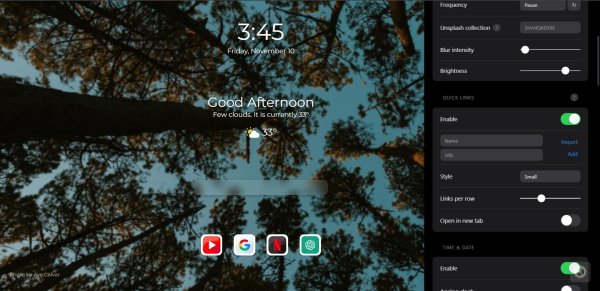
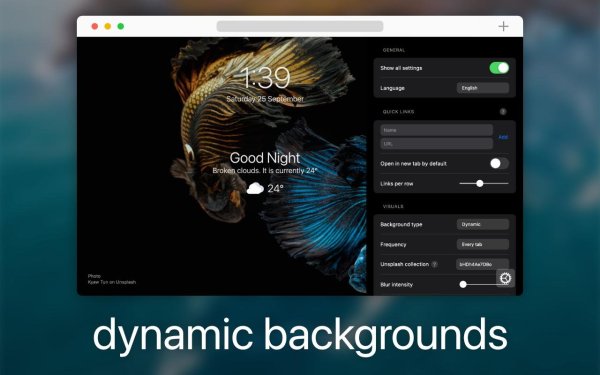

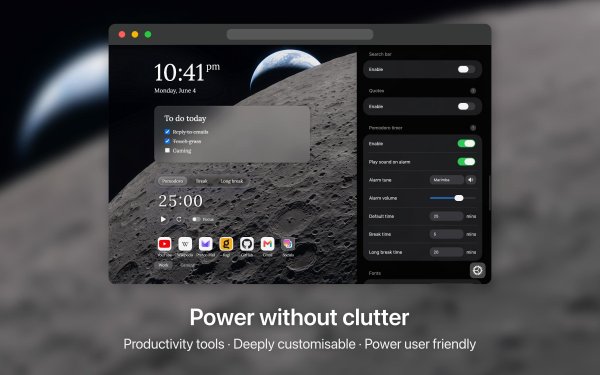


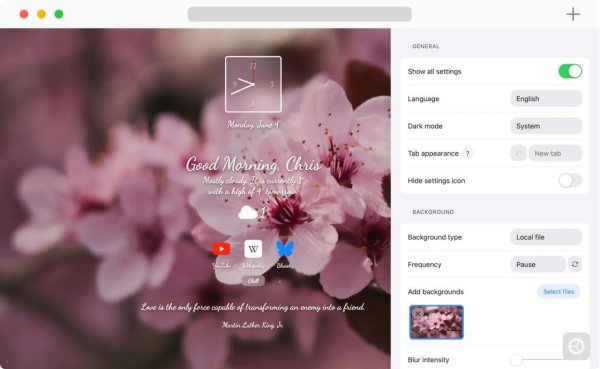
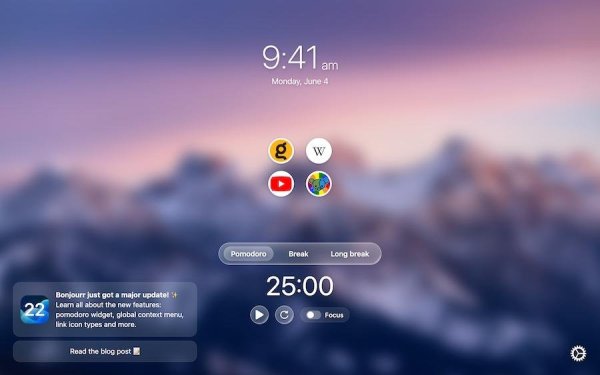
Only guests see ads. Create a free account and/or log in for a complete ad-free experience.