

Bonjourr Review: The Best Minimalist New Tab Extension for Firefox and Chrome?

Bonjourr
A beautiful and customizable new tab page inspired by iOS, designed for a calm and focused browsing experience.
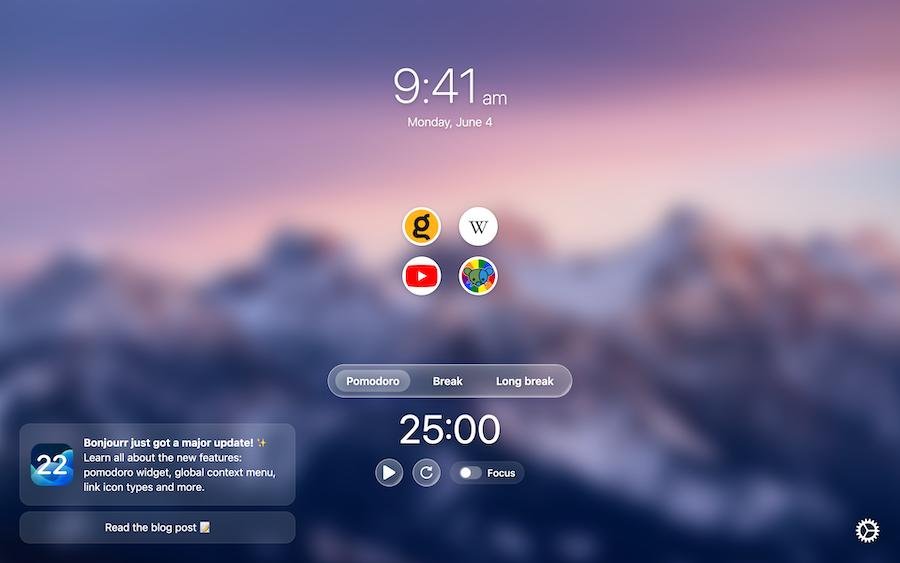
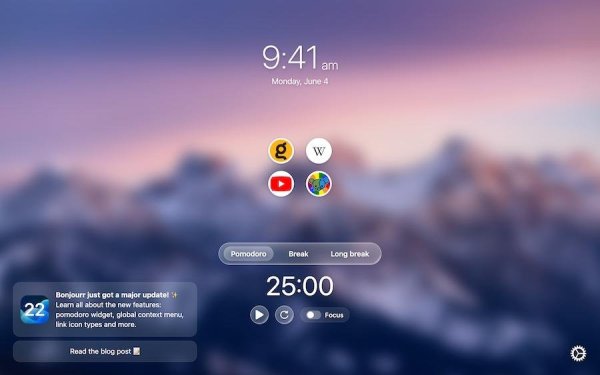
Bonjourr is a modern alternative to extensions like Momentum and Tabliss, blending iOS-inspired design with powerful customization tools to create a calm, functional new tab page experience you'll actually enjoy.
🏆 Featured in Google Chrome's Favorites of 2023
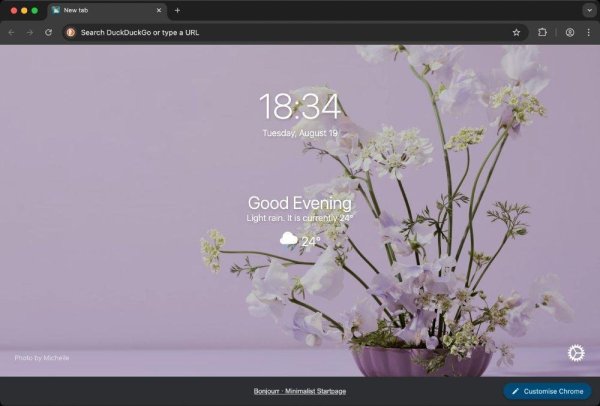
🌄 Beautiful and minimalist by default
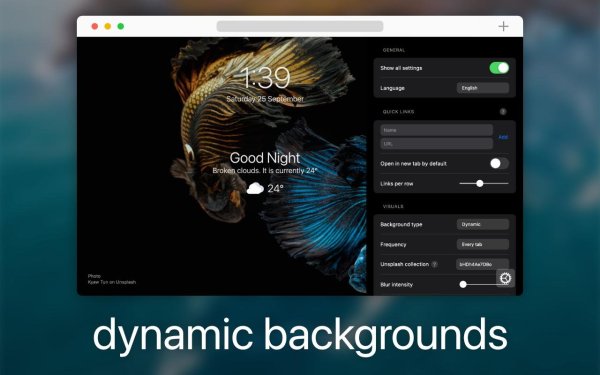
- Dynamic 4K photos and video backgrounds that change according to the mood of the day
- Clean, iOS-inspired interface
- Smooth, fast and lightweight performance
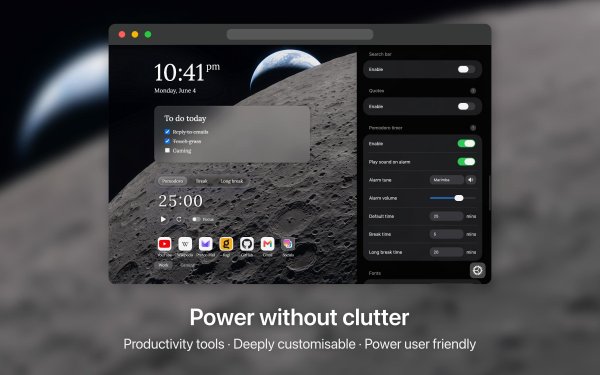
⚡️ Powerful productivity tools when you need them
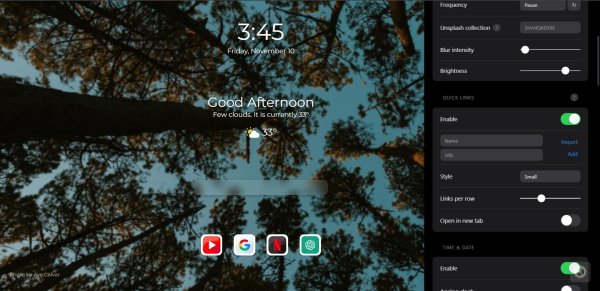
- Manage your bookmarks through Quick Links
- Search bar compatible with all search engines, including custom ones
- Markdown notes and checklists (to do)
- Pomodoro focus timer
- Weather forecast
- Daily inspirational quotes
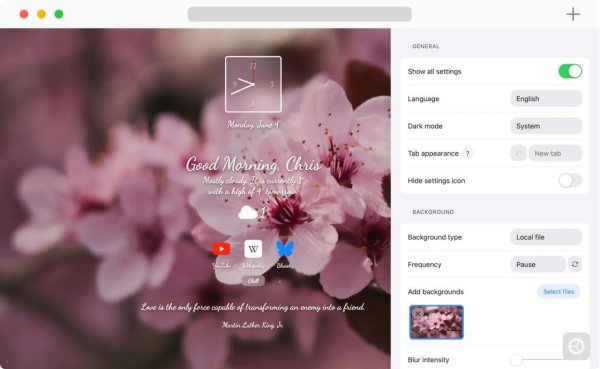
🎨 Full customization
- Granular control over backgrounds, bookmarks and layout
- In-depth analog or digital clock customization
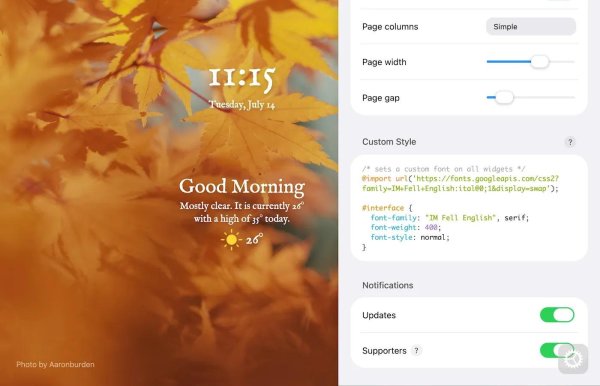
- Custom fonts and CSS styling
- Dark mode support
- Available in 43 languages
🔒 Privacy first
Bonjourr collects no data, requires no account or sign-in, and only requests minimal permissions. Backgrounds are made by humans and do not use generative AI. Fully open source and transparent.
👨💻 Independently made
Bonjourr is crafted by two independent developers who genuinely care about design, privacy and things well made, not by a company with a roadmap driven by ads or investors.
Whether you're looking for a minimalist start page, a personalized homepage, or a productivity-focused new tab page, Bonjourr brings everything together beautifully.
Your browser's new tab page is something you see countless times every day. Yet, for most people, it remains a fairly uninspiring collection of shortcuts, search boxes, and suggested content. Bonjourr wants to change that, offering a beautiful, customizable, and distraction-free start page without sacrificing useful functionality.
There is no shortage of browser extensions promising to improve productivity, but many end up adding more clutter than they remove. Bonjourr takes a different approach by combining an elegant, iOS-inspired interface with practical tools and extensive customization.
Available for both Mozilla Firefox and Google Chrome, Bonjourr has developed a strong reputation among users who want their browser to feel more personal, peaceful, and functional.
But is Bonjourr actually worth installing, or is it simply another attractive new tab replacement? We examined its features, developer documentation, and publicly available user reviews to find out.
What Is Bonjourr?
Bonjourr is a free, open-source browser extension developed by Victor Azevedo and Tahoe Beetschen. Its primary purpose is to replace the default new tab page with a cleaner, more customizable experience.
Rather than overwhelming users with news feeds, advertisements, and recommendations, Bonjourr focuses on the essentials: a clock, search functionality, frequently visited websites, and an attractive background.
Its design draws inspiration from Apple's iOS interface, emphasizing simplicity, transparency, and carefully arranged visual elements.
However, Bonjourr is more than a pretty wallpaper. Behind its minimalist appearance is a surprisingly extensive collection of customization and productivity features.
According to the developers, the extension is designed to remain lightweight, privacy-focused, and independent of advertising-driven business models. Its source code is publicly available on GitHub under the GPLv3 license.
Features: More Than Just a Pretty Start Page
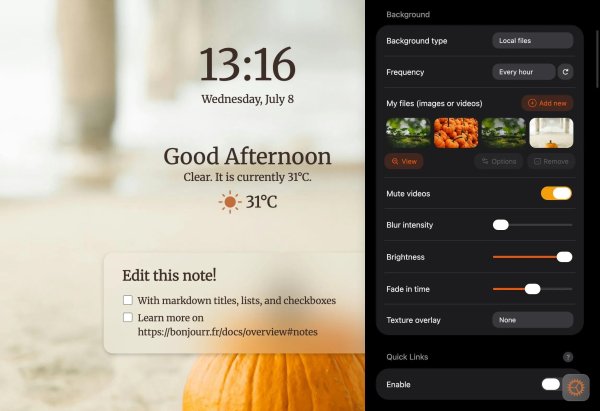
Beautiful Dynamic Backgrounds
One of Bonjourr's most immediately noticeable features is its background system.
The extension supports high-resolution 4K photographs and video backgrounds, with images that can change according to the time or mood of the day.
Instead of opening your browser to the same static screen every morning, you can be greeted by a mountain landscape, a peaceful coastline, or another carefully selected photograph.
Users can also customize their backgrounds, making it possible to create a consistent visual theme that matches their preferences.
The result is a new tab page that feels less like a utility and more like a thoughtfully designed desktop environment.
Extensive Customization
While Bonjourr looks simple by default, its customization options are anything but limited.
Users can modify the appearance and behavior of several elements, including:
Background images and videos
Analog and digital clocks
Fonts, typography, and layout
Quick links and bookmarks
Search engines, including custom providers
Dark mode and visual styling
Custom CSS for advanced personalization
Custom CSS support is particularly interesting for enthusiasts who enjoy tweaking their browser's appearance beyond what ordinary settings allow.
It also means that Bonjourr can appeal to two very different audiences: people who want something attractive without spending time configuring it, and those who enjoy customizing every pixel.
Productivity Tools Without the Clutter
Bonjourr also includes several practical features designed to help users stay organized.
The extension supports Markdown notes and checklists, allowing users to keep reminders or small to-do lists directly on their new tab page.
A built-in Pomodoro timer provides a simple way to structure focused work sessions, while weather information and daily inspirational quotes offer additional context without requiring separate extensions.
Quick links provide convenient access to frequently used websites, and the search bar supports multiple search engines.
Importantly, these features are optional. Users who prefer a completely minimal experience can avoid turning their start page into another dashboard.
That flexibility is one of Bonjourr's greatest strengths.
Privacy: A Refreshingly Different Approach
Privacy has become an increasingly important consideration when choosing browser extensions, particularly those that interact with bookmarks, browsing behavior, or search functionality.
Bonjourr makes privacy one of its central selling points.
According to its developers, the extension does not collect user data and does not require users to create an account.
Its open-source nature also provides additional transparency, allowing technically experienced users and independent contributors to inspect the code.
On Mozilla's extension listing, bookmark access and browsing-history access are identified as optional permissions.
Google's Chrome Web Store likewise states that the developer has disclosed that user data is not collected or used.
These are encouraging signals, although developer privacy declarations should not be confused with an independent security audit. Features that retrieve online backgrounds, weather, or other information may still involve external network requests.
For users concerned about the increasingly commercial nature of browser interfaces, Bonjourr's approach is particularly appealing.
What Do Users Think About Bonjourr?
Firefox - 4.9/5 - 1,844 user reviews
Chrome - 4.9/5 - Approximately 24,000 ratings
Public store ratings checked in October 2026. Figures change over time. Sources: Mozilla Add-ons and Chrome Web Store.
Bonjourr's user reception is overwhelmingly positive.
Its 4.9-star rating across both major browser extension stores is particularly impressive, considering the substantial number of ratings on Chrome.
The available reviews reveal several recurring themes.
What Users Like
The design is consistently praised. Reviewers appreciate the clean layout, attractive backgrounds, and ability to make the browser feel more personal without introducing unnecessary distractions.
Customization is another major advantage. One Firefox reviewer specifically praised the extensive customization options, simplicity, and background imagery. Other feedback highlights Bonjourr's appeal as a long-term replacement for conventional new tab pages.
Cross-browser familiarity also matters. Some users report having used Bonjourr for years in Chrome, demonstrating the appeal of maintaining a familiar start page across browsers.
These observations align closely with the extension's strongest advertised features.
What Users Dislike
Despite the excellent ratings, Bonjourr is not entirely without criticism.
One Firefox reviewer reported problems using the extension in Russia without a VPN, including difficulties importing local images. The developers responded that they could not reproduce the issue and invited the user to contact them for troubleshooting.
This is an individual report rather than evidence of a widespread problem, but it illustrates a potential concern: features that depend on remote services may behave differently under restricted network conditions.
There is also a broader trade-off to consider. Users seeking extensive built-in integrations, sophisticated task management, or a fully featured productivity workspace may find Bonjourr too lightweight.
Its focus on simplicity is both its defining advantage and a potential limitation.
Firefox vs. Chrome: Is There a Difference?
Bonjourr offers essentially the same core experience on both browsers.
Feature | Firefox | Chrome |
|---|---|---|
Custom new tab page | Yes | Yes |
Dynamic backgrounds | Yes | Yes |
Custom search engines | Yes | Yes |
Notes and checklists | Yes | Yes |
Pomodoro timer | Yes | Yes |
Dark mode and custom CSS | Yes | Yes |
Open-source | Yes | Yes |
There are some differences in how Firefox and Chrome manage extension permissions, browser settings, and new tab replacements, but Bonjourr's central feature set remains consistent.
For users who frequently switch between the two browsers, this is particularly convenient.
However, mobile support is more restricted. Chrome for Android does not support installing Bonjourr as a conventional extension, and Firefox for Android does not currently allow extensions to replace its start page in the way Bonjourr requires.
Performance: Does Bonjourr Slow Down Your Browser?
Performance is an important consideration for any extension that appears whenever a new tab is opened.
Bonjourr is built using TypeScript and CSS without relying on a large frontend framework, and its developers emphasize lightweight operation.
The Firefox listing reports an extension package size of approximately 1.4 MB, which is relatively compact.
However, the extension's actual resource usage will depend on the features enabled. High-resolution backgrounds, video wallpapers, and externally retrieved information can introduce additional network activity or rendering work.
While Bonjourr's architecture and lightweight design are encouraging, a proper performance comparison would require controlled benchmarks against Firefox's and Chrome's default new tab pages.
Consequently, it would be premature to claim that Bonjourr is faster than every competing extension.
The Pros and Cons of Bonjourr
Pros
Beautiful and distraction-free design
Extensive customization, including custom CSS
Free and open-source
No account required
Useful productivity features
Excellent public user ratings
Works with both Firefox and Chrome
Cons
Limited conventional mobile browser support
Some features depend on external services
Less suited to users wanting advanced productivity integrations
Video and high-resolution backgrounds may increase resource usage
Extensive customization can take time to explore
Our Verdict: Is Bonjourr Worth Installing?
EDITORIAL ASSESSMENT
9/10
Based on features, documentation, and public user feedback, not independent hands-on testing.
Highly recommended
Best for minimalist browsing
Bonjourr makes a compelling case for replacing the standard new tab experience.
Its greatest achievement is not necessarily any individual feature, but how it combines visual elegance, flexibility, and functionality without overwhelming the user.
There are extensions offering more sophisticated productivity features, and there are simpler start page replacements. Bonjourr finds an appealing middle ground.
The fact that it is free, open-source, and does not require an account makes the decision to try it considerably easier.
Its consistently excellent user ratings across Firefox and Chrome further reinforce the impression that the developers have created something people genuinely enjoy using.
For users who spend considerable time in their browser, Bonjourr is an easy recommendation, particularly if the default new tab page feels cluttered or uninspiring.
Final verdict: Bonjourr is one of the more appealing minimalist new tab extensions available for Firefox and Chrome. It offers enough customization to satisfy enthusiasts while remaining approachable for everyday users.
Sometimes improving your browsing experience doesn't require adding more features. It simply requires presenting the right ones beautifully.
Where to Download Bonjourr
Bonjourr is available through the official extension stores, and its source code can be inspected on GitHub.


Recommended Comments
Join the conversation
You are posting as a guest. If you have an account, sign in now to post with your account.
Note: Your post will require moderator approval before it will be visible.