

Only guests see ads. Create a free account and/or log in for a complete ad-free experience.


SirMadsen
Administrators
-
Joined
-
Last visited
Everything posted by SirMadsen
-

 Floorp is a free and open-source web browser based on Mozilla Firefox. It keeps Firefox’s Gecko engine and extension ecosystem, but adds a much heavier focus on customization and productivity. Some of its built-in features include vertical and multi-row tabs, workspaces, split-screen browsing, web panels, mouse gestures, web apps and extensive interface customization. ProsExtremely customizable compared with standard Firefox. Supports Firefox extensions and much of the familiar Firefox ecosystem. Built-in workspaces make separating gaming, work, social media or other browsing sessions easy. Split View can display multiple websites inside the same browser window. Sidebar web panels are useful for things like Discord, messaging, music or reference pages. Open source and available for Windows, macOS and Linux. Privacy-conscious while still allowing the user considerable control over how the browser behaves. ConsAll those options can make Floorp feel a little overwhelming if you just want a simple browser. It is maintained by a much smaller project than Firefox, Chrome or Edge, so development resources are naturally more limited. Some Floorp-specific features can occasionally introduce quirks that you wouldn't encounter in plain Firefox. Mobile support is still limited. As of 2026, the official Floorp site lists its iOS version as being tested through TestFlight. Overall, Floorp is an interesting choice for people who like Firefox but keep thinking, “I wish I could customize this thing a lot more.” It feels a little like Firefox being handed a toolbox and told to go wild.
 -
Apple has officially released macOS 27 Golden Gate, bringing one of the more substantial Mac updates in recent years. While macOS Tahoe introduced the controversial Liquid Glass redesign, Golden Gate feels more focused on refining that foundation while pushing the Mac much deeper into the era of artificial intelligence. Released on September 14, macOS 27 introduces the completely rebuilt Siri AI, Visual Intelligence for the Mac, smarter Safari features, expanded Apple Intelligence tools, improved performance, better support for modern displays, and a surprisingly long list of smaller quality-of-life improvements. There is also one major compatibility change: macOS 27 requires an Apple silicon Mac. Intel Macs have officially been left behind. Siri AI is the headline featureThe biggest addition in macOS 27 is undoubtedly Siri AI, Apple's next-generation version of Siri. Rather than behaving primarily as a voice assistant designed for short commands, Siri AI works much more like a conversational AI assistant. You can ask open-ended questions, brainstorm ideas, research topics and continue conversations naturally. Siri is also integrated directly into Spotlight. Searching for something can now surface an Ask Siri option alongside traditional files, apps and system results. More importantly, Siri can understand personal context. For example, you can ask Siri to locate an email you vaguely remember receiving, find a photograph from an old trip or retrieve information stored somewhere inside your notes. Instead of forcing you to remember filenames or exact keywords, Siri can work with more natural descriptions. Apple has also introduced a standalone Siri app. Conversations are stored and synchronized through iCloud, meaning a discussion started on one Apple device can later be continued on your Mac. Conversations can also be pinned for easier access. At launch, Siri AI is rolling out in English, so language availability remains something to keep in mind depending on your region. Apple's Swedish macOS page confirms that Siri AI is available in English. Visual Intelligence comes to the MacAnother major addition is Visual Intelligence. Using the keyboard shortcut Shift + Command + Space, you can select something visible on your screen and ask Siri questions about it. That could be an image, information inside an application, part of a webpage or even a PDF. Siri can then analyze the selected content, explain what you are seeing or perform relevant actions. For example, Visual Intelligence can recognize information about an upcoming event and help add it to Calendar without requiring you to manually copy the details. It effectively turns the Mac screen itself into something Apple Intelligence can interact with. Apple Intelligence spreads across macOSApple Intelligence is also becoming more deeply integrated into regular applications. Siri AI can generate text almost anywhere you can type and provide feedback on existing writing. In applications such as Mail and Messages, Apple says the system can even attempt to match your usual writing style, punctuation and tone. Image Playground has also been expanded and can now produce images in additional styles, including photorealistic imagery. Apple is additionally introducing much more capable intelligent photo editing. Tools include Spatial Reframing, which can reposition the composition of an existing photograph, and Extend, which generates additional content outside the original boundaries of a photo. The existing Clean Up tool is also becoming more capable at removing large objects and reconstructing complex backgrounds. Apple notes that some of these photography features are arriving through a future macOS 27 software update rather than being available immediately. Safari gets smarterSafari receives several useful improvements in Golden Gate. Tabs can now automatically be grouped according to topic, making it easier to manage large browsing sessions. A particularly interesting addition is Notify Me. Safari can monitor webpages for changes and notify you when something happens. Apple gives examples such as a product returning to stock or receiving a price reduction. Instead of constantly refreshing a store page, Safari can effectively keep watch for you. Apple is also introducing Describe an Extension, allowing users to describe a small Safari extension using natural language rather than programming one manually. Shortcuts becomes much easierApple's Shortcuts system has always been powerful, but building complicated automations can quickly resemble assembling digital IKEA furniture without the little Allen key. macOS 27 attempts to solve that with Describe a Shortcut. Instead of manually selecting actions, you can explain what you want the Shortcut to accomplish. Apple Intelligence then assembles the necessary actions automatically. Apple's example involves describing a Shortcut that sends your partner a message when you leave work and automatically includes your estimated arrival time based on traffic. This could make Shortcuts significantly more approachable for people who previously ignored the application. Liquid Glass gets another refinementApple isn't abandoning Liquid Glass, but it has adjusted the interface following the introduction of the design language in macOS Tahoe. macOS 27 improves contrast and readability while making refraction effects more consistent throughout the operating system. Toolbars have become more uniform, sidebars extend further toward window edges and window shapes have been refined. Most importantly, users now get a slider controlling how Liquid Glass appears, ranging from a highly transparent appearance to a much more tinted version. It gives users considerably more control over how aggressive Apple's translucent interface looks. Faster AirDrop, networking and SafariGolden Gate isn't exclusively about artificial intelligence. Apple says it has made several underlying performance improvements throughout macOS. AirDrop transfers are faster, browsing network files should feel more responsive and Safari's start page loads content faster. Mail has also received a new search ranking system designed to push the most relevant messages toward the top of search results, while Spotlight offers improved search suggestions. None of these features will dominate Apple's marketing material, but they may ultimately be among the improvements users notice most during everyday Mac use. Better ultrawide monitor supportUsers with large external displays also get a welcome upgrade. macOS 27 introduces support for higher resolutions and refresh rates on ultrawide monitors, including configurations such as 5K at 120Hz. macOS also does a better job remembering monitor arrangements, so reconnecting an external display should restore its previous position rather than occasionally forcing users to rearrange everything again. For Mac mini and Mac Studio users in particular, this is a genuinely useful improvement. Shared Albums become friendlier outside Apple's ecosystemiCloud Shared Albums are getting improved support for people who don't use Apple devices. Android and Windows users can more easily participate through iCloud.com and contribute their own photographs. Shared Albums also gain full-resolution sharing alongside additional filtering, reactions and invitation options. That may sound relatively minor, but it removes one of the persistent annoyances of sharing large photo collections with mixed-device families and groups. Accessibility improvementsApple has expanded VoiceOver with richer descriptions of images and other onscreen content. macOS 27 can also automatically generate synchronized captions for videos and translate existing captions into other languages. These improvements continue Apple's broader effort to build accessibility functions directly into the operating system rather than treating them as separate tools. New parental controlsGolden Gate also introduces significantly expanded parental controls. A new Ask to Browse system can require children to request permission before opening previously unapproved websites in Safari. Communication Safety now expands its protections beyond nudity and can intervene when children are about to encounter violent or graphic imagery. Parents can also configure Time Allowances for categories such as games, entertainment and social media, while schedules determine which applications are available at particular times or on specific days. Which Macs support macOS 27?This is where Golden Gate marks an important turning point. There are no supported Intel Macs. macOS 27 requires Apple silicon and officially supports: MacBook Neo (2026) MacBook Air with Apple silicon from 2020 or newer MacBook Pro with Apple silicon from 2020 or newer iMac with Apple silicon from 2021 or newer Mac mini with Apple silicon from 2020 or newer Mac Studio from 2022 or newer Mac Pro with Apple silicon from 2023 Apple's transition away from Intel is now essentially complete at the operating-system level. macOS 27 feels like the beginning of Apple's AI-era MacmacOS 27 Golden Gate isn't defined by one radical redesign. Instead, Apple has taken the foundation introduced with Tahoe and filled it with substantially more intelligence. Siri AI is clearly the centerpiece, but Visual Intelligence, natural-language Shortcuts, smarter Safari tools and deeper contextual awareness may ultimately be more important than the new assistant interface itself. Meanwhile, practical improvements such as faster networking, improved search, better ultrawide display support and refinements to Liquid Glass help prevent Golden Gate from feeling like an operating system built entirely around AI. For users with an Apple silicon Mac, macOS 27 is therefore less of a cosmetic revolution and more of a transformation happening underneath the familiar desktop. And with Intel Macs finally removed from the compatibility list, Golden Gate also draws a very clear line between the Mac's past and whatever Apple has planned next.
-
Apple has officially released iPadOS 27, and while this year's update may not completely reinvent the iPad, it brings one of the biggest collections of intelligence, performance and usability improvements the platform has seen in years. Released on September 14, 2026, iPadOS 27 focuses heavily on the next generation of Apple Intelligence, a much more capable Siri, smarter built-in apps, performance improvements and refinements to the Liquid Glass design introduced with the previous generation. For users with newer iPads, particularly models powered by Apple silicon, there is quite a lot to unpack. Siri Gets Its Biggest Upgrade YetThe headline feature of iPadOS 27 is Apple's new Siri AI. Apple describes it as a much more conversational and capable version of Siri, combining personal context, onscreen awareness, app integration and broader general knowledge. Instead of treating every command as an isolated request, Siri can now maintain conversations and understand follow-up questions. For example, you can ask Siri about something displayed on your screen, continue asking questions about it and then potentially perform an action based on the information. Apple has also introduced a dedicated Siri app, where previous Siri conversations can be revisited. Conversations can privately sync through iCloud, meaning a conversation started on one Apple device can potentially be continued on another. Siri also integrates directly into Spotlight, allowing users to quickly type questions without opening another interface. There is, however, an important limitation. Siri AI requires an Apple Intelligence-capable iPad, meaning an iPad mini with A17 Pro or an iPad powered by an M-series processor. Apple says Siri AI is initially rolling out in English and is not initially available in the European Union on iPadOS. For European users, including those in Sweden, that means some of iPadOS 27's biggest headline features may arrive later. Apple Intelligence Becomes Much More UsefulApple Intelligence is moving beyond isolated AI tricks and becoming more deeply integrated throughout iPadOS. One of the more useful additions is Write with Siri. Siri can generate a first draft, rewrite existing text, provide feedback or alter the tone of something you have written. In Messages and Mail, Apple says the system can even adapt its writing style depending on the person you are communicating with. Apple Intelligence also appears throughout Notes, Photos, Safari, Shortcuts and other system apps. In Notes, for example, Siri can work with typed or handwritten content. A collection of handwritten lecture notes could potentially be transformed into a structured study guide, while a rough collection of bullet points could be reorganized into a formatted agenda. Visual Intelligence Comes to the iPadVisual Intelligence becomes significantly more powerful in iPadOS 27. Users can ask Siri about almost anything displayed on the screen. Take a screenshot and Siri can analyze its contents, while Apple Pencil users can circle or highlight a specific object before asking about it. That could be particularly useful on the iPad, where large displays are often used for research, studying, creative work and browsing. Instead of switching between apps to search for something you are looking at, Visual Intelligence attempts to make the content directly interactive. Photos Gets Serious AI Editing ToolsThe Photos app receives several interesting upgrades. Spatial Reframing allows users to change the composition of a photograph after it has been taken, virtually shifting the camera perspective. The new Extend tool can generate additional content beyond the original boundaries of an image. This can be useful when straightening a photograph, changing its aspect ratio or creating additional empty space around a subject. Apple has also improved the existing Clean Up feature. It can now handle larger objects and more complicated removals, with separate faster and higher-quality processing modes depending on the edit. Shared Albums are improving as well, with full-resolution sharing, additional filtering options and new ways of reacting to photographs. You can also save an individual frame from a video directly as a photograph. Safari Gets Surprisingly PowerfulSafari receives several genuinely useful additions in iPadOS 27. Apple Intelligence can automatically organize open tabs into related topics, potentially turning a chaotic pile of tabs into something slightly less terrifying. A new Notify Me feature can monitor webpages for changes. For example, Safari could watch a product page and notify you when an item returns to stock or when its price changes. Even more interesting is Describe an Extension. Users can describe what they want Safari to change on a webpage, and the system can create a custom extension based on those instructions. It is an unusual feature that could make browser customization considerably more accessible to people who have never written an extension themselves. Better Password ManagementThe Passwords app continues evolving into a more complete password manager. iPadOS 27 can identify weak or compromised passwords and, on supported websites, help update those passwords with far less manual work. Rather than warning users that a password has been leaked and leaving them to fix it themselves, Apple is increasingly trying to automate the tedious part. Shortcuts Can Be Created Using Natural LanguageShortcuts has always been enormously powerful, but building complicated automations can be intimidating. iPadOS 27 addresses that with Describe a Shortcut. Instead of manually arranging actions, users can describe what they want to happen using normal language. Apple's example includes asking the iPad to automatically enable windowed apps and arrange Safari and Notes side by side when a keyboard is connected. For people who previously looked at Shortcuts and immediately closed it again, this could make automation considerably more approachable. Windowed Multitasking Continues to ImproveThe iPad's windowing system continues to evolve. Users can operate multiple resizable app windows, move them freely around the display and minimize or maximize applications through familiar window controls. Windowed Apps remains available alongside Stage Manager, giving users more flexibility over how they want the iPad to behave. Apple has also added smaller usability improvements across the interface, including the option to keep the menu bar permanently visible. Another welcome change is that iPhone apps running on the iPad can now be resized, making apps without dedicated iPad interfaces considerably less awkward to use. Liquid Glass Gets RefinedApple isn't abandoning Liquid Glass, but iPadOS 27 does address some of the complaints surrounding it. The visual effect has been refined to improve contrast and readability. A new customization slider also allows users to adjust the appearance of Liquid Glass, ranging from an extremely transparent appearance to a considerably more tinted interface. Icons have been sharpened and redesigned in places as well. Rather than another dramatic visual redesign, iPadOS 27 feels more like Apple polishing the design language it introduced previously. Apple Claims Noticeably Better PerformanceSome of the most interesting improvements in iPadOS 27 are hiding underneath the interface. Apple says it has optimized several fundamental parts of the operating system, including CPU scheduling, memory management and display rendering. App launches and AirDrop transfers should feel faster. File transfers between an iPad and an external drive can, according to Apple, be up to five times faster in certain situations. That is a particularly important upgrade for people increasingly using an iPad Pro as a laptop replacement for photography, video production or other workflows involving large files. Search has also been improved throughout Spotlight, Mail and Photos. Better Wi-Fi and Cellular TransitionsiPadOS 27 improves how the system switches between available networks. The iPad can more seamlessly move between Wi-Fi and cellular connections while attempting to maintain whatever you are currently doing. It isn't the kind of feature that appears spectacular in screenshots, but improvements such as these can have a much bigger impact on daily use than another new icon or animation. Messages Sync Should Finally Be More ReliableApple has also improved synchronization in Messages. Unread counts and missed-message notifications should synchronize faster when returning to an iPad after using another Apple device. It sounds small, but anyone deeply embedded in Apple's ecosystem has probably encountered the occasional situation where an iPad insists several already-read messages are still waiting. Big Improvements for ParentsParental controls are receiving a substantial overhaul in iPadOS 27. Parents can choose which applications children have access to during device setup, while redesigned Screen Time controls provide a clearer overview of usage. New schedules allow different applications to be available at different times of the day or on different days of the week. Apple has also introduced Time Allowances, allowing parents to establish limits across categories including games, entertainment and social media. Safari's Ask to Browse feature lets children request access to websites that would otherwise be blocked. Communication Safety has also been expanded to detect potentially sensitive imagery, including nudity as well as graphic or violent material. Accessibility ImprovementsAccessibility remains another major focus. VoiceOver receives richer image descriptions, while a new captioning system can automatically generate synchronized subtitles for video. Existing captions can also be translated into other languages in supported situations. Magnifier receives additional tools designed to help people with low vision. Which iPads Support iPadOS 27?Apple supports a fairly broad collection of recent iPads. Compatible models include: iPad 9th generation and newer iPad mini 6th generation and newer iPad Air 4th generation and newer iPad Pro 11-inch 2nd generation and newer iPad Pro 12.9-inch 4th generation and newer iPad Pro 13-inch models Newer models including the A16 iPad, A17 Pro iPad mini and M-series iPads are naturally supported as well. Not every feature works on every supported device. The largest Apple Intelligence additions require an M-series iPad or iPad mini with A17 Pro, meaning older iPads can install iPadOS 27 but will not receive the complete feature set. Is iPadOS 27 Worth Installing?For most supported iPads, yes. iPadOS 27 is less about rebuilding the operating system and more about making the iPad smarter, faster and more flexible. The deeper integration of Apple Intelligence is clearly Apple's main focus, but some of the most valuable improvements may actually be the less glamorous ones: faster external storage transfers, better networking, improved search, resizable iPhone apps, stronger parental controls and countless refinements throughout the operating system. The biggest question mark is Siri AI. Apple is placing enormous emphasis on it, but availability depends heavily on hardware, language and region. European users may therefore experience a version of iPadOS 27 that feels somewhat different from the one Apple is marketing in the United States. Even without Siri AI, however, iPadOS 27 contains enough system-wide improvements to make it a meaningful update. And for owners of a recent M-series iPad, it provides the clearest indication yet of where Apple believes the platform is heading: less of a giant iPhone and increasingly a computer that can adapt itself around whatever you happen to be doing.
-
Apple has officially released iOS 27, bringing one of the more substantial collections of improvements to the iPhone in recent years. While Apple Intelligence continues to play an increasingly important role, iOS 27 is not simply an AI update. Apple has also concentrated on performance, Safari, Photos, passwords, parental controls, accessibility, networking and numerous smaller improvements throughout the operating system. There is, however, one particularly important caveat for European users: Apple's headline new Siri AI experience is currently unavailable on iPhone and iPad in the European Union. So what do you actually get when installing iOS 27? Here are the biggest changes. iOS 27 is available nowApple released iOS 27 on September 14, 2026. The update supports an impressively long list of devices, stretching all the way back to the iPhone 11 series and the second-generation iPhone SE. Supported models include: iPhone 11, 11 Pro and 11 Pro Max iPhone 12 series iPhone 13 series, including iPhone 13 mini iPhone 14 series iPhone 15 series iPhone 16 series iPhone 17 series and iPhone Air iPhone 18 series iPhone Duo iPhone SE, second generation and newer That means Apple is once again maintaining support for phones that are now several generations old. Not every iOS 27 feature is available on every device, however. Apple Intelligence continues to have considerably higher hardware requirements. Apple Intelligence becomes much more usefulApple Intelligence has expanded throughout iOS 27 and is increasingly becoming part of ordinary apps rather than feeling like a separate collection of AI features. One of the biggest areas of improvement is Photos. New AI editing tools allow users to change the framing of images after they have been taken. Apple's new spatial reframing feature can intelligently adjust perspective, while an Expand tool can generate additional image content around the original photograph. Clean Up has also been improved and can now remove larger objects from photographs. Image Playground has received another major upgrade as well. Apple says it can generate higher-quality images across considerably more styles, including photorealistic imagery. Apple Intelligence supports Swedish, alongside languages including Danish, Norwegian, English, German, French, Spanish, Italian, Japanese and several others. Hardware support remains more limited than iOS itself. Apple Intelligence requires an iPhone 15 Pro or newer compatible model. The big Siri AI upgrade is missing in the EUThe most heavily promoted part of iOS 27 internationally is Siri AI. Apple has rebuilt Siri around its latest generation of Apple Intelligence, allowing users to have much more natural conversations, ask complicated questions and request help completing multi-step tasks. Siri AI is also designed to understand information across apps and personal context. There is even a dedicated Siri AI application for returning to previous conversations. But there is a substantial catch. Siri AI is not currently available in iOS 27 or iPadOS 27 within the European Union. Apple says the delay is related to requirements under the EU's Digital Markets Act and claims it has not yet reached an acceptable implementation with European regulators. There is currently no announced release date for Siri AI on iPhone in the EU. This means users in countries such as Sweden receive iOS 27 without what Apple markets internationally as one of the operating system's flagship features. Interestingly, Siri AI is available to European users on macOS 27 and visionOS 27, making the situation particularly unusual. Photos gets powerful new AI editing toolsFor users with supported hardware, the improvements to Photos may be among the most noticeable additions. Spatial Reframing allows the composition of a photograph to be adjusted after it has already been taken. The new Expand feature can effectively extend the borders of an image by generating appropriate surrounding content. Clean Up has also become more capable and can remove larger unwanted objects from a photograph. These tools push Apple's Photos app closer to the generative editing capabilities that have increasingly appeared in competing photo applications. Liquid Glass gets refinedApple isn't abandoning the Liquid Glass design language introduced in its previous generation of operating systems. Instead, iOS 27 refines it. Apple says the updated implementation improves readability through more consistent light refraction and greater contrast. Icons have also been sharpened and contain additional detail. Perhaps more importantly, Apple has added greater control over how Liquid Glass actually looks. A new adjustment lets users change the appearance from highly transparent to considerably more tinted. It is a relatively small addition, but it addresses one of the most common problems with heavily transparent interfaces: readability. Apps can launch up to 30 percent fasterSome of the most interesting iOS 27 improvements aren't visible at all. Apple has spent considerable effort optimizing the underlying operating system. According to Apple, apps can launch up to 30 percent faster under certain conditions. New photographs added to the photo library can appear up to 70 percent faster, while AirDrop transfers can be up to 80 percent faster. Apple has also made lower-level changes to areas such as CPU scheduling and memory usage. Individual results will naturally vary depending on the iPhone, app and workload, but these optimizations could make iOS 27 particularly interesting for owners of older supported devices. AirDrop gets significantly fasterAirDrop has become one of those Apple features that quietly turns into something you miss the moment you use a non-Apple device. In iOS 27, Apple says AirDrop transfers can be as much as 80 percent faster. For users regularly transferring large videos, RAW photographs or other sizeable files between an iPhone, iPad and Mac, that could be a substantial improvement. Smarter switching between Wi-Fi and mobile networksiOS 27 also improves the way an iPhone transitions between Wi-Fi and cellular connections. The system now attempts to select the best available connection more smoothly. That sounds mundane, but it should help prevent those annoying moments where an iPhone stubbornly remains attached to a weak Wi-Fi signal while you are leaving a building. It should also make transitions less disruptive during things such as FaceTime calls, navigation and streaming. Safari can automatically organise your tabsSafari receives several interesting improvements. Tabs can now be automatically grouped according to their subject, helping users who routinely accumulate dozens of open pages. Apple is also introducing a new Notify Me feature. Safari can monitor a webpage and notify you when something changes, such as: A product returning to stock A price changing Information on a webpage being updated Instead of repeatedly refreshing a store page waiting for a product to become available, Safari can effectively watch it for you. It is one of those deceptively simple iOS 27 features that could become extremely useful. Passwords can help change compromised passwordsApple's Passwords app also becomes more proactive. It can already warn users when passwords appear in known data breaches or when weak passwords are being reused. In iOS 27, Passwords will eventually be able to help change eligible compromised passwords automatically. Rather than simply telling you that a password should be replaced, the system can navigate the relevant account pages and assist with updating it. Apple says this functionality will arrive in a later software update, so it is not part of the initial iOS 27 release. Mail search gets smarterAnyone who has tried finding a specific email from several years ago knows that searching an inbox can occasionally become digital archaeology. Apple says iOS 27 introduces a new ranking system for Mail search. Instead of primarily relying on chronology or exact keyword matches, Mail attempts to identify which messages are most relevant to your search. The idea is to surface the email you're probably looking for even when it is buried deep inside your inbox. Shared iCloud albums get better support for Android and WindowsApple is also making shared photo albums friendlier to people who aren't completely embedded inside the Apple ecosystem. Friends and family using Android or Windows can participate more easily through iCloud.com and contribute their own photographs. Shared albums now support full-resolution sharing as well. Apple has also added new filtering tools, reactions and additional ways of inviting people to an album. For families where not everyone uses an iPhone, this could be one of the more welcome changes. AirPods finally get a proper equalizeriOS 27 adds more control over how compatible AirPods sound. Users can adjust: Bass Midrange Treble The controls appear directly inside AirPods settings. Apple has historically preferred automatic audio processing rather than giving users extensive manual EQ controls, so this represents a welcome change for people who want to tune their listening experience. Major new parental controlsSome of Apple's largest iOS 27 changes concern children and family accounts. Screen Time has been redesigned to provide parents with a clearer overview of how children use their devices. Parents can establish time limits covering categories such as: Games Social media Entertainment Other applications Apple also provides age-based recommendations developed with guidance from child-development and health experts. Schedules can determine which applications are available at particular times or on particular days. Children can request access to websitesA particularly interesting addition is Ask to Browse. Parents can restrict web access for a child's account while still allowing the child to request access to individual websites. The request appears in Messages, where the parent can review the site before approving or rejecting access. This provides something more flexible than simply choosing between unrestricted browsing and a heavily restricted whitelist. Communication Safety expands beyond nudityApple's Communication Safety technology already attempted to protect children from receiving or sharing explicit imagery. iOS 27 expands the system. Communication Safety can now also detect shared photographs and videos containing graphic violence or blood. The protection extends to services including Messages and FaceTime. Apple's processing is designed around maintaining the child's privacy while providing warnings and protective measures when potentially harmful content is detected. Accessibility receives major improvementsAccessibility continues to be an area where Apple makes substantial yearly improvements. VoiceOver can provide more detailed descriptions of images and surroundings. The Magnifier app receives additional visual assistance tools. iOS 27 can also automatically generate synchronized captions for videos and, in some circumstances, translate existing subtitles into other languages. These features can obviously be essential accessibility tools, but automatic caption generation and translation may also prove useful to a much wider audience. HomeKit Secure Video moves to 4KApple's Home app receives several Apple Intelligence improvements. Related smart-home notifications can be grouped together, reducing notification overload. Apple Intelligence can also describe activity captured by supported HomeKit Secure Video cameras before you watch the recording. Users can search recordings based on what happened in a clip rather than manually scrubbing through hours of footage. Perhaps most importantly for security-camera owners, compatible HomeKit Secure Video cameras can now stream and record in 4K. Health adds perimenopause supportCycle Tracking inside the Health app gains additional functionality aimed at perimenopause and menopause. The app can notify users when logged cycle patterns potentially indicate perimenopause. Users can also track related symptoms and access relevant educational material. GymKit comes to the iPhoneGymKit is expanding beyond the Apple Watch ecosystem. With iOS 27 and compatible hardware, an iPhone and AirPods Pro 3 can connect directly to supported gym equipment. This includes equipment such as: Treadmills Exercise bikes Elliptical machines Stair machines Heart-rate and workout information can then be synchronized to provide more accurate real-time exercise data. Apple Maps improves FlyoverApple has also upgraded the Flyover experience in Maps. The feature now combines aerial photography with visual-intelligence models to generate more detailed views of cities and landscapes. Apple says this allows smaller details such as architecture and individual trees to be represented more accurately. As always with Maps features, availability depends heavily on location. iOS 27 feels more like refinement than reinventionAt first glance, iOS 27 can look like another AI-focused update. Dig deeper, however, and there is considerably more happening. Faster AirDrop, quicker app launches, improved network switching, automatic Safari organisation, better Mail searches, improved shared albums, AirPods EQ controls, accessibility enhancements and dramatically expanded parental controls could affect everyday iPhone use more frequently than some of the headline AI features. For European users, the story is slightly different. The absence of Siri AI means one of Apple's most heavily promoted iOS 27 features simply isn't there. Apple Intelligence itself continues to work on compatible devices and supports Swedish, but Apple's next-generation Siri remains unavailable on iPhone in the EU with no confirmed launch date. Even without Siri AI, however, iOS 27 is far from an empty update. Instead of reinventing the iPhone interface again, Apple appears to have concentrated on polishing the foundations: making things faster, smarter and slightly less annoying. And sometimes those are the updates that end up mattering the most.
-
Hideo Kojima’s long-awaited return to the espionage genre has taken a surprising detour. Physint, the upcoming action-spy game widely viewed as a spiritual successor to Kojima’s legendary work on Metal Gear Solid, is no longer being developed in partnership with PlayStation. Instead, Xbox has stepped in. According to Kojima, PlayStation Studios unexpectedly informed Kojima Productions in mid-June 2026 that it intended to cancel the Physint project. Rather than abandon the game, Kojima Productions spent the following three months looking for another partner capable of helping the studio bring its ambitious espionage project to life. That search ultimately led to Microsoft and Xbox. Sony and Kojima Had Originally Announced Physint TogetherPhysint was first announced in 2024 as a collaboration between Kojima Productions and Sony Interactive Entertainment. At the time, Kojima described it as a next-generation action-espionage project. For longtime fans, the announcement immediately carried echoes of Metal Gear Solid, the franchise Kojima created during his decades at Konami. Kojima no longer owns the Metal Gear intellectual property, which remains with Konami, meaning Physint was always intended to be something entirely new. Still, the basic ingredients sounded familiar: cinematic storytelling, espionage, stealth and action, all filtered through Kojima’s famously unconventional approach to game design. The project quickly became one of Kojima Productions’ most intriguing future games. Development was never expected to be quick, however. Kojima previously suggested that Physint could still be five or six years away, placing a possible release somewhere around the end of the decade. PlayStation Unexpectedly Pulled the PlugThat long development timeline now appears to have included a much bigger obstacle than anyone outside the companies realized. Kojima says that PlayStation Studios unexpectedly informed his company in June that it wanted to cancel Physint. Sony has publicly described its decision in softer terms, saying that it had decided to step away from collaborating with Kojima Productions on the project while maintaining that the relationship between the companies remained strong. Kojima’s version makes the situation sound considerably more dramatic. For Kojima Productions, abandoning the game apparently was not an option. Kojima described Physint as an important project both personally and for the studio, prompting the company to immediately begin searching for someone else willing to support it. Xbox Became the Natural AlternativeAfter roughly three months of discussions and negotiations, Kojima Productions found its new partner: Xbox. In some ways, the deal makes perfect sense. Kojima Productions already has an established relationship with Microsoft through OD, the mysterious horror project being developed with Xbox Game Studios. The collaboration means Microsoft is now involved with both of Kojima Productions’ major announced projects beyond the Death Stranding series. Kojima says Xbox shares the studio’s vision for the future and confirmed that development of Physint is continuing. For Microsoft, acquiring the publishing rights to a major Kojima project is also a substantial win. Few individual game developers carry Kojima’s level of name recognition, particularly when it comes to cinematic storytelling and stealth games. A new espionage title from the creator of Metal Gear Solid instantly gives Xbox another project capable of attracting global attention. Physint Could Become Kojima’s Spiritual Return to Metal GearDetails about the actual game remain extremely limited. What Kojima has repeatedly emphasized, however, is that Physint will be an action-espionage title designed to push the genre forward. That inevitably brings comparisons with Metal Gear Solid. Kojima spent decades refining stealth-action games, turning Metal Gear into one of the most recognizable franchises in gaming. Physint therefore represents something fans have been requesting for years: Kojima returning to the type of game that made him famous, but without the creative restrictions of an existing franchise. Whether Physint ends up resembling Metal Gear Solid closely or evolves into something entirely different remains to be seen. Knowing Kojima, betting on “entirely predictable” would probably be unwise. A Strange Loss for PlayStationThe situation also raises questions about Sony’s decision. PlayStation and Kojima have maintained a close relationship for decades. After Kojima left Konami and founded an independent Kojima Productions, Sony published the original Death Stranding on PlayStation 4 and supported its development heavily. Sony partnering with Kojima again for Physint therefore seemed almost inevitable. Walking away from the project is much more surprising. Without knowing the internal budgets, schedules or development targets involved, it is impossible to say exactly why PlayStation decided the project was no longer worth pursuing. But from the outside, watching Sony give up a new espionage game from the creator of Metal Gear Solid, only for Xbox to immediately pick it up, is certainly unusual. It could eventually become one of those industry decisions that looks perfectly reasonable internally but baffling to everyone else. Physint Is Still AliveFor fans, the most important part of the story is simple: Physint has survived. Sony may no longer be involved, but Kojima Productions clearly has no intention of abandoning the project. Xbox has now taken over publishing responsibilities, and Kojima says development is continuing as the studio works toward what it hopes will become a genre-defining espionage game. Considering how early Physint appears to be in development, there will probably be a long wait before we see meaningful gameplay. But the strange journey behind the game has already become interesting in its own right. A title originally announced as a major PlayStation collaboration was almost cancelled by PlayStation itself, rescued by its creator, and then picked up by Xbox. For a game about espionage, shifting alliances and unexpected partners somehow feels strangely appropriate.
-
PC gamers may finally be getting something they have requested for years: the ability to launch a Ubisoft game purchased on Steam without first being dragged through Ubisoft Connect. Ubisoft has begun testing a new system that removes the requirement to install and launch the full Ubisoft Connect PC application when playing certain Ubisoft titles through Steam. The experiment starts with Prince of Persia: The Lost Crown, and if everything works as intended, Ubisoft says the technology will gradually expand to additional games. For anyone who has accumulated a small zoo of game launchers over the years, this could be a surprisingly meaningful quality-of-life improvement. Goodbye Ubisoft Connect, Sort OfUbisoft is not abandoning its online infrastructure completely. Instead, the company is introducing something called Ubisoft Connect Services, a smaller Steam-integrated system designed to handle many of the features previously provided by the standalone Ubisoft Connect launcher. That includes functionality such as cross-progression, cross-play, challenges, rewards and player-safety features. The important difference is that players should no longer have to separately install or manually launch Ubisoft Connect before getting into their game. The services instead operate behind the scenes. A Ubisoft account may therefore still be required for some games and online features, but the extra launcher window itself is being removed from the process. It is a small technical distinction with a potentially large practical impact. Prince of Persia Is the First TestThe first game receiving the new system is Prince of Persia: The Lost Crown. Ubisoft describes this implementation as an initial version of the technology and says it intends to continue improving Ubisoft Connect Services before expanding it to more titles on Steam. The goal is to create what Ubisoft calls a smoother and more streamlined Steam experience. That wording is important. Ubisoft has not announced that every existing game on Steam will suddenly stop using Ubisoft Connect. There is also no confirmation yet that older titles such as Assassin's Creed, Far Cry or Tom Clancy games will automatically be updated to use the new system. For now, this should be viewed as a test and the beginning of a potentially much larger transition. The Extra Launcher ProblemPC gaming has accumulated an impressive number of launchers over the past decade. Buying a game through Steam does not necessarily mean Steam is the only software involved. Depending on the publisher, starting a game can also trigger applications from Ubisoft, Electronic Arts, Rockstar Games or other companies. The result can occasionally resemble starting a chain reaction. Click Play in Steam. Another launcher opens. That launcher checks for an update. Then it asks you to sign in again because apparently remembering a password for more than two weeks is forbidden by international launcher law. Eventually, somewhere beneath the windows and login prompts, there is supposedly a video game. Ubisoft Connect, previously known as Uplay, has long been one of the better-known examples of this practice. Players buying Ubisoft games through Steam could still find themselves dependent on Ubisoft's separate client. Removing that extra visible layer makes the Steam version of Ubisoft games feel much more like native Steam releases. Steam Deck and Linux Users Could Benefit TooThe change could be particularly useful for Linux and Steam Deck players. Third-party launchers have historically added another potential failure point when running Windows games through compatibility technologies such as Proton. Launcher updates, login windows and background components can occasionally create problems even when the game itself runs perfectly well. GamingOnLinux notes that Ubisoft Connect has been a recurring source of frustration for Linux and SteamOS users, making the move toward a smaller background service especially interesting for handheld PC gaming. Ubisoft Connect Services does not eliminate Ubisoft's own technology from the equation, but simplifying it could reduce some of those headaches. Why Is Ubisoft Doing This Now?The most obvious explanation is also the simplest: players don't like unnecessary launchers. Steam has spent years refining a largely unified library experience. When buying a game from Steam results in another store or launcher appearing on top of it, that convenience begins to unravel. Ubisoft also has good reasons to make purchasing its games on Steam as painless as possible. After returning more aggressively to Valve's platform in recent years, reducing friction between Steam customers and Ubisoft games is a logical next step. Instead of forcing players to choose between Steam and Ubisoft's infrastructure, Ubisoft Connect Services attempts to make the company's account features effectively invisible. That is probably where those services should have been all along. A Small Change That Could Make a Big DifferenceNobody is going to buy the next Assassin's Creed purely because one less launcher appears on their desktop. But these annoyances accumulate. Extra software, additional updates, forgotten passwords, background processes and launcher errors all create tiny barriers between pressing the Play button and actually playing the game. Removing one of those barriers is unquestionably an improvement. Ubisoft is currently only testing its new approach, and it remains to be seen how quickly Ubisoft Connect Services will spread across the publisher's catalogue. The company says more games will receive support progressively as the system evolves. If the experiment succeeds, Ubisoft may finally reach the revolutionary conclusion PC gamers have been shouting from the rooftops for years: When someone clicks Play, just launch the game. Sometimes the best feature is the window that never appears.
-
Waterfox Portable Waterfox is a free, open-source web browser that has had its data collection and telemetry features disabled. It has built-in ad blocking, private and anonymised DNS, and you can customise the browser to your liking. Waterfox uses the same Gecko engine as Firefox, so most sites and extensions work as expected. Browser telemetry is stripped out, and it adds built-in ad blocking, private and anonymised DNS, and more control over the interface. Waterfox is independently maintained. For a full list of feature visit their website. About the Portable Some modifications have been made through policies to ensure portability: Disable updater : Waterfox updates are turned off. Don’t check default browser : Stops Waterfox from checking if it is the default browser at startup. ‘Know your rights’: Don’t show on first run. WhatsNew: Don’t show WhatsNew on first run after every update. Profile: Profile path is overrided to data\profile folder (see below). A shortcut is created at launch to allow native notifications and removed when Waterfox is closed ConfigurationWaterfox™ portable can be configured through the main YAML configuration file: located in the portable apps root folder. Rename waterfox-portable.sample.yml to waterfox-portable.yml. app: profile: default multiple_instances: false cleanup: falseprofile : Name of the profile created in data\profile\<name> (default default) multiple_instances : Allow multiple instances (default false) cleanup : Cleanup leftover folders (default false) PoliciesYou can use custom policies by creating data/policies.json file like this one: { "policies": { "DisableFirefoxStudies": true, "DisableTelemetry": true } } Stop unwanted ads and trackers from loading.Waterfox's built-in desktop blocker prevents unwanted adverts, trackers, pop-ups and overlays from loading. This feature is enabled by default, and you can manage filter lists, site exceptions and search partner ads. Private DNS without your identity attached.Waterfox encrypts DNS lookups and sends them via an Oblivious HTTP relay. The relay knows who connected, but not what the query was. Similarly, the resolver knows the query, but not who sent it. This keeps your identity and your DNS queries separate. File Information Submitter SirMadsen Submitted 09/10/2026 Category Internet View File
-
 Waterfox is a free, open-source web browser that has had its data collection and telemetry features disabled. It has built-in ad blocking, private and anonymised DNS, and you can customise the browser to your liking. Waterfox uses the same Gecko engine as Firefox, so most sites and extensions work as expected. Browser telemetry is stripped out, and it adds built-in ad blocking, private and anonymised DNS, and more control over the interface. Waterfox is independently maintained. For a full list of feature visit their website. About the Portable Some modifications have been made through policies to ensure portability: Disable updater : Waterfox updates are turned off. Don’t check default browser : Stops Waterfox from checking if it is the default browser at startup. ‘Know your rights’: Don’t show on first run. WhatsNew: Don’t show WhatsNew on first run after every update. Profile: Profile path is overrided to data\profile folder (see below). A shortcut is created at launch to allow native notifications and removed when Waterfox is closed ConfigurationWaterfox™ portable can be configured through the main YAML configuration file: located in the portable apps root folder. Rename waterfox-portable.sample.yml to waterfox-portable.yml. app: profile: default multiple_instances: false cleanup: falseprofile : Name of the profile created in data\profile\<name> (default default) multiple_instances : Allow multiple instances (default false) cleanup : Cleanup leftover folders (default false) PoliciesYou can use custom policies by creating data/policies.json file like this one: { "policies": { "DisableFirefoxStudies": true, "DisableTelemetry": true } } Stop unwanted ads and trackers from loading.Waterfox's built-in desktop blocker prevents unwanted adverts, trackers, pop-ups and overlays from loading. This feature is enabled by default, and you can manage filter lists, site exceptions and search partner ads. Private DNS without your identity attached.Waterfox encrypts DNS lookups and sends them via an Oblivious HTTP relay. The relay knows who connected, but not what the query was. Similarly, the resolver knows the query, but not who sent it. This keeps your identity and your DNS queries separate.Free
 -
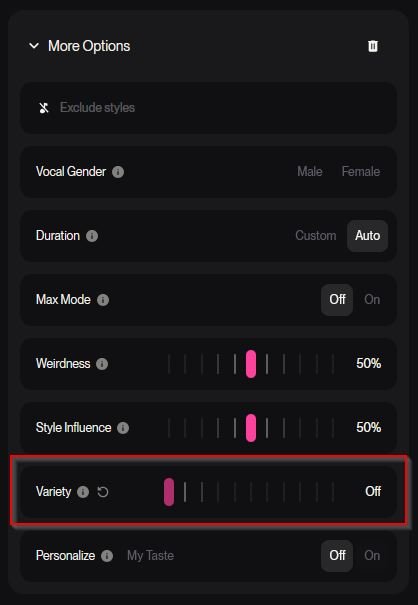
Suno have just released their new top model V.6. Along with better vocals and better consistency there are some new features in the "More Options" settings. If you are having issues with getting your song styles to follow your style prompt, there is a new setting you need to turn off. At the bottom there is a setting called "Variety". It defaults to Normal which means Suno will automatically use AI to change your style prompt, creating a new style with the styles you have put in mixed with styles of your latest songs. Meaning if you recently made a song with a style prompt with for example "Reggae, Jamaican vocals" and now you're creating a new song with a style prompt with for example, "Rock, Metal Anthem", Suno will create a personalized advanced style of Reggae and Metal Anthem. It's probably not supposed to lean that hard into your recent styles and the feature will most likely undergo some changes (maybe). So for now, just turn that feature off by dragging the slider all the way to the left and Suno will follow your style prompt exactly.
-
-
Among the Firefox forks, there are really two different winners depending on what you value: Firefox fork Best for Privacy Usability My take LibreWolf Privacy-first browsing ⭐⭐⭐⭐⭐ ⭐⭐⭐⭐ Best privacy fork Floorp Features/customization ⭐⭐⭐⭐ ⭐⭐⭐⭐⭐ Best general-purpose fork Waterfox Traditional Firefox experience ⭐⭐⭐⭐½ ⭐⭐⭐⭐⭐ Excellent middle ground Mullvad Browser Anti-fingerprinting/anonymity ⭐⭐⭐⭐⭐+ ⭐⭐⭐ Excellent, but specialized Most popular from the user/community perspective: probably LibreWolfThere isn't a reliable global browser-market-share table specifically for Firefox forks, so nobody can credibly say "LibreWolf has X million active users and therefore wins." But community discussions consistently put LibreWolf among the most commonly recommended Firefox derivatives, especially when someone asks for "Firefox without Mozilla telemetry." Recent browser-community discussions continue to recommend it heavily. Interestingly, Floorp currently has more GitHub stars than Waterfox, roughly 8.4k vs 6.1k, so Floorp has developed a very strong enthusiast following. GitHub stars aren't user numbers, though. So I'd characterize things roughly as: Privacy community: LibreWolf Customization / enthusiast community: Floorp Long-established mainstream fork: Waterfox Best for privacy: LibreWolfThis one is much clearer. LibreWolf's entire reason for existing is essentially: It removes Firefox telemetry and data collection, includes uBlock Origin, enables Strict Tracking Protection, strips tracking parameters, enables Total Cookie Protection/dFPI, and enables Firefox's Resist Fingerprinting (RFP) protections by default. Its privacy policy is refreshingly short too: LibreWolf says it does not collect user data through the browser or website, although some requests to Mozilla or other services can still occur. That makes it much more privacy-hardened out of the box than standard Firefox. Waterfox has become surprisingly privacy-focusedWaterfox deserves more credit than it sometimes gets. Its August 2026 privacy documentation says telemetry, crash reporting, experiments and remote studies are disabled at build time. It also removes sponsored content, Pocket-style advertising features and several Mozilla network connections. Waterfox also documents its automatic network connections unusually thoroughly. The important difference is philosophy. LibreWolf: minimize fingerprinting and tracking, even if websites occasionally behave strangely. Waterfox: remove telemetry and unnecessary communication while staying comfortable for everyday Firefox users. That makes Waterfox potentially the better choice for someone who wants 90% of LibreWolf's privacy philosophy without quite as much breakage or unusual behavior. Floorp is what I'd choose for featuresFloorp is less of a "harden Firefox until it squeaks" project and more of a Firefox equivalent to Vivaldi. You get things like: workspaces vertical/customizable tabs split view web panels extensive UI customization container integration mouse gestures Floorp disables Mozilla telemetry by default on desktop. But Floorp explicitly frames its approach as "Privacy is your choice", whereas LibreWolf is essentially privacy by aggressive defaults. There are also a few Floorp-specific network conveniences worth knowing about. For example, its privacy policy notes that missing shortcut/web-panel icons may be fetched through Google's favicon service. So I would not put Floorp above LibreWolf in a strict privacy ranking. My rankingFor maximum privacy without entering Tor territory: LibreWolf Mullvad Browser depending on threat model Waterfox Floorp Firefox There's a caveat with Mullvad Browser. For fingerprint resistance, I'd actually rank Mullvad Browser above LibreWolf. It's designed around giving large groups of users nearly identical browser fingerprints rather than letting everyone customize their browser into a unique snowflake. But for normal everyday browsing, I wouldn't necessarily use Mullvad Browser as my only browser. For best overall Firefox fork: Floorp LibreWolf Waterfox And if you asked me what I'd install on a Windows PC today: LibreWolf if your priority is: Floorp if your priority is: Waterfox if your priority is: For what you've asked, I'd start with LibreWolf. It's probably the cleanest answer to "I like Firefox, but privacy is my first priority." 🦊🔒
-
Sam Altman Samuel Harris Altman (born April 22, 1985) is an American entrepreneur and investor who has been the chief executive officer (CEO) of the artificial intelligence company OpenAI since 2019. The artificial intelligence revolution was supposed to arrive like a thunderclap. When OpenAI released GPT-4 in 2023, many people in Silicon Valley expected businesses to transform almost immediately. Existing software companies would suddenly face existential competition. Entire categories of work would be automated. Small teams armed with artificial intelligence would compete with corporations employing thousands of people. Three years later, AI is certainly everywhere, but the economic revolution predicted by some of its biggest advocates has unfolded much more slowly. OpenAI CEO Sam Altman now says he underestimated one surprisingly powerful obstacle: people simply do not change their habits very quickly. In a recent conversation with podcaster David Senra, Altman admitted that his original expectations for the speed of the AI transition were too aggressive. He had expected GPT-4 to trigger far more immediate disruption throughout the software industry. Instead, something stubborn stood in the way. Human behavior. “People keep doing the same things they’re doing. They keep buying from the same company. They keep sort of wanting to use their tools in the same way.” Altman described this resistance as economic “inertia,” arguing that even extremely powerful technology does not automatically convince people or companies to abandon the systems they already understand. It is a fascinating admission from one of the most prominent architects of the AI boom. But it also raises an uncomfortable question. Is the public really slowing down the AI revolution, or has Silicon Valley underestimated how difficult it is to create technology that people actually want to reorganize their lives around? The AI Revolution That Was Supposed to Happen FasterAfter the arrival of ChatGPT and GPT-4, predictions about AI became increasingly dramatic. Artificial intelligence would rewrite software development. AI agents would replace conventional applications. Companies could potentially operate with dramatically smaller workforces. Entire industries might be rebuilt around language models capable of writing code, analyzing documents, answering questions and performing increasingly complex tasks. Altman himself believed the software market would rapidly become more competitive. Speaking with Senra, he recalled expecting that after GPT-4 arrived, significantly more software businesses would suddenly become vulnerable to AI-powered competitors. That did not happen at the speed he expected. Instead, companies continued renewing existing software contracts. Employees continued opening the same applications. Managers continued operating the same workflows. People continued checking their email, copying information between applications and clicking through interfaces that AI could theoretically replace. Altman's conclusion is surprisingly simple. Technology can improve far faster than human behavior changes. “I think we’ve all been too ambitious on timelines,” he said, adding that society and the economy will adapt more slowly than the underlying technology develops. That statement represents a noticeable shift from some of the more explosive predictions surrounding generative AI only a few years ago. The technology might still transform everything. It might simply take longer. The Blockbuster ProblemOne analogy discussed during the interview perfectly illustrates Altman's argument. Blockbuster. When Netflix originally launched its DVD-by-mail business, customers could order movies without driving to a physical rental store. From a purely technological or convenience perspective, Netflix appeared to offer an obvious advantage. Yet millions of customers continued driving to Blockbuster. Why? Habit. People already understood Blockbuster. They knew where the store was. They knew how renting a movie worked. Saturday night might already involve driving there with the family and wandering between shelves looking for something to watch. Technology had created a potentially better system, but human behavior had not immediately caught up. Altman sees something similar happening with AI. Even when AI can theoretically perform a task faster, people frequently continue doing things the familiar way. The obstacle is not necessarily capability. It is behavior. Altman said changing behavior is considerably harder than people inside the technology industry sometimes realize. And he has a rather awkward example. Himself. Even Sam Altman Isn't Fully Using the AI RevolutionPerhaps the most revealing moment in the conversation came when Altman discussed his own computer habits. The CEO of OpenAI has access to some of the most sophisticated AI systems on Earth. He has Codex. He understands AI agents better than almost anyone. Yet Altman admitted that much of the way he uses a computer has barely changed in roughly 20 years. He still works through his inbox. He still interacts with software in familiar ways. He still performs tasks manually that an AI system could potentially automate. That contradiction appears to have made him reconsider the problem. If even the CEO of OpenAI struggles to reorganize his working habits around AI, perhaps expecting hundreds of millions of ordinary workers to immediately do so was unrealistic. But Altman's conclusion was not simply that people are resistant to change. He offered another explanation. The products might not be good enough yet. One account of the interview quotes Altman describing this as largely a “product failure.” That distinction is important. Because blaming customers for failing to adopt technology is easy. Building technology compelling enough that customers willingly abandon old habits is much harder. AI May Still Be Waiting for Its iPhone MomentAltman compared today's AI industry to the smartphone market before the iPhone. Before Apple's iPhone arrived in 2007, many of the individual technologies necessary for modern smartphones already existed. There were mobile data connections. Touchscreens existed. Phones could run software. Mobile email existed. Web browsing existed. Digital cameras were appearing in phones. Yet those technologies had not been combined into a product that dramatically changed how ordinary people interacted with computers. Then the iPhone arrived. The important innovation was not necessarily the invention of every individual component. It was packaging those technologies into something people immediately understood. AI may still be waiting for that moment. Today's chatbots are extraordinarily capable compared with software from only a few years ago, but most people still interact with them as separate destinations. Open a chatbot. Type a question. Copy the answer. Paste it somewhere else. Return to another application. The underlying AI may be revolutionary, but the workflow can still feel strangely old-fashioned. The real AI revolution may arrive when people stop consciously “using AI” altogether. Instead, intelligence could quietly become part of operating systems, applications, vehicles, workplaces and everyday devices. At that point, AI adoption might accelerate dramatically because users would no longer need to change their behavior around the technology. The technology would adapt to them. But the Public Has Reasons to Be CautiousThere is another side to Altman's argument that Silicon Valley cannot simply dismiss as resistance to change. A large portion of the public does not believe AI is moving too slowly. They believe it is moving too quickly. According to a 2026 Pew Research Center survey, 63 percent of American adults said AI was advancing too quickly. Only 2 percent believed it was moving too slowly. That is an extraordinary gap. Another Pew survey conducted in June 2026 found that 52 percent of Americans were more concerned than excited about the increased use of AI, while only 9 percent were more excited than concerned. The skepticism is not simply coming from older generations either. Among Americans aged 18 to 29, 55 percent reported being more concerned than excited about AI in 2026. That number has climbed substantially from 31 percent in 2021. In other words, the resistance Altman describes may not simply be technological inertia. Some of it is deliberate. People are asking what happens to their jobs. They are asking who controls AI systems. They are asking how their personal information is being used. They are questioning whether AI-generated content will damage creative industries. And increasingly, communities are questioning the enormous infrastructure required to power artificial intelligence. Data Centers Have Made AI PhysicalFor several years, artificial intelligence felt almost weightless. You opened a website. Typed something. Received an answer. Behind that seemingly simple interaction, however, sits one of the largest infrastructure expansions in the history of computing. AI requires enormous data centers filled with specialized processors. Those facilities require electricity, cooling systems, land, water and transmission infrastructure. As AI infrastructure has expanded, the technology has become increasingly visible to communities that previously experienced AI primarily through software. The reaction has not always been enthusiastic. Local resistance to new data centers has become a significant political issue in the United States, with communities raising concerns about electricity prices, environmental impact, water consumption and whether the economic benefits justify the infrastructure being built around them. This creates a strange collision between two worlds. Silicon Valley sees compute. Local communities see power lines, construction sites and utility bills. Tech executives see infrastructure necessary for the next industrial revolution. Residents may see an enormous building consuming resources while employing relatively few people. That gap in perspective matters. The Problem May Not Be the PublicIt would therefore be misleading to summarize Altman's comments simply as “people are holding AI back.” His argument is more interesting than that. There are really several forces slowing the transition. Human habits are one. Corporate bureaucracy is another. Existing software contracts matter. Training workers takes time. Regulations matter. Trust matters. The quality of AI products matters. And public acceptance matters. Technology companies frequently imagine technological progress as a straight line. Invent something better. Release it. Watch the world adopt it. History rarely works that way. Electricity took decades to reorganize factories. The automobile required roads, fuel stations, traffic laws and entirely new cities. The internet existed long before most businesses understood what to do with it. Smartphones required an ecosystem of applications, wireless networks and payment systems before they became the universal computers we recognize today. AI may follow the same pattern. The breakthrough happens first. The transformation comes later. Slower Might Actually Be BetterPerhaps the most surprising part of Altman's comments is that he does not necessarily view slower adoption as a disaster. He described economic inertia as “a positive in many ways.” The slower transition may give society more time to adapt. Businesses can experiment. Workers can learn new skills. Governments can develop regulations. Schools can reconsider how they teach. Companies can figure out where AI genuinely improves productivity instead of inserting it into products merely because investors expect them to. And AI developers themselves get more time to improve reliability, safety and usability. Altman said he is actually grateful that the transition may happen more smoothly and slowly than originally expected. That is a significantly different message from the feverish atmosphere surrounding AI in 2023 and 2024. The revolution is still coming, according to Altman. The timetable has simply changed. Silicon Valley's Biggest AI Challenge May Be HumanThere is an amusing irony buried inside the entire discussion. Artificial intelligence companies have spent billions of dollars building machines capable of understanding human language. Their next challenge may be understanding humans. People are complicated. We form routines. We distrust unfamiliar systems. We become emotionally attached to tools that technically should have disappeared years ago. Businesses operate with contracts, regulations, legacy databases and employees who cannot simply rebuild their workflows every six months because a new model received a benchmark upgrade. From inside an AI laboratory, technological capability might look exponential. Outside that laboratory, society moves at the speed of institutions, habits and trust. Those two clocks are not synchronized. And that might explain why the AI revolution simultaneously feels extraordinarily fast and strangely slow. AI models are advancing at astonishing speed. Yet most offices still contain spreadsheets. People still answer email. Companies still buy software from vendors they have used for decades. And even Sam Altman apparently still uses his computer much like he did before the AI revolution began. Perhaps the public is slowing AI down. Or perhaps Silicon Valley simply discovered one of technology's oldest lessons: Inventing the future is easier than convincing billions of people to live in it.
-
Tim Curry is one of those actors who could completely own a scene the moment he appeared. Whether you know him as Dr. Frank-N-Furter in The Rocky Horror Picture Show, Pennywise in It, or the wonderfully suspicious butler Wadsworth in Clue, his performances are incredibly memorable. What always stood out to me was his voice, facial expressions, and sheer presence. He could be hilarious, sinister, charming, and completely over-the-top, sometimes all within the same performance. He’s also had an enormous career in theatre, television, films, and voice acting. Few actors have managed to become such a recognizable part of so many different genres. What’s your favorite Tim Curry role?
-
For years, Rockstar Games has guarded Grand Theft Auto VI with the kind of secrecy normally reserved for unreleased technology or classified documents. Then, in August 2026, an anonymous online figure calling itself Cyberleek punched a sizeable hole through that wall. What initially looked like another collection of gaming leaks quickly became something much stranger. Unreleased GTA VI gameplay appeared online. A manifesto attacked modern gaming business practices. A cryptocurrency became intertwined with the leaks. Take-Two Interactive began pursuing information about people distributing the material. Impostor accounts appeared. And shortly before Rockstar finally presented its official extended look at the game, Cyberleek was accused of cashing out roughly a quarter of a million dollars connected to its crypto operation. At this point, Cyberleek is no longer simply a GTA leaker. It has become one of gaming's most unusual controversies of 2026. Who is Cyberleek?Nobody publicly knows. The Cyberleek name began attracting widespread attention around August 18, 2026, when previously unseen Grand Theft Auto VI gameplay footage started appearing online. Reporting indicates that the material included numerous gameplay clips, screenshots and portions of the game's map. The footage appeared convincing enough that Rockstar and parent company Take-Two began issuing copyright takedowns against copies circulating online. Rockstar later publicly acknowledged the leaks, saying that seeing unfinished material released in this way was not how the company wanted players to experience the game after years of development. Despite plenty of internet detective work, Cyberleek's real identity remains unverified. There have also been several social-media accounts using variations of the Cyberleek name, making attribution increasingly messy. Some accounts targeted by Take-Two's legal requests may even have been impersonators rather than the original source. That distinction matters. Claims circulating online about the supposed identity, nationality or employment history of Cyberleek should therefore be treated as speculation unless independently confirmed. The GTA VI leaksThe biggest controversy is naturally the leaked game itself. Cyberleek released footage apparently showing a playable development build of GTA VI, primarily featuring protagonist Jason. Reported clips showed activities ranging from driving and basketball to interaction with NPCs and previously unseen areas of Leonida. One particularly notorious leak showed a nudist community containing completely uncensored NPCs. Fans began examining every frame for information about Rockstar's enormous open world. But an interesting theory emerged as more footage appeared. Almost everything focused on Jason rather than Lucia. Repeated tutorial prompts, similar equipment and other recurring elements led some observers to speculate that Cyberleek might have access to a limited or specially configured build rather than the entire finished game. Cyberleek, meanwhile, suggested it possessed much more. Exactly how the material was obtained has still not been publicly established. The "Cyberleek Edict"Cyberleek attempted to position the campaign as something larger than leaking a highly anticipated video game. Its website published what it called the Cyberleek Edict, attacking practices including digital-only ownership, digital preorders, content locked behind additional purchases and games becoming unusable when publishers shut down online infrastructure. Its public messaging presented Cyberleek as an anti-corporate movement fighting what it considered increasingly anti-consumer behavior within the games industry. Some of those subjects reflect legitimate debates within gaming. The preservation of online games, ownership of digital purchases and publishers removing access to purchased products have generated serious discussion among players, developers and preservation organizations. But Cyberleek's campaign soon collided with another subject entirely. Money. Enter the $CYBERLEEK cryptocurrencyAlongside the leaks came a Solana-based cryptocurrency associated with the Cyberleek name. Promotional material connected the value of the token to future leaks, with QR codes reportedly appearing directly inside leaked GTA footage. Some messaging effectively encouraged supporters to increase the token's market capitalization in return for additional material. That immediately complicated Cyberleek's anti-corporate message. Was this activism? A fundraising campaign? A speculative crypto project? Or an elaborate way to monetize stolen or unauthorized material? Cyberleek's own website explicitly insisted that the operation was not a cash grab and claimed funding would support infrastructure and an unspecified future project. Then came the biggest controversy yet. The alleged $250,000 cash-outShortly before Rockstar's official August 27 GTA VI presentation, reports emerged that Cyberleek had extracted approximately $250,000 connected to the $CYBERLEEK token. According to reporting cited by Tom's Hardware, the money appears to have come primarily from liquidity-provider trading fees rather than simply dumping a huge personal token allocation onto buyers. After the withdrawal, the token's price collapsed sharply. Funds were subsequently distributed across several wallets, with portions reportedly moving through services intended to make blockchain tracing more difficult and some cryptocurrency reaching KuCoin-linked infrastructure. Predictably, the word "rug pull" spread rapidly across gaming and crypto communities. There is an important distinction, however. A dramatic token collapse and a creator withdrawing money do not automatically prove criminal fraud. Calling the operation a scam is therefore an allegation unless investigators or courts establish otherwise. But the incident badly damaged Cyberleek's carefully constructed anti-corporate persona. A movement declaring itself opposed to exploitative monetization had, somewhat spectacularly, become entangled with one of the internet's most notoriously speculative forms of monetization. The irony practically writes itself. Take-Two goes huntingTake-Two has not simply been playing digital whack-a-mole with leaked videos. The company has pursued DMCA subpoenas seeking identifying information connected to distribution of the leaked footage. According to TorrentFreak, legal requests have involved services including Microsoft, Discord, X and YouTube. The requests are designed to identify accounts associated with alleged copyright infringement rather than constituting lawsuits against Cyberleek itself. The situation also demonstrates one of the weaknesses of anonymous leak campaigns. A leaker may conceal their personal IP address or identity, but every service involved can create another breadcrumb: account records, hosting information, login metadata, exchange activity, blockchain transactions or communications with other users. Cyberleek appears to have made considerable efforts to distribute information through decentralized infrastructure, but decentralizing the files does not necessarily decentralize every piece of evidence surrounding the person distributing them. Rockstar finally takes control of the conversationOn August 27, Rockstar released its official 26-minute Grand Theft Auto VI: An Extended Look presentation. The showcase revealed substantial gameplay involving both Jason and Lucia and provided fans with a far more polished look at Rockstar's vision for the game. Ironically, the official presentation may have been one of the most damaging developments for Cyberleek. Before August 27, unreleased gameplay was incredibly scarce. After August 27, Rockstar itself had released nearly half an hour of professionally presented footage. The information monopoly Cyberleek had briefly possessed suddenly became much less valuable. Hacker, activist, marketer or opportunist?That is ultimately what makes Cyberleek interesting. The story contains several different identities layered on top of each other. Cyberleek presents itself as a campaign against anti-consumer gaming practices. To Rockstar and Take-Two, it is a source of unauthorized copyrighted material. To GTA fans, it has alternated between forbidden information source, spoiler threat and internet spectacle. And to cryptocurrency traders, Cyberleek became the face of another extremely volatile memecoin. Whether this entire operation was primarily ideological, financial, attention-driven or some combination of all three remains impossible to establish without knowing who is actually behind it. What can be established is that Cyberleek managed to turn a conventional videogame leak into something considerably larger. Within less than two weeks, the name became associated with one of gaming's most anticipated releases, an anti-industry manifesto, decentralized hosting, a cryptocurrency frenzy, a six-figure cash-out controversy and a legal effort by one of the world's largest videogame publishers. The GTA footage may eventually become little more than historical trivia once Grand Theft Auto VI launches on November 19, 2026. The Cyberleek story, however, raises a more interesting question about modern leaks. When anonymous leakers can combine stolen information, ideology, decentralized networks, social-media virality and cryptocurrency into one campaign, where exactly does whistleblowing or digital protest end and monetized spectacle begin? Cyberleek may have started by leaking a game. The controversy surrounding it has become a story about something much bigger.
-
3D Girlz Forever 3D Girlz Forever is a video game published in 2010 on Windows. It's a simulation game, set in an adult theme. How to play 3D Girlz Forever WindowsSerial code: 1290964028 File Information Submitter SirMadsen Submitted 08/30/2026 Category Adult View File
-
Dopamine Dopamine is an elegant audio player which tries to make organizing and listening to music as simple and pretty as possible. This version is written using Electron, Angular and Typescript and works on Windows, Linux and Mac. File Information Submitter SirMadsen Submitted 08/30/2026 Category Audio & Video View File
-
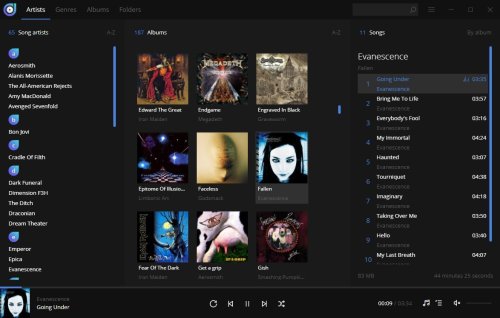 Dopamine is an elegant audio player which tries to make organizing and listening to music as simple and pretty as possible. This version is written using Electron, Angular and Typescript and works on Windows, Linux and Mac.Free
 -
Pinta (Portable) Pinta is a free, open-source program for drawing and image editing. It combines intuitive tools with powerful features, making it easy to create, enhance, and manipulate images. Whether you're sketching or retouching photos, Pinta keeps things simple without sacrificing functionality. File Information Submitter SirMadsen Submitted 08/30/2026 Category Graphics & Pictures View File
-
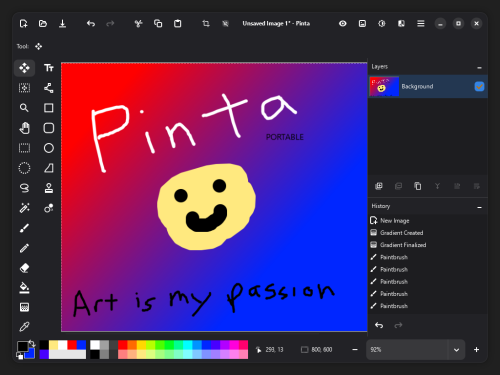 Pinta is a free, open-source program for drawing and image editing. It combines intuitive tools with powerful features, making it easy to create, enhance, and manipulate images. Whether you're sketching or retouching photos, Pinta keeps things simple without sacrificing functionality.Free
 -
Kudu (Portable) Kudu is a free system maintenance suite. It includes over 15 powerful tools to clean, optimize, and protect you. Open source, no ads, no bloatware. File Information Submitter SirMadsen Submitted 08/30/2026 Category Utilities View File
-
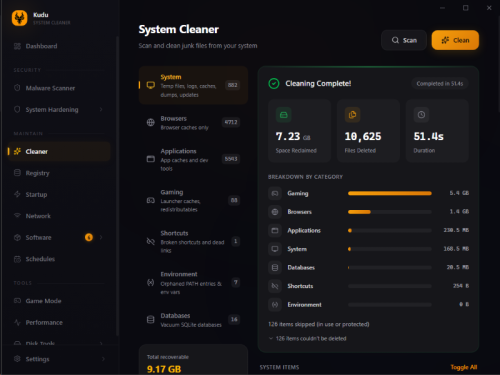 Kudu is a free system maintenance suite. It includes over 15 powerful tools to clean, optimize, and protect you. Open source, no ads, no bloatware.Free
 -
BriskPlayer (Portable) BriskPlayer is a lightweight, open-source audio player built from the classic discontinued CoolPlayer. It supports a wide range of formats including MP3, FLAC, OGG Vorbis, Opus, AAC (mp4), and WAV, with additional coverage through winamp input plugin compatibility. BriskPlayer features a simple skinnable interface with an advanced playlist editor, and an 8 band equalizer. It also includes quality-of-life features like ID3 tag support, ReplayGain, file renamer, and an MP3 to WAV converter, Discord Rich Presence, and a gettext translation engine so you can have your player in the language you speak, all while maintaining the small footprint and fast performance. File Information Submitter SirMadsen Submitted 08/30/2026 Category Audio & Video View File
-
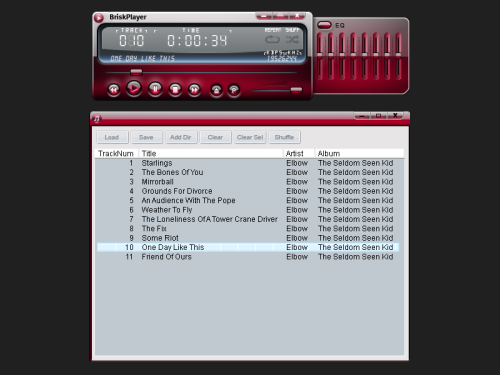 BriskPlayer is a lightweight, open-source audio player built from the classic discontinued CoolPlayer. It supports a wide range of formats including MP3, FLAC, OGG Vorbis, Opus, AAC (mp4), and WAV, with additional coverage through winamp input plugin compatibility. BriskPlayer features a simple skinnable interface with an advanced playlist editor, and an 8 band equalizer. It also includes quality-of-life features like ID3 tag support, ReplayGain, file renamer, and an MP3 to WAV converter, Discord Rich Presence, and a gettext translation engine so you can have your player in the language you speak, all while maintaining the small footprint and fast performance.Free
 -
UniGetUI UniGetUI offers a graphical interface tailored for software management. It supports multiple package managers, including Winget, Scoop, Chocolatey, and others, allowing users to install, remove, or update software more conveniently. What is UniGetUI?UniGetUI is a user-friendly tool that allows users to manage software installations and updates without the need to interact with the Command Line. This simplifies the process and makes it accessible to a wider range of users. UniGetUI's software catalog is extensive, featuring over 10,000 software packages across the three supported package managers. You are free to search for and explore the programs you need. Real World Use CaseA friend of ours recommended this app after he tried to install Telegram from the Microsoft Store for a client, but it kept prompting him to log in with an MS Account. This utility can force-install it without an account. It even has a search feature on the top left; click on Discover to search for any app. Sort Of PortableThe installer lets you install it or a portable version, but the portable version still requires Visual C++ dependencies, so it's not really portable. If you try to run it on a computer without them, you will get a myriad of missing Visual C++ libraries. Using UniGetUIUpon launching UniGetUI for the first time, users can select their preferred package managers. Winget and Chocolatey are enabled by default, but Scoop, a package manager geared towards more experienced users, can also be enabled. Once you have selected a software package for installation, UniGetUI offers two options: the software can handle the installation automatically, or users can opt for the Interactive Installation method for a more hands-on approach. Additionally, users may choose to skip the hash check, which can expedite the download process. Can Scan Installed Programs for UpdatesUniGetUI also includes a Software Updates utility that scans installed programs and alerts users to available updates, enabling efficient updates to multiple applications simultaneously. Includes Uninstall Option As WellTo uninstall programs, users can navigate to the Installed Packages interface and select the applications they wish to remove. UniGetUI streamlines this process, making it quicker and easier for users to manage their installed software. File Information Submitter SirMadsen Submitted 08/30/2026 Category Utilities View File
-
 UniGetUI offers a graphical interface tailored for software management. It supports multiple package managers, including Winget, Scoop, Chocolatey, and others, allowing users to install, remove, or update software more conveniently. What is UniGetUI?UniGetUI is a user-friendly tool that allows users to manage software installations and updates without the need to interact with the Command Line. This simplifies the process and makes it accessible to a wider range of users. UniGetUI's software catalog is extensive, featuring over 10,000 software packages across the three supported package managers. You are free to search for and explore the programs you need. Real World Use CaseA friend of ours recommended this app after he tried to install Telegram from the Microsoft Store for a client, but it kept prompting him to log in with an MS Account. This utility can force-install it without an account. It even has a search feature on the top left; click on Discover to search for any app. Sort Of PortableThe installer lets you install it or a portable version, but the portable version still requires Visual C++ dependencies, so it's not really portable. If you try to run it on a computer without them, you will get a myriad of missing Visual C++ libraries. Using UniGetUIUpon launching UniGetUI for the first time, users can select their preferred package managers. Winget and Chocolatey are enabled by default, but Scoop, a package manager geared towards more experienced users, can also be enabled. Once you have selected a software package for installation, UniGetUI offers two options: the software can handle the installation automatically, or users can opt for the Interactive Installation method for a more hands-on approach. Additionally, users may choose to skip the hash check, which can expedite the download process. Can Scan Installed Programs for UpdatesUniGetUI also includes a Software Updates utility that scans installed programs and alerts users to available updates, enabling efficient updates to multiple applications simultaneously. Includes Uninstall Option As WellTo uninstall programs, users can navigate to the Installed Packages interface and select the applications they wish to remove. UniGetUI streamlines this process, making it quicker and easier for users to manage their installed software.Free
Only guests see ads. Create a free account and/or log in for a complete ad-free experience.