

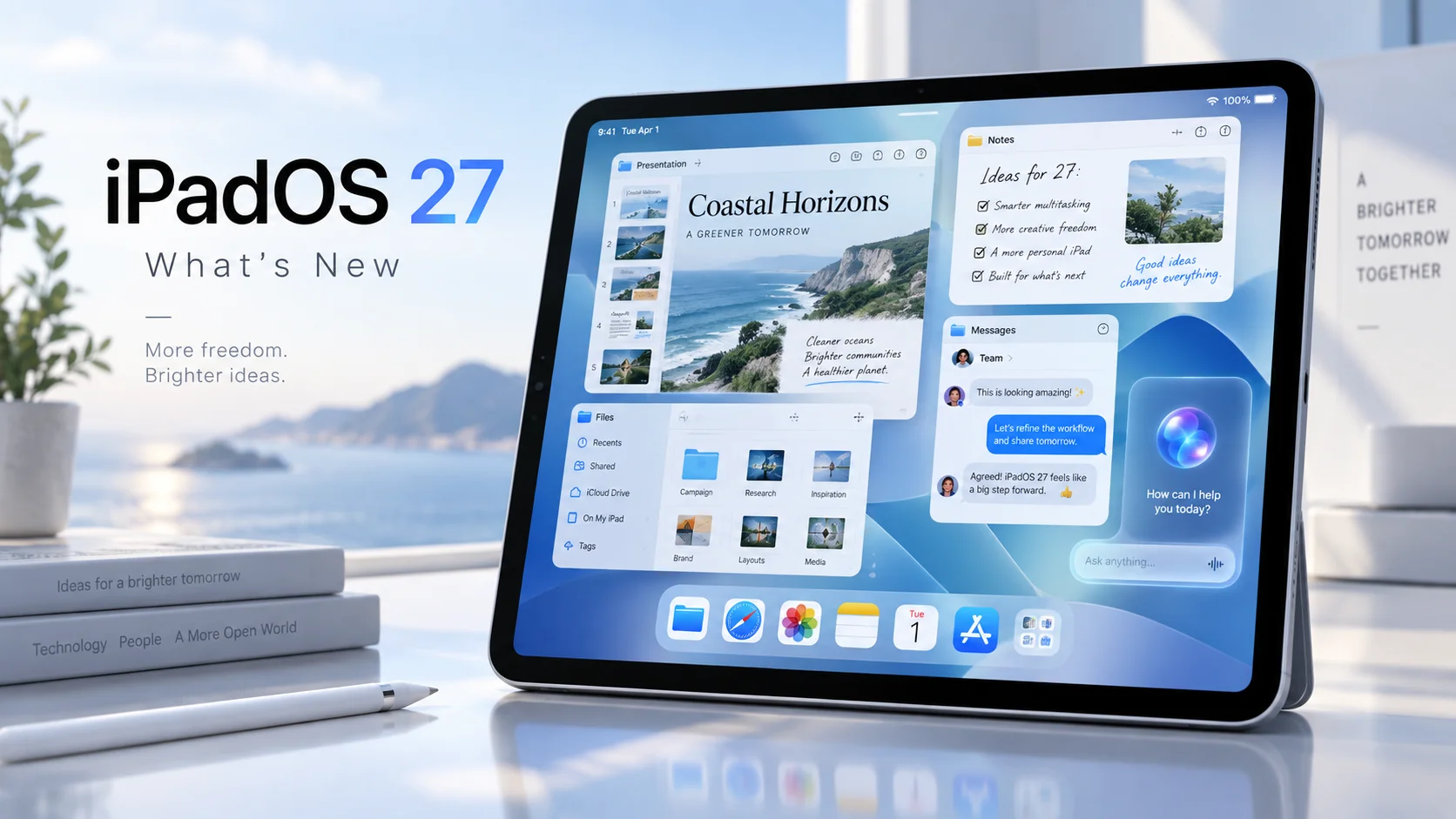
iPadOS 27: Everything New in Apple’s Latest iPad Update

Apple has officially released iPadOS 27, and while this year's update may not completely reinvent the iPad, it brings one of the biggest collections of intelligence, performance and usability improvements the platform has seen in years.
Released on September 14, 2026, iPadOS 27 focuses heavily on the next generation of Apple Intelligence, a much more capable Siri, smarter built-in apps, performance improvements and refinements to the Liquid Glass design introduced with the previous generation.
For users with newer iPads, particularly models powered by Apple silicon, there is quite a lot to unpack.
Siri Gets Its Biggest Upgrade Yet
The headline feature of iPadOS 27 is Apple's new Siri AI.
Apple describes it as a much more conversational and capable version of Siri, combining personal context, onscreen awareness, app integration and broader general knowledge.
Instead of treating every command as an isolated request, Siri can now maintain conversations and understand follow-up questions.
For example, you can ask Siri about something displayed on your screen, continue asking questions about it and then potentially perform an action based on the information.
Apple has also introduced a dedicated Siri app, where previous Siri conversations can be revisited.
Conversations can privately sync through iCloud, meaning a conversation started on one Apple device can potentially be continued on another.
Siri also integrates directly into Spotlight, allowing users to quickly type questions without opening another interface.
There is, however, an important limitation.
Siri AI requires an Apple Intelligence-capable iPad, meaning an iPad mini with A17 Pro or an iPad powered by an M-series processor. Apple says Siri AI is initially rolling out in English and is not initially available in the European Union on iPadOS.
For European users, including those in Sweden, that means some of iPadOS 27's biggest headline features may arrive later.
Apple Intelligence Becomes Much More Useful
Apple Intelligence is moving beyond isolated AI tricks and becoming more deeply integrated throughout iPadOS.
One of the more useful additions is Write with Siri.
Siri can generate a first draft, rewrite existing text, provide feedback or alter the tone of something you have written.
In Messages and Mail, Apple says the system can even adapt its writing style depending on the person you are communicating with.
Apple Intelligence also appears throughout Notes, Photos, Safari, Shortcuts and other system apps.
In Notes, for example, Siri can work with typed or handwritten content.
A collection of handwritten lecture notes could potentially be transformed into a structured study guide, while a rough collection of bullet points could be reorganized into a formatted agenda.
Visual Intelligence Comes to the iPad
Visual Intelligence becomes significantly more powerful in iPadOS 27.
Users can ask Siri about almost anything displayed on the screen.
Take a screenshot and Siri can analyze its contents, while Apple Pencil users can circle or highlight a specific object before asking about it.
That could be particularly useful on the iPad, where large displays are often used for research, studying, creative work and browsing.
Instead of switching between apps to search for something you are looking at, Visual Intelligence attempts to make the content directly interactive.
Photos Gets Serious AI Editing Tools
The Photos app receives several interesting upgrades.
Spatial Reframing allows users to change the composition of a photograph after it has been taken, virtually shifting the camera perspective.
The new Extend tool can generate additional content beyond the original boundaries of an image. This can be useful when straightening a photograph, changing its aspect ratio or creating additional empty space around a subject.
Apple has also improved the existing Clean Up feature.
It can now handle larger objects and more complicated removals, with separate faster and higher-quality processing modes depending on the edit.
Shared Albums are improving as well, with full-resolution sharing, additional filtering options and new ways of reacting to photographs.
You can also save an individual frame from a video directly as a photograph.
Safari Gets Surprisingly Powerful
Safari receives several genuinely useful additions in iPadOS 27.
Apple Intelligence can automatically organize open tabs into related topics, potentially turning a chaotic pile of tabs into something slightly less terrifying.
A new Notify Me feature can monitor webpages for changes.
For example, Safari could watch a product page and notify you when an item returns to stock or when its price changes.
Even more interesting is Describe an Extension.
Users can describe what they want Safari to change on a webpage, and the system can create a custom extension based on those instructions.
It is an unusual feature that could make browser customization considerably more accessible to people who have never written an extension themselves.
Better Password Management
The Passwords app continues evolving into a more complete password manager.
iPadOS 27 can identify weak or compromised passwords and, on supported websites, help update those passwords with far less manual work.
Rather than warning users that a password has been leaked and leaving them to fix it themselves, Apple is increasingly trying to automate the tedious part.
Shortcuts Can Be Created Using Natural Language
Shortcuts has always been enormously powerful, but building complicated automations can be intimidating.
iPadOS 27 addresses that with Describe a Shortcut.
Instead of manually arranging actions, users can describe what they want to happen using normal language.
Apple's example includes asking the iPad to automatically enable windowed apps and arrange Safari and Notes side by side when a keyboard is connected.
For people who previously looked at Shortcuts and immediately closed it again, this could make automation considerably more approachable.
Windowed Multitasking Continues to Improve
The iPad's windowing system continues to evolve.
Users can operate multiple resizable app windows, move them freely around the display and minimize or maximize applications through familiar window controls.
Windowed Apps remains available alongside Stage Manager, giving users more flexibility over how they want the iPad to behave.
Apple has also added smaller usability improvements across the interface, including the option to keep the menu bar permanently visible.
Another welcome change is that iPhone apps running on the iPad can now be resized, making apps without dedicated iPad interfaces considerably less awkward to use.
Liquid Glass Gets Refined
Apple isn't abandoning Liquid Glass, but iPadOS 27 does address some of the complaints surrounding it.
The visual effect has been refined to improve contrast and readability.
A new customization slider also allows users to adjust the appearance of Liquid Glass, ranging from an extremely transparent appearance to a considerably more tinted interface.
Icons have been sharpened and redesigned in places as well.
Rather than another dramatic visual redesign, iPadOS 27 feels more like Apple polishing the design language it introduced previously.
Apple Claims Noticeably Better Performance
Some of the most interesting improvements in iPadOS 27 are hiding underneath the interface.
Apple says it has optimized several fundamental parts of the operating system, including CPU scheduling, memory management and display rendering.
App launches and AirDrop transfers should feel faster.
File transfers between an iPad and an external drive can, according to Apple, be up to five times faster in certain situations.
That is a particularly important upgrade for people increasingly using an iPad Pro as a laptop replacement for photography, video production or other workflows involving large files.
Search has also been improved throughout Spotlight, Mail and Photos.
Better Wi-Fi and Cellular Transitions
iPadOS 27 improves how the system switches between available networks.
The iPad can more seamlessly move between Wi-Fi and cellular connections while attempting to maintain whatever you are currently doing.
It isn't the kind of feature that appears spectacular in screenshots, but improvements such as these can have a much bigger impact on daily use than another new icon or animation.
Messages Sync Should Finally Be More Reliable
Apple has also improved synchronization in Messages.
Unread counts and missed-message notifications should synchronize faster when returning to an iPad after using another Apple device.
It sounds small, but anyone deeply embedded in Apple's ecosystem has probably encountered the occasional situation where an iPad insists several already-read messages are still waiting.
Big Improvements for Parents
Parental controls are receiving a substantial overhaul in iPadOS 27.
Parents can choose which applications children have access to during device setup, while redesigned Screen Time controls provide a clearer overview of usage.
New schedules allow different applications to be available at different times of the day or on different days of the week.
Apple has also introduced Time Allowances, allowing parents to establish limits across categories including games, entertainment and social media.
Safari's Ask to Browse feature lets children request access to websites that would otherwise be blocked.
Communication Safety has also been expanded to detect potentially sensitive imagery, including nudity as well as graphic or violent material.
Accessibility Improvements
Accessibility remains another major focus.
VoiceOver receives richer image descriptions, while a new captioning system can automatically generate synchronized subtitles for video.
Existing captions can also be translated into other languages in supported situations.
Magnifier receives additional tools designed to help people with low vision.
Which iPads Support iPadOS 27?
Apple supports a fairly broad collection of recent iPads.
Compatible models include:
iPad 9th generation and newer
iPad mini 6th generation and newer
iPad Air 4th generation and newer
iPad Pro 11-inch 2nd generation and newer
iPad Pro 12.9-inch 4th generation and newer
iPad Pro 13-inch models
Newer models including the A16 iPad, A17 Pro iPad mini and M-series iPads are naturally supported as well.
Not every feature works on every supported device.
The largest Apple Intelligence additions require an M-series iPad or iPad mini with A17 Pro, meaning older iPads can install iPadOS 27 but will not receive the complete feature set.
Is iPadOS 27 Worth Installing?
For most supported iPads, yes.
iPadOS 27 is less about rebuilding the operating system and more about making the iPad smarter, faster and more flexible.
The deeper integration of Apple Intelligence is clearly Apple's main focus, but some of the most valuable improvements may actually be the less glamorous ones: faster external storage transfers, better networking, improved search, resizable iPhone apps, stronger parental controls and countless refinements throughout the operating system.
The biggest question mark is Siri AI.
Apple is placing enormous emphasis on it, but availability depends heavily on hardware, language and region. European users may therefore experience a version of iPadOS 27 that feels somewhat different from the one Apple is marketing in the United States.
Even without Siri AI, however, iPadOS 27 contains enough system-wide improvements to make it a meaningful update.
And for owners of a recent M-series iPad, it provides the clearest indication yet of where Apple believes the platform is heading: less of a giant iPhone and increasingly a computer that can adapt itself around whatever you happen to be doing.
Recommended Comments
Join the conversation
You are posting as a guest. If you have an account, sign in now to post with your account.
Note: Your post will require moderator approval before it will be visible.