


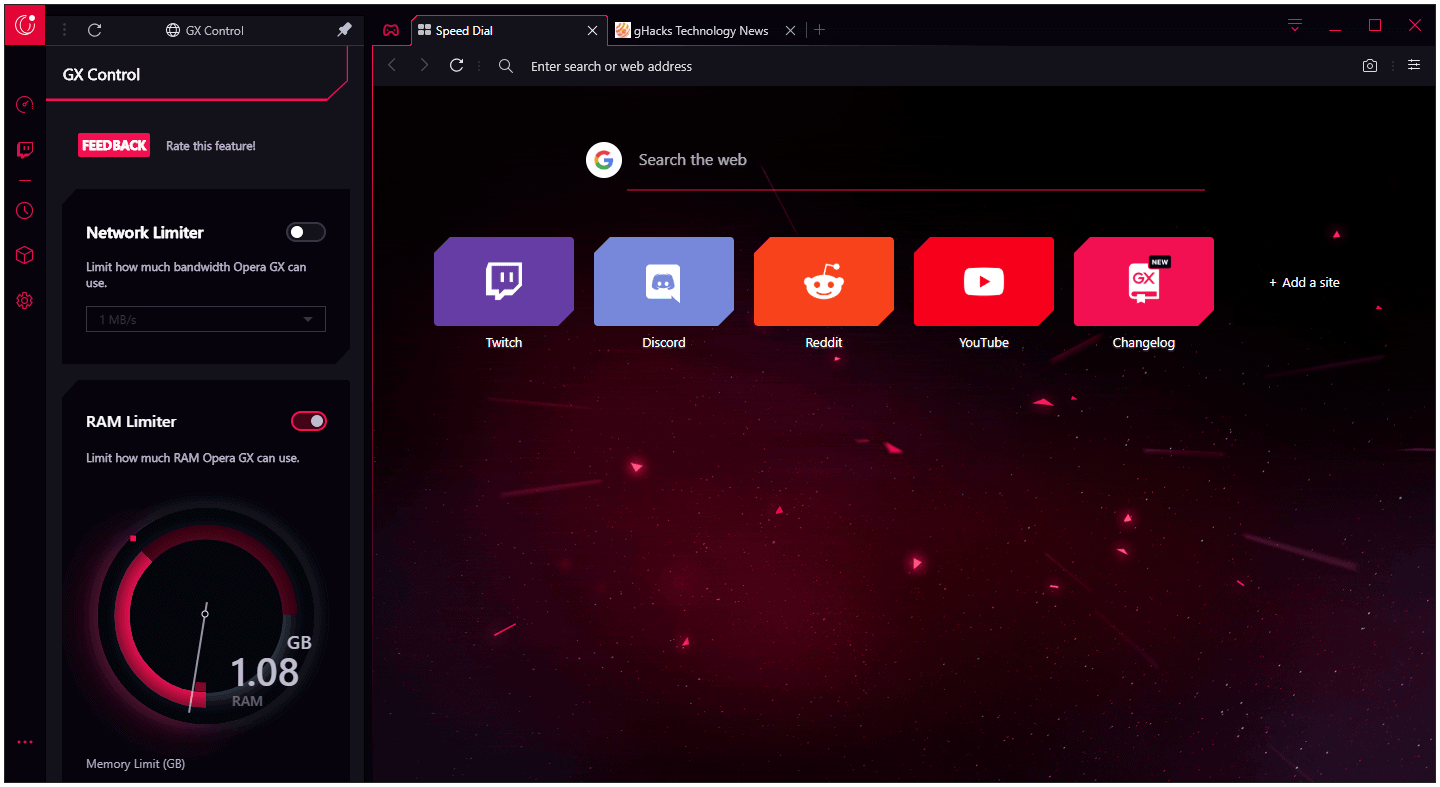
Opera GX is a special version of the Opera browser built specifically for gamers. The browser includes unique features like CPU, RAM and Network limiters to help you get the most out of both gaming and browsing.
Bring your gaming style to mobile. Connect mobile and desktop browsers with the file-sharing Flow feature, smoothly browse on the go with the one-handed Fast Action Button, and protect your privacy with the built-in ad blocker in the mobile browser for gamers.
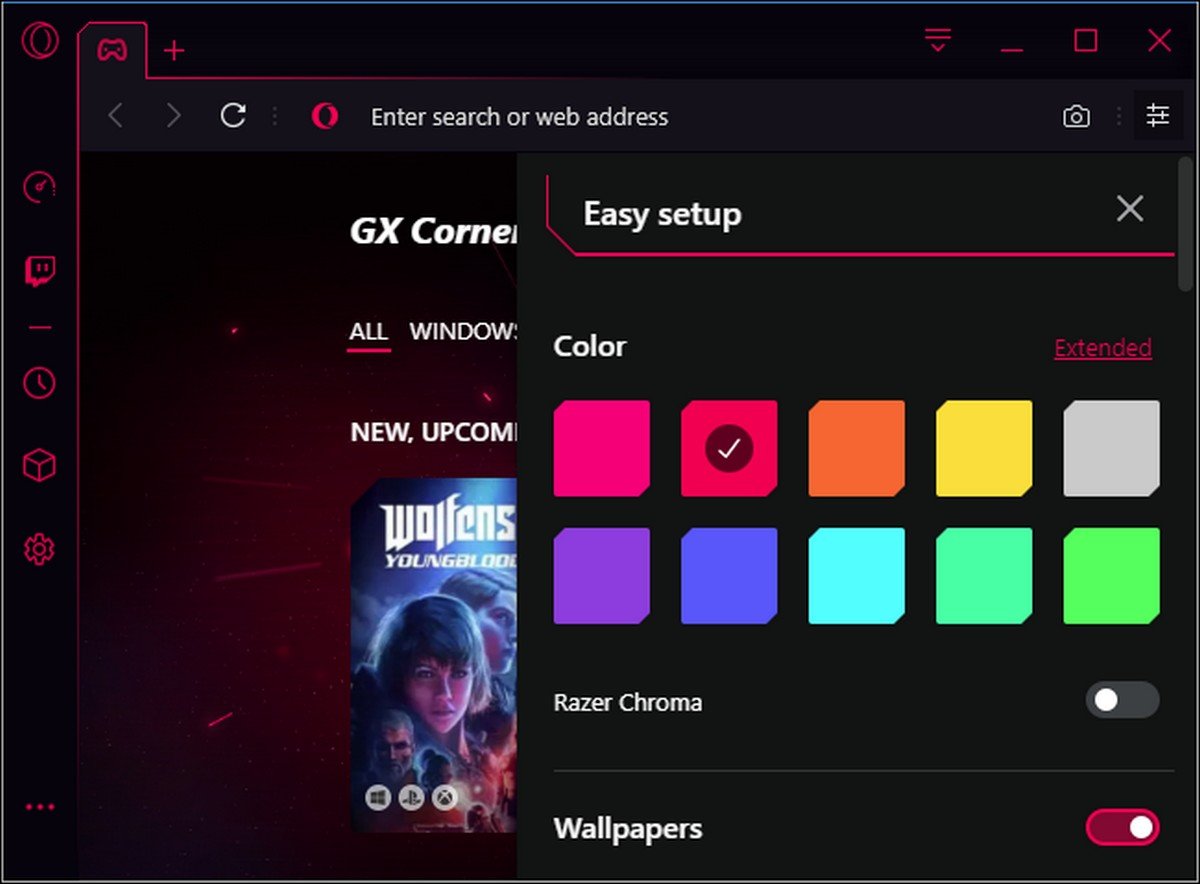
- Completely customize your color scheme with Opera GX to match your gaming setup. Choose from specially designed themes, and easily select GX desktop wallpapers as a gaming background.
- GX Mods completely changes the look, feel and sounds of the browser.
- Never miss a live stream. With Twitch right in your sidebar, you can easily see the channels you follow, who's online, and choose to receive notifications whenever someone you follow goes live.
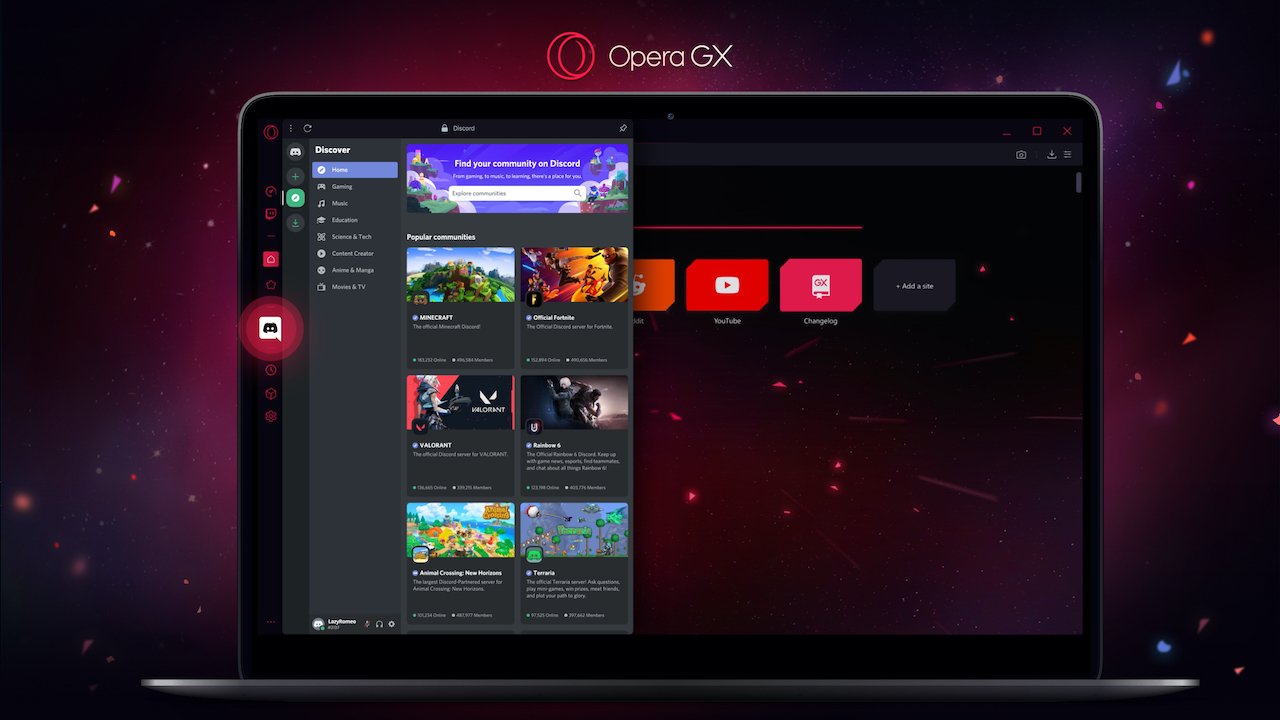
- Talk with your teams, friends and communities with Discord in your sidebar. Join us on Discord to talk about gaming, give feedback on GX, and have fun with the Opera GX community.
- A world of music and podcasts at your fingertips. Connect to all your music services in one place, and switch between them easily.
- Chat and browse at the same time with Discord, Facebook Messenger, Telegram, Vkontakte, and WhatsApp integrated right into the sidebar.
- Save and collect web content easily, share it visually. Collect pictures, links, music, files and notes to create builds, compare hardware deals, or plan the ultimate gaming den - in easily shareable, eye-pleasing boards.
- Detach online videos to watch on top of other windows while you continue browsing.
- Control your privacy and security with the free integrated browser VPN.
- Browse with less headaches and load websites faster with the built-in ad blocker.
What's New in Version 102.0.4880.85
Released
This is a pretty extensive update from the last version here on ToG. Several updates have been released between the last one and this one. This is the entire list update list from our last version.
LVL 5 (core: 102.0.4880.85) – 2023-10-02 (this version)
- [FIX] GX Corner fixes and improvements
LVL 5 (core: 102.0.4880.82) – 2023-09-29
- [FIX][Mac] 'Opera is capturing your screen' appears at startup
LVL 5 (core: 102.0.4880.79) – 2023-09-28
- [FIX] Chromium security hotfix
- [FIX] File upload dialog crash hotfix
- [FIX] Missing regular wallpaper if wallpapers from Mods not selected
LVL 5 (core: 102.0.4880.74) – 2023-09-28
- [FIX] Live wallpapers performance improvements
- [FIX] Aria AI improvements
- [FIX] Crash after opening Easy Files dialog
LVL 5 (core: 102.0.4880.64) – 2023-09-21
- [NEW] GX games and mods widgets features enabled by default
- [FIX] Opera cashback updates and fixes
- [FIX] GX Shaders improvements
- [FIX] Daily Wallpapers widget on start page visual improvements
LVL 5 (core: 102.0.4880.55) – 2023-09-14
- [NEW] Opera O102 Core
- [NEW] Possibility to configure keyboard shortcut for Discord in sidebar
- [FIX] Chromium security hot-fix
- [FIX] GX Games and Mods widgets visual improvements
- [FIX] GX Lights, Asus Aura loss of control issue
- [FIX] Daily wallpaper won't load after Opera GX crash
- [FIX] RGX 3.0 A|B line positioning problems
- [FIX] RGX button overflows out of video container while scrolling
LVL 5 (core: 101.0.4843.85) – 2023-09-06
- [FIX] Chromium security fixes
- [FIX] RGX 3.0 fixes and improvements
LVL 5 (core: 101.0.4843.81) – 2023-08-31
- [NEW] ARIA AI feature
- [FIX] Twitter changed to X - added GX colouring support for sidebar icon
- [FIX] Daily wallpapers improvements
- [FIX] Crash when exporting GX Lights configuration
LVL 5 (core: 101.0.4843.74) – 2023-08-24
- [NEW] Daily Wallpapers feature in Early Bird section
- [NEW] GX.games widget added to GX Widgets on Start Page
- [NEW] GX.mods widget added to GX Widgets on Start Page
- [FIX] Shader not activated instantly after installation
- [FIX] Address bar dropdown colouring fix
- [FIX] Game strips visual fixes
- [FIX] Live wallpapers performance improvements and fixed
- [FIX] Start Page visual improvements and fixes
- [FIX] Crash after changing RGX settings when logged into synchronisation
- [FIX] Feedback buttons not showing feedback popups
- [FIX] Extensions dialog colouring fixes
- [FIX] Autocomplete colouring fixes
LVL 5 (core: 101.0.4843.55) – 2023-08-17
- [NEW] ASUS Aura support
- [FIX] Corsair iCUE updates and fixes
- [FIX] Gamma correction fixes for GX Lights
- [FIX] Wallpaper not visible after Opera GX update
- [FIX] Shaders sidebar popup visual fixes
- [FIX] RGX 3.0 bunch of fixes and improvements
LVL 5 (core: 101.0.4843.42) – 2023-08-09
- [NEW] Opera O101 Core
- [FIX] Chromium security fixes
LVL 5 (core: 100.0.4815.82) – 2023-07-20
- [NEW] User shaders are removed from Early Bird
- [NEW] Post Mortem clean up
- [FIX] Some crashes were fixed
- [FIX] Discord microphone issue. This is also related to other sidebar messengers
- [FIX] Search box suggestions
- [FIX] Possibility of adding long user shader names
- [FIX] Empty user shader
- [FIX] Ability to put negative values into user shaders
LVL 5 (core: 100.0.4815.44) – 2023-07-06
- [NEW] Opera O100 Core
- [NEW] Translations for Live Wallpapers feature
- [FIX] Address bar colouring fix
- [FIX] Unable to disable 'Continue shopping' on small screens
- [FIX] Start page and Live Wallpapers UI improvements
LVL 5 (core: 99.0.4788.86) – 2023-06-26
- [NEW] Opera GX reaches LVL 5
- [NEW] Enable Live Wallpapers if Hardware Acceleration disabled - Start Page widget
- [NEW] New "Store" and "create Mod" links in Opera Mods feature
- [FIX] Browser crashes when user playing video on Discord sidebar in full screen mode
- [FIX] Password manager crash
- [FIX] Redesigned start page improvements
LVL 4 (core: 99.0.4788.75) – 2023-06-15
- [NEW] Aura game strip
- [FIX] Extensions update crash
- [FIX] Wallpaper dark/light theme switch issue
- [FIX] Browser sounds toggle in Easy Setup has no effect
LVL 4 (core: 99.0.4788.67) – 2023-06-06
- [NEW] GX Live Wallpaper Companion App translations
- [FIX] Chromium security hot-fixes
- [FIX] GX Live Wallpapers loading issue
- [FIX] GX Live Wallpapers performance improvements
- [FIX] Redesigned Start Page - another bunch of improvements
- [FIX] Importing bookmarks from Chrome error
LVL 4 (core: 99.0.4788.49) – 2023-06-01
- [NEW] Opera O99 Core
- [NEW] Opera GX Live Wallpaper Companion App feature in Early Bird section
- [NEW] GX User's Shaders feature in Early Bird section
- [FIX] Missing detect location dialog for weather widget
- [FIX] Redesigned Start Page fixes and improvements
LVL 4 (core: 98.0.4759.82) – 2023-05-25
- [FIX] Live Wallpaper hot-fix
- [FIX] Redesigned Start page tiles drag and drop improvements
LVL 4 (core: 98.0.4759.79) – 2023-05-25
- [NEW] Redesigned Start Page
- [NEW] Live Wallpapers feature
- [NEW] GX Start Page Widgets sign-in button redesigned
- [FIX] GX Shaders fixes
- [FIX] GX Shaders GPU usage optimisation improvements
- [FIX] GX Mods master switch behaviour improvements for modded wallpapers
LVL 4 (core: 98.0.4759.74) – 2023-05-19
[FIX] Chromium security hot-fixes
[FIX] RGX mode crash fix
LVL 4 (core: 98.0.4759.64) – 2023-05-16
- [FIX] Refreshed start page fixes
- [FIX] Rich Wallpapers fixes
LVL 4 (core: 98.0.4759.56) – 2023-05-12
- [FIX] Crash on enabling microphone permissions
LVL 4 (core: 98.0.4759.50) – 2023-05-10
- [NEW] Rich Wallpapers feature in Early Bird section
- [NEW] Refreshed start page feature in Early Bird section
- [NEW] AI Prompts feature enabled by default
LVL 4 (core: 98.0.4759.22) – 2023-04-27
- [NEW] Opera O98 Core
- [FIX] GX Mods fixes and improvements
- [FIX] Autofill colouring broken
LVL 4 (core: 97.0.4719.89) – 2023-04-25
- [FIX] Start page improvements
LVL 4 (core: 97.0.4719.84) – 2023-04-17
- [FIX] Chromium security hot-fix
Developer(s)
Unzip and run. Easy peasy lemon squeezy.
There are no reviews to display.