

Ron Gilbert stops posting news about Monkey Island after online hate

By SirMadsen
· 369 views
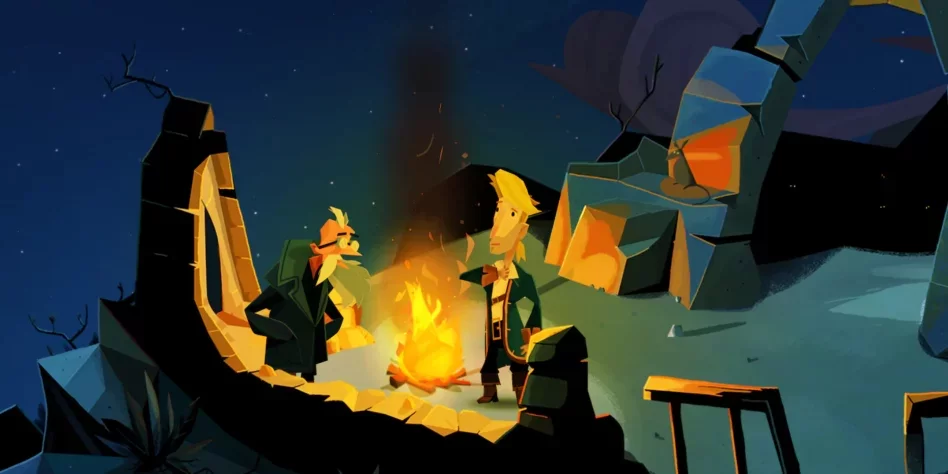
The graphic design of Return to Monkey Island, the sequel Ron Gilbert has wanted to do since the 1991 Monkey Island 2: LeChuck's Revenge, has been discussed and criticized. It is okay. The word is free.
What probably does not surprise anyone is that some "fans" take it a step further and go to personal attacks, something Ron Gilbert now testifies to. He has already expressed his disappointment that he is being pressured into doing a Monkey Island he does not want to do. So now it has gone a step further.
In his blog, Grumpy Gamer, Gilbert says that he turns off the comment fields, as people are "evil", and he has felt compelled to delete comments that have personally attacked him.
QuoteI'm shutting down comments. People are just being mean and I'm having to delete personal attack comments.
Gilbert seems to have turned off more than that, as the site is currently down.
However, Gilbert writes (or wrote) that he insists that Return to Monkey Island is an "incredible game", and says that it is up to us not to play it, "without ruining it for others" .
QuoteIt's an amazing game and everyone on the team is very proud of it. Play it or don't play it but don’t ruin it for everyone else. I won't be posting anymore about the game. The joy of sharing has been driven from me.
Recommended Comments
Join the conversation
You are posting as a guest. If you have an account, sign in now to post with your account.
Note: Your post will require moderator approval before it will be visible.