

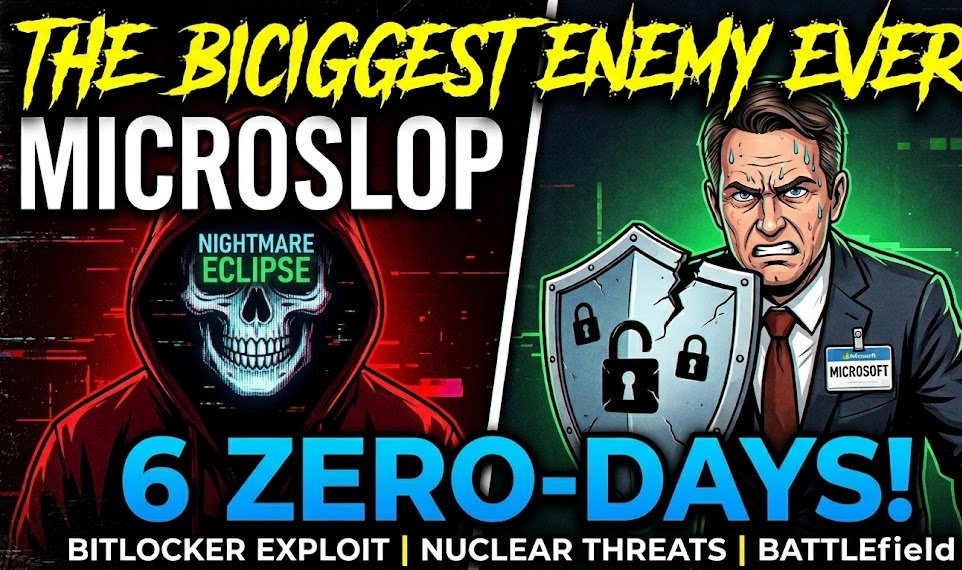
The Making of a Tech Supervillain: Why Microsoft is Facing a Nuclear Zero-Day Crisis

What is the single scariest thing that can happen when you use a computer? Most people would say getting hacked. Usually, we mitigate this by updating our software and using strong passwords. But what happens when someone utilizes an exploit that nobody—not even the software developers—knows exists?
That is what the tech world calls a zero-day attack. Typically, security researchers discover these flaws, report them to the vendor privately, collect a reward, and the bug gets patched.
But over the last few weeks, the standard rulebook was thrown completely out the window. In what is turning out to be one of the most chaotic standoffs in cybersecurity history, a single disgruntled security researcher has gone completely scorched earth against Microsoft.
The Catalyst: Six Zero-Days Dropped Into the Wild
A researcher operating under the moniker Nightmare Eclipse recently shocked the industry by publicly releasing six unpatched zero-day vulnerabilities for Microsoft Windows.
Instead of reporting them through official channels, the researcher published them directly to GitHub (which ironially, is owned by Microsoft) and GitLab. Why? According to the researcher, they previously tried to report major bugs via the Microsoft Security Response Center (MSRC) only to be allegedly humiliated, insulted, and left with "zero pennies" for their work.
Faced with a trillion-dollar company that refused to pay out a bug bounty, Nightmare Eclipse decided to become Microsoft’s worst nightmare.
"He would make more money doing the illegal, unethical thing than to do the right thing... It shows me that the security researcher actually cared about doing the right thing [initially]... Turns out [Microsoft] was just like 'Get out of here, we don't really care.'"
The Nasty Exploits: Bypassing BitLocker
Among the six disclosed vulnerabilities, a couple stand out as particularly dangerous cyber threats:
The BitLocker Security Bypass: This exploit affects Windows 11 systems and allows an attacker to bypass BitLocker drive encryption. Typically, if your laptop is stolen, encryption prevents unauthorized users from pulling files off your hard drive. This zero-day completely evades that defense.
The "Blue Hammer" Privilege Escalation: Another leaked zero-day allows a standard user account to instantly escalate its permissions to system-level control—the highest possible administrative access on a Windows machine.
Alarmingly, because these were dropped directly into the wild as a public proof-of-concept (PoC), cybersecurity firms have already noted that this code is actively being utilized by malicious actors online.
Accusations of Backdoors
The plot thickens with the BitLocker bypass. According to Nightmare Eclipse, the specific component triggering the exploit only exists within Windows Recovery Environment (winre) images on Windows 11, despite identical naming structures existing in standard installations without the triggering functionality.
The researcher raised heavy suspicions that this design choice feels far too convenient—fueling theories that the vulnerability may have intentionally acted as a "backdoor" for law enforcement or government entities to bypass standard warrants and access encrypted physical devices.
Microsoft’s Blunder and the "Streisand Effect"
In response to the leaks, Microsoft quickly banned Nightmare Eclipse’s GitHub account. When the researcher migrated to GitLab, those repositories were wiped as well.
However, trying to scrub data from the internet always triggers the Streisand Effect. By trying to censor the leaks, Microsoft only drew massive attention to them. Security communities immediately grabbed the code, ensuring it will float around the web forever.
Microsoft finally issued a public statement addressing the situation, heavily leaning on "coordinated vulnerability disclosure" and shifting the narrative to a "shared responsibility." Vaguely threatening, Microsoft also noted that their Digital Crimes Unit and law enforcement partners are building cases against those enabling this activity.
Industry veterans and founders of Microsoft's original bug bounty programs have actively criticized the tech giant's handling of the situation, calling it a "dumpster fire of Microsoft’s own making." Instead of simply paying the researcher to quietly fix a nuclear-level threat, Microsoft's rigid response effectively created its own corporate supervillain.
Looking Ahead: The July 14th Deadline
This internet battle is far from over. Nightmare Eclipse has publicly declared a looming deadline: July 14th.
The researcher claims to hold massive troves of internal documentation and potentially more exploits that they intend to drop on that date, promising to leave Microsoft's security reputation "shattered."
The Bottom Line: Whether the upcoming leak is a massive bluff or another wave of cyber warfare, the vulnerabilities already in the wild are very real. If you are a Windows user, keep your system strictly updated, exercise aggressive common sense online, and do not run untrusted software. Someone shot this researcher's proverbial dog, and they are out for corporate blood.
Recommended Comments
Join the conversation
You are posting as a guest. If you have an account, sign in now to post with your account.
Note: Your post will require moderator approval before it will be visible.