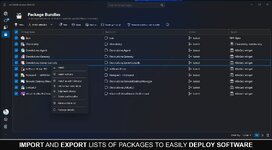
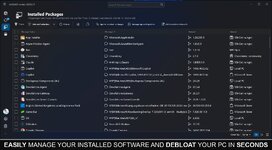
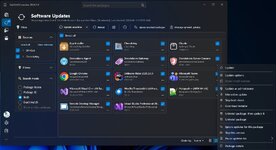
UniGetUI offers a graphical interface tailored for software management. It supports multiple package managers, including Winget, Scoop, Chocolatey, and others, allowing users to install, remove, or update software more conveniently.
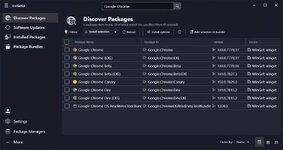
UniGetUI's software catalog is extensive, featuring over 10,000 software packages across the three supported package managers. You are free to search for and explore the programs you need.
Once you have selected a software package for installation, UniGetUI offers two options: the software can handle the installation automatically, or users can opt for the
Interactive Installation method for a more hands-on approach. Additionally, users may choose to skip the hash check, which can expedite the download process.
What is UniGetUI?
UniGetUI is a user-friendly tool that allows users to manage software installations and updates without the need to interact with the Command Line. This simplifies the process and makes it accessible to a wider range of users.UniGetUI's software catalog is extensive, featuring over 10,000 software packages across the three supported package managers. You are free to search for and explore the programs you need.
Real World Use Case
A friend of ours recommended this app after he tried to install Telegram from the Microsoft Store for a client, but it kept prompting him to log in with an MS Account. This utility can force-install it without an account. It even has a search feature on the top left; click on Discover to search for any app.Sort Of Portable
The installer lets you install it or a portable version, but the portable version still requires Visual C++ dependencies, so it's not really portable. If you try to run it on a computer without them, you will get a myriad of missing Visual C++ libraries.Using UniGetUI
Upon launching UniGetUI for the first time, users can select their preferred package managers. Winget and Chocolatey are enabled by default, but Scoop, a package manager geared towards more experienced users, can also be enabled.Once you have selected a software package for installation, UniGetUI offers two options: the software can handle the installation automatically, or users can opt for the
Interactive Installation method for a more hands-on approach. Additionally, users may choose to skip the hash check, which can expedite the download process.